Job Site Time Tracking: What It Means for Small Business

Job site time tracking means recording each employee's work hours and physical location at the work site itself, usually through a GPS phone app with a geofence drawn around the site. Every punch gets a time, a date, and a set of coordinates.
For small business owners in construction, landscaping, and field services, that record is the difference between payroll you can defend and payroll you're guessing at. Job site time tracking for small business crews replaces paper timesheets and manual punch cards with verified, location-stamped data that flows straight into your payroll system. The Fair Labor Standards Act (FLSA) requires accurate records of hours worked, and job site tracking is the most reliable way to meet that standard without piling on office work.
What does job site time tracking mean in practice?
Job site time tracking means every clock-in and clock-out is tied to a specific location, a specific time, and a specific employee. The industry term for this is field workforce time management, though most software vendors and contractors simply call it job site tracking or construction time tracking. The core technology stack includes GPS-enabled smartphones, geofencing software, and cloud-based payroll integration.
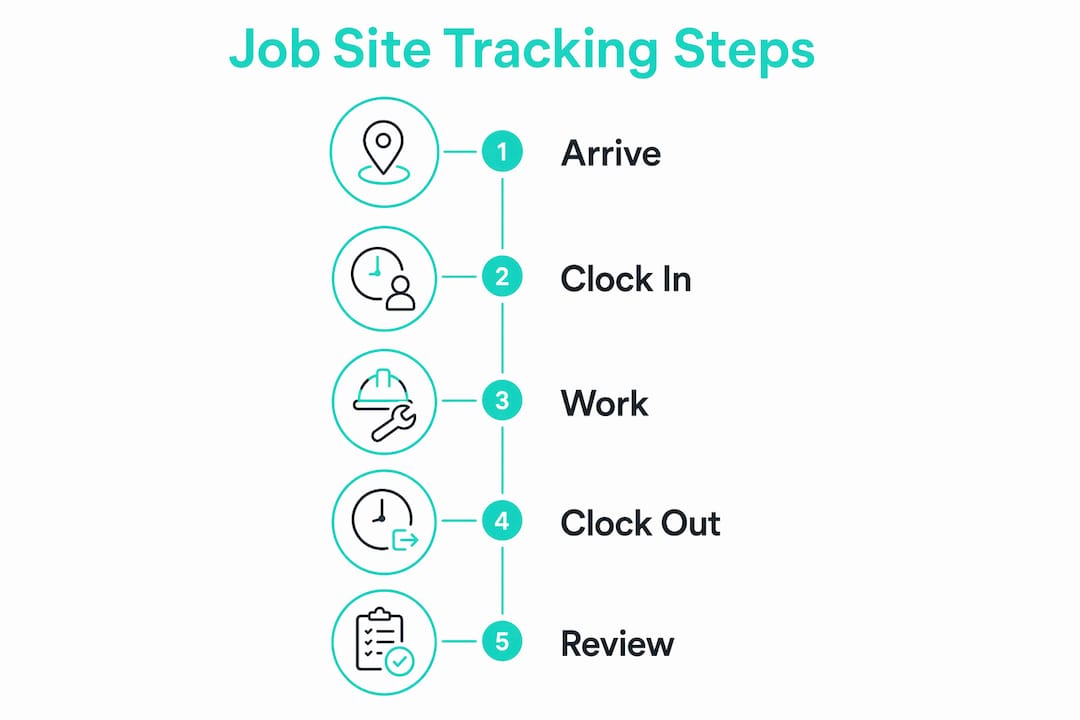
Here is what that looks like on a real job site. A crew member arrives at a commercial renovation project, opens a mobile app, and taps clock in. The app records the time, date, and GPS coordinates automatically. If the employee is outside the geofenced boundary for that site, the system flags the punch or blocks it entirely. A supervisor sees the attendance data in real time from the office, without making a single phone call.

This is fundamentally different from asking workers to text their hours or fill out a paper sheet at the end of the week. Those methods rely on memory and honesty. Job site tracking relies on data.
How does GPS time tracking work on a job site?
GPS employee time tracking has two moving parts that work together to confirm an employee is physically present at a job site before a clock-in is accepted. GPS time clocks capture location at clock-in and clock-out, stamping each punch with time, date, and coordinates automatically from a mobile device. A geofencing time clock adds a virtual boundary around the job site. Any punch attempt outside that boundary triggers an automatic flag for supervisor review, and a geofence time clock can be set to block the punch outright instead of flagging it.
The legal side matters here. GPS tracking is legally permissible on company-issued devices during work hours with employee consent in all 50 states. That consent requirement is not optional. Every employee should sign a written policy at hire or device issuance that explains what data is collected, how it is used, and who can access it.
Key features to look for in a GPS-based job site tracking system:
- Geofenced clock-in/out: Restricts punches to the physical job site boundary
- Automatic out-of-bounds flags: Alerts supervisors when a punch occurs outside the approved zone
- Real-time attendance dashboard: Shows who is on site, who is late, and who has not clocked in
- Photo verification: Captures a selfie at clock-in to confirm identity and prevent buddy punching
- Remote employee time tracking: Supports workers across multiple sites with location sync
Pro Tip: Set your geofence radius to match the actual footprint of the job site, not the address. A radius that is too wide defeats the purpose. A radius that is too tight causes false rejections for workers on large sites.
Why does accurate time tracking prevent payroll errors and time theft?
Time theft costs small businesses more than most owners realize, and the methods are often simple. Buddy punching, where one employee clocks in for an absent coworker, is the most common form. Misreported hours, rounding up start times, and early clock-outs add up quietly over weeks and months.
The financial stakes are concrete. Consider a bid that assumes 8 hours of labor for a task. If the actual time runs to 14 hours due to poor tracking and no accountability, a $400 profit turns into a $300 loss. That is a $700 swing on a single task. Multiply that across a crew of five over a month, and the damage to your margins is severe.
Here is how accurate job site tracking protects you:
- Eliminates buddy punching through GPS location verification and photo clock-ins
- Reduces payroll errors by replacing manual entry with verified, timestamped data
- Supports job costing by tying hours to specific job codes, phases, and cost centers
- Creates an FLSA-compliant record of hours worked without manual reconstruction
- Flags overtime early so supervisors can adjust scheduling before costs spike
“Tying hours to specific job codes and phases eliminates manual back-office entry and improves real-time labor productivity reporting.” (Pipeline On)
One area where many small businesses get caught is drive time. Under the FLSA, drive time from home to the first job site is often compensable and should start the clock before the employee reaches the geofence. Configuring geofencing to only begin tracking at site arrival can expose you to wage-hour lawsuits even when your on-site tracking is perfect. Talk to an employment attorney or HR advisor before finalizing your geofence setup.
What are the job site time tracking rules you have to follow?
Federal law does not tell you which app to buy. It tells you what the record has to contain. Under 29 CFR 516.2, you must keep, for every nonexempt employee, the hours worked each workday and the total hours worked each workweek. That is the core of the job site time tracking requirements at the federal level: complete and accurate, per day and per week.
Two field-specific rules sit on top of it.
- Travel between sites is paid. 29 CFR 785.38 is explicit that travel from job site to job site during the workday must be counted as hours worked. If your geofences only run at each site, the drive in between falls out of the record and out of the paycheck.
- Overtime counts the week, not the job. Hours over 40 in a workweek get time and a half no matter how many jobs those hours were spread across. Crews split between two sites and two project managers are the classic way a company discovers overtime after payroll instead of before it.
Write your own job site time tracking rules down in the same document your crew signs for the GPS policy: which punches count, who approves a correction, and how drive time is handled. Rules that live only in a supervisor's head produce inconsistent records, and inconsistent records are the ones that lose disputes.
What are the best practices for adopting a job site time tracking system?
The biggest mistake small businesses make is treating time tracking software as a set-it-and-forget-it tool. Consistent, daily enforcement matters more than which platform you choose. A $200-per-month system used inconsistently produces worse data than a free app used every single day.
Adoption fails most often because employees feel surveilled. Transparency about the system’s purpose reduces resistance significantly. Frame tracking as attendance verification for payroll accuracy, not as monitoring behavior. When workers understand that accurate tracking protects their own pay, they become allies rather than resistors.
Practical steps for a successful rollout:
- Write a clear policy: Cover what data is collected, how it is stored, and who reviews it. Have every employee sign it.
- Train before you enforce: Run a one-week trial period where employees practice clocking in and out without consequences for errors.
- Assign job codes from day one: Every punch should link to a project, phase, or cost code. Do not add this step later.
- Build supervisor approval into the workflow: Require a supervisor to review and approve timesheets before they reach payroll.
- Audit geofence settings regularly: Job sites change. Update boundaries when work moves to a new phase or location.
Pro Tip: Field service teams working across multiple sites benefit from location-aware time tracking that syncs automatically. Look for apps that categorize activity by site and sync data without requiring manual uploads.
One underrated pitfall is unpaid drive time. If your crew drives a company vehicle from a warehouse to the first job site each morning, that time may be compensable under federal law. Get this right before your geofence goes live.
How does job site tracking connect to payroll and job costing?
Time tracking data is only valuable when it moves cleanly into your payroll and project management systems. Platforms like QuickBooks Time sync approved hours directly into payroll, eliminating manual re-entry and the errors that come with it. The workflow looks like this: employee clocks in, hours accumulate with job code tags, a supervisor approves the timesheet, and the data exports to payroll in one step.
Job costing is where this integration pays off most clearly. When every hour is tagged to a job, phase, and cost code, you can compare actual labor costs against your bid in real time. If a framing phase is running 20% over budget on labor, you know by Wednesday, not after the invoice goes out.
| Feature | Manual timesheets | Job site time tracking software |
|---|---|---|
| Payroll accuracy | Prone to errors and rounding | Verified, timestamped data |
| Time theft prevention | None | GPS and photo verification |
| Job costing | Manual allocation after the fact | Real-time cost code tagging |
| FLSA compliance | Requires manual recordkeeping | Automated audit trail |
| Supervisor approval | Paper-based, slow | Digital routing with notifications |
Small businesses using time clock software with built-in payroll export save hours of administrative work each pay period. The real gain is not just speed. It kills the guesswork that leads to underpaying workers or overbilling clients.
The benefits of time tracking beyond payroll
Owners buy this to stop paying for hours nobody worked. The bigger return usually shows up somewhere else. Once punches carry a site and a job code, you are doing job site productivity tracking whether you meant to or not, and the data answers questions you used to argue about.
- Bids get better. Actual hours per phase, per crew, per site turn next quarter's estimates from memory into arithmetic.
- Job site time management stops being guesswork. You can see which sites eat labor, which crews finish early, and where a second truck is actually needed.
- Attendance tracking comes along for free. Who showed, who was late, who left at noon is a byproduct of the same punch record, and it is documented rather than remembered.
- Client disputes get shorter. A time and attendance record with coordinates ends the "your guy was not here Tuesday" conversation in about a minute.
Those are the benefits of time tracking that survive after the novelty wears off, and they only exist if the punch data is complete. That is why the enforcement habit matters more than the feature list.
One warning about tool choice. Most time tracking software for freelancers was built for desks. Harvest time tracking software and the rest of that category bill hours against clients from a laptop, and they do it well, because freelance time tracking has no reason to care where you were standing. Screen time tracking apps have the same blind spot from the other direction: they measure activity on a computer and tell you nothing about a roof.
Construction time tracking software starts from the opposite end, location first and hours second. So does any GPS time clock for job sites. If you are shopping for time tracking for construction sites, filter for the geofence before you look at anything else, and note that a wall-mounted time punch clock for small business use assumes everyone walks past the same door, which field crews never do. Our breakdown of Harvest time tracking covers where the desk tools genuinely fit.
Scheduling is the adjacent purchase, and the two are worth keeping straight. Scheduling software for small business crews decides who is supposed to be where; the clock records who actually was. Some vendors bundle them and most charge separately, so if you are pricing a scheduling program for small business use, treat it as a second line item rather than assuming it rides along. Kloqk puts scheduling on the Pro plan at $29 per location while the time clock itself stays free.
How do you roll out job site time tracking in one week?
You don't need a month-long implementation project. A five-person crew can go from paper to GPS tracking in a single week if you sequence it right.
Monday: Pick the job site time tracking app and create the account. Add each employee, set pay rates, and draw a geofence around your current job site. This takes about an hour with a free tool like Kloqk's free time clock. Budget zero dollars if you choose a free platform. The phone in each worker's pocket is the hardware.
Tuesday: Hold a ten-minute standup before work starts. Show the crew how to clock in, explain exactly what data the app collects, and hand out the written policy for signatures. Answer the surveillance question head on: the app records location at punch time, not all day.
Wednesday through Friday: Run the app in parallel with your old paper system. Nobody gets docked for a missed punch this week. Each evening, compare the app's hours against the paper sheets and note the gaps. Those gaps are your training list for the next morning.
The following Monday: Retire the paper. From this point, the approved digital timesheet is the payroll record. Keep the parallel-run comparison in a folder. It's a useful baseline if anyone later disputes their hours.
Expect two or three missed punches per person in week one. That's normal. What matters is that supervisors correct them the same day, with a note, so the audit trail stays clean.
Questions crews ask about job site time tracking
Can my employer track my location while clocked in?
On a work device during work hours, yes, with a written policy and consent. Scope matters more than the yes. A punch-based system records coordinates at the moment you clock in and out and nothing in between. Continuous tracking of a personal phone all day is a different product with different legal exposure, and most field crews do not need it. If your policy says location is captured at punch, capture it at punch and say so out loud.
How do construction crews track hours today?
Three ways, in descending order of reliability. A GPS phone app with a geofence per site produces a verified record. A foreman texting or writing hours for the whole crew produces a reconstruction. Paper sheets filled out Friday afternoon for the whole week produce a guess. Most companies moving to job site time tracking for employees are leaving the second method, not the first.
How does time tracking work with no cell signal?
Good apps queue punches on the device and upload them when the signal returns, keeping the original timestamp and coordinates. Ask any vendor this before you buy. Rural sites, basements, and below-grade work are exactly where field crews earn their money and exactly where a cloud-only system falls over.
Does this work for a two-person crew?
Yes, and the payoff lands faster than it does at scale, because a two-person operation has no office manager to absorb the paperwork. Free job site time tracking on phones you already own carries almost no setup cost, so the break-even is the first hour you do not spend rebuilding a week of hours from memory.
Key takeaways
Job site time tracking is the most direct tool small businesses have for connecting field labor to accurate payroll and real project costs.
| Point | Details |
|---|---|
| Core definition | Job site tracking records employee hours and location using GPS and geofencing technology. |
| Time theft prevention | Photo verification and geofenced clock-ins eliminate buddy punching and misreported hours. |
| Payroll accuracy | Approved, timestamped data exports directly to payroll platforms, removing manual entry errors. |
| Job costing impact | Tagging hours to job codes reveals real labor costs against bids before projects close. |
| Adoption discipline | Daily consistent use across the team matters more than which software platform you select. |
What I’ve learned managing field teams with these systems
I’ve watched small business owners buy sophisticated tracking software and then let it collect dust because enforcement was inconsistent. The technology is not the hard part. Getting a crew of six to clock in every single day, on every site, without exception, is the hard part.
The owners who get the most out of job site tracking share one habit: they treat the timesheet as a non-negotiable deliverable, the same way they treat the invoice. No approved timesheet, no paycheck. That sounds harsh, but it creates a culture where accurate time data is everyone’s responsibility, not just the office manager’s.
I also think the industry underestimates the legal exposure around drive time. Most small contractors configure their geofences to start tracking at site arrival and never think about what happens during the commute in a company vehicle. That gap is where wage-hour lawsuits originate. The FLSA rules on compensable travel time are specific, and your tracking setup needs to reflect them.
Finally, choose software that your crew will actually use on a phone they already carry. The best job site time tracking setup is the one that gets used. Kloqk’s GPS time clock works on any smartphone and exports clean hours to payroll without extra steps. The core clock is free with no per-seat fee, and GPS geofencing runs on the Premium plan at $59 per location. That combination removes the two biggest barriers to adoption: cost and complexity.
Saad
Start tracking job site hours accurately with Kloqk
If you manage a field crew and still rely on paper timesheets or texted hours, the payroll errors and time theft risks are real and ongoing. Kloqk gives small businesses a free employee time tracking app, with GPS geofencing on the Premium plan, photo clock-ins, job code assignment, and direct payroll export. There are no per-seat fees on the core time clock, and we name the plan for every feature that costs extra.
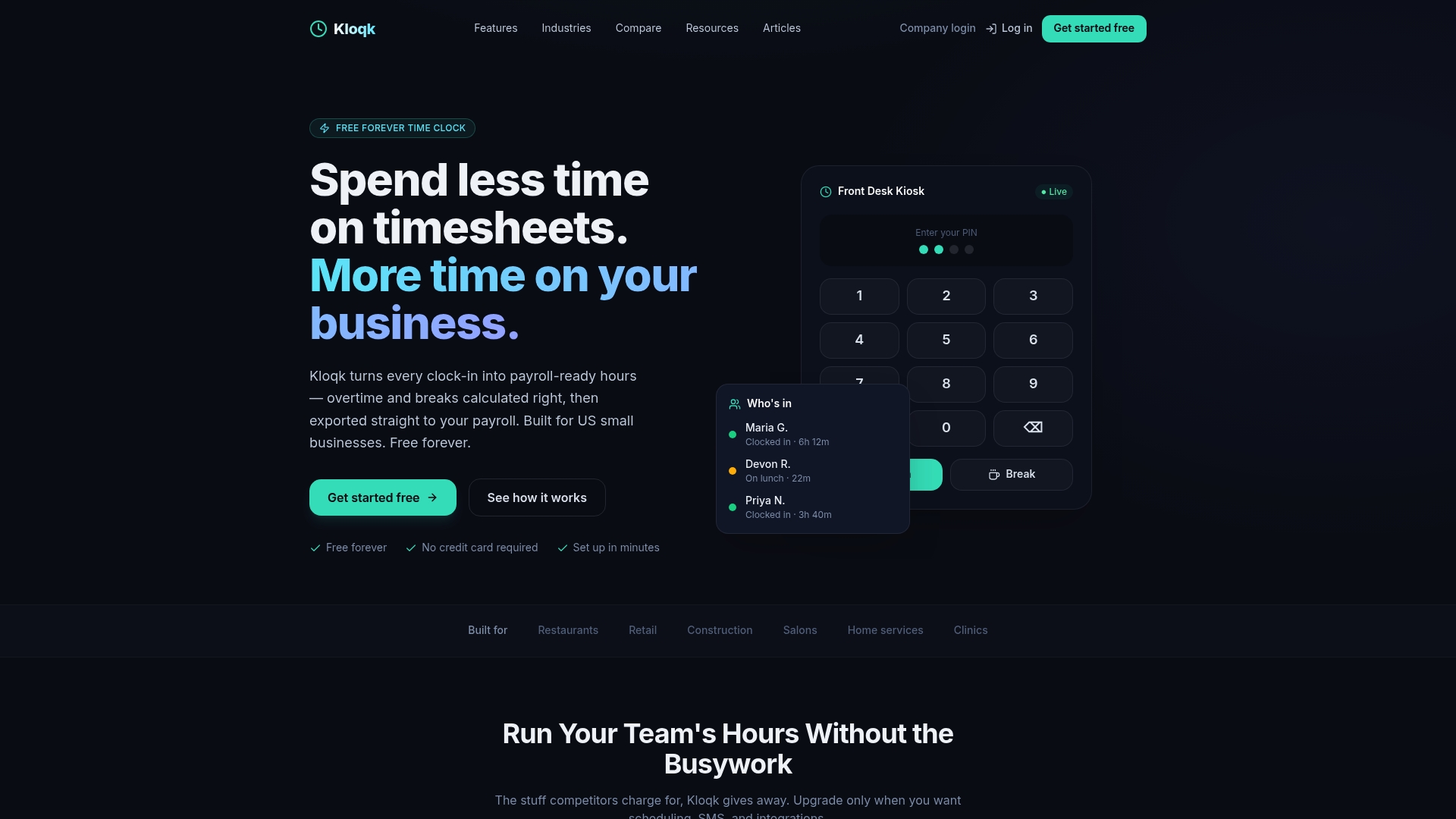
Kloqk is built specifically for small businesses in construction, landscaping, and field services where accurate job site hours are the foundation of every paycheck and every project budget. You can set up geofences, assign job codes, and run your first payroll export the same week you start. Explore Kloqk’s GPS time clock on the Premium plan at $59 per location, sitting on a time clock that is free for the rest of your crew, and see how it fits your operation.
Recommended
Frequently Asked Questions
What does job site time tracking mean?
Job site time tracking is the practice of recording employee work hours and physical location at designated work sites using GPS-enabled apps and geofencing. It replaces manual timesheets with verified, location-stamped data that feeds directly into payroll.
How does geofencing prevent time theft on job sites?
Geofencing creates a virtual boundary around a job site and blocks or flags any clock-in attempt made outside that boundary. Combined with photo verification, it eliminates buddy punching and ensures only present employees can record hours.
Is GPS time tracking legal for employees?
GPS tracking is legal on company-issued devices during work hours in all 50 states, provided employees give written consent. A clear, signed policy at hire is the standard practice for compliance.
Does job site tracking help with FLSA compliance?
Job site tracking creates an automatic, timestamped audit trail of hours worked, which satisfies FLSA recordkeeping requirements. Businesses must also account for compensable drive time under FLSA, which geofencing alone does not always capture.
What is the most important factor in making job site tracking work?
Daily consistent enforcement across the entire team matters more than the software platform chosen. Systems that are used selectively or inconsistently produce unreliable payroll data regardless of their technical capabilities.
Sources
Every figure on this page traces to one of these. Primary law and government sources are listed first.
- 1. Cornell Legal Information Instituteprimary
- 2. pipelineon.com
- 3. nerdbot.com
Written by
Marcus ReyesPayroll & Timekeeping Specialist
Marcus covers payroll accuracy, timesheets, and time tracking, the unglamorous mechanics that keep paychecks correct and audits painless.
Keep Reading
Track Hours the Easy Way
Kloqk is a free time clock that handles punches, breaks, overtime, and payroll-ready reports.
Start free