Employee time tracking, made simple
From clock-in to payroll-ready hours, tracked automatically, with no manual math.
Start free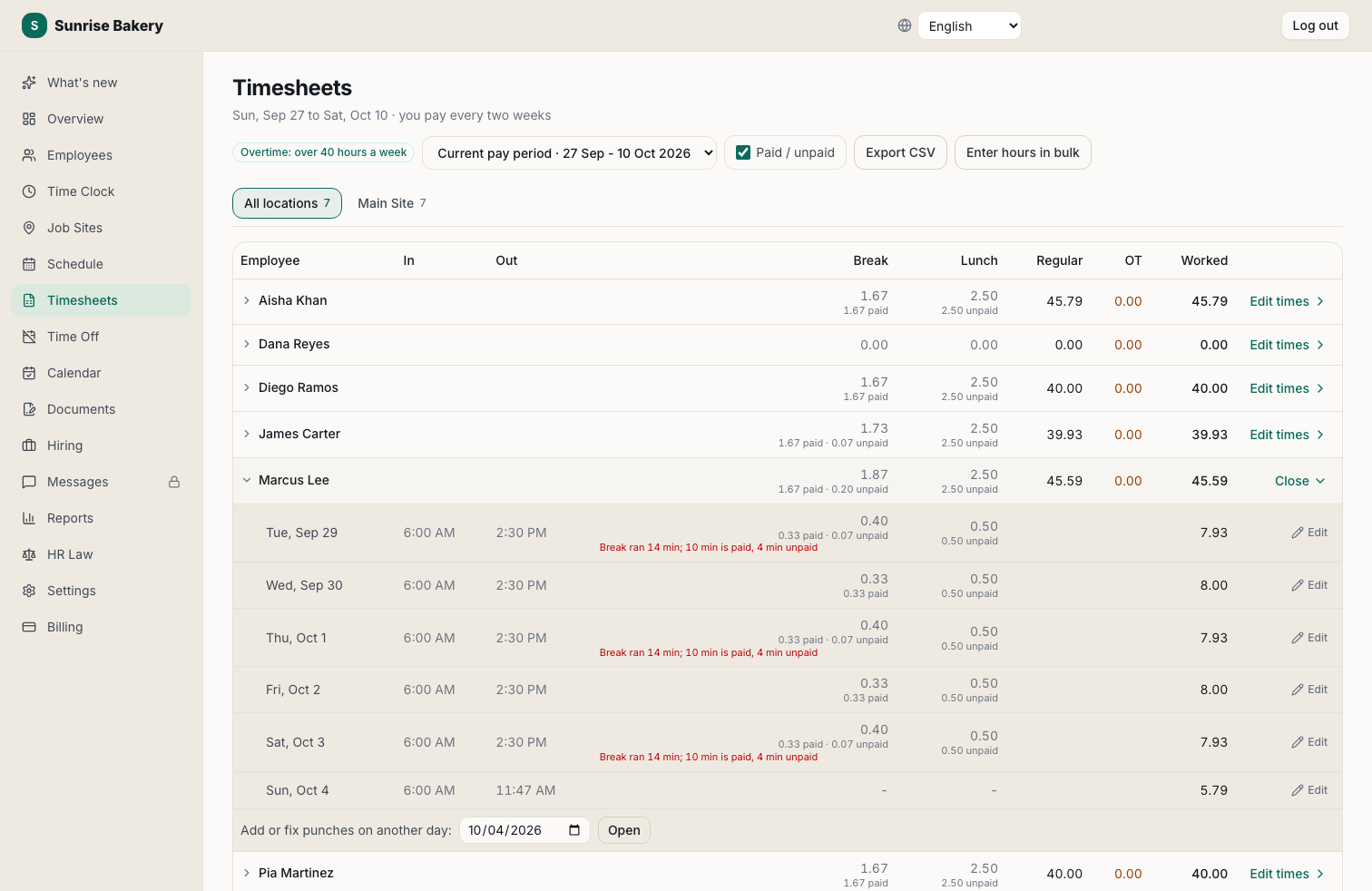
Capture Hours Anywhere
Kiosk, phone, or computer, punches flow straight into timesheets.
Paid and Unpaid, Shown
Every day's break and lunch is split into paid and unpaid minutes, and a break that runs long says so in plain words.
Night Shifts Done Right
A shift that runs past midnight is one shift on the day it started, breaks included.
A Whole Period in One Screen
Hours that arrive on paper? Enter a whole pay period in one grid, or copy yesterday's hours onto today.
Approve and Export
Fix a missed punch in one screen, with every change recorded, then export to Paychex, QuickBooks, Gusto or ADP.
Free to Start
Unlimited employees at one location on the free plan.
Frequently asked questions
How do employees track their hours?
They punch in and out on a shared kiosk tablet or from their phone; Kloqk totals the hours automatically.
Does it show paid and unpaid breaks?
Yes. Timesheets and reports split each break and lunch into paid and unpaid minutes using your break rules, and unpaid time comes off worked hours before overtime is counted.
How are overnight shifts counted?
On the day they start, as one shift, unless your payroll needs them split at midnight; that is a setting.
Can I track multiple locations or departments?
Yes, assign employees to locations and departments and report by each.