Zero-Cost Employee Hour Tracking for Small Business

Zero-cost employee hour tracking is the practice of recording, monitoring, and reporting employee work hours using free software tools combined with disciplined internal policies, at no additional software expense. The industry term for this practice is employee time tracking, and small business owners who treat the two as interchangeable will build a stronger foundation. The U.S. Department of Labor Wage and Hour Division (WHD) requires employers to maintain accurate wage and hour records regardless of what software they use, which means free tools carry the same legal weight as paid ones. Kloqk is one platform that delivers overtime calculations, break tracking, GPS geofencing, and photo verification at no cost, making genuine zero-cost workforce management achievable for small teams.
What are zero-cost employee hour tracking tools and how do they work?
Free time tracking software records when employees start and stop work, calculates total hours, and generates reports for payroll. Most free plans cover the core functions a small business actually needs: manual time entry, timer-based logging, and basic reporting exports.
The table below shows the typical feature breakdown between free and paid tiers across entry-level field apps and more capable platforms.

| Feature | Free tier | Paid tier |
|---|---|---|
| Manual time entry | Included | Included |
| Timer-based clock-in/out | Included | Included |
| Basic reporting | Included | Included |
| Payroll export | Limited or manual | Automated |
| GPS geofencing | Rarely included | Common |
| Photo verification | Rarely included | Common |
| Overtime auto-calculation | Sometimes included | Standard |
| Manager approval workflow | Sometimes included | Standard |
Free plans on entry-level apps typically cover small teams well for basic logging. The gap shows up in anti-fraud controls and automated payroll exports, which most free tiers either omit or restrict.
Key capabilities you should look for in any no-cost time management tool:
- Clock-in/out logging with timestamps accurate to the minute
- Break tracking that separates paid and unpaid time
- Overtime calculation based on federal and state thresholds
- Payroll-ready exports in CSV or direct integration format
- Manager review and approval before hours are finalized
- Audit trail showing edits, who made them, and when
Free time tracking software primarily generates data. Compliance and accuracy require the policies and review processes that sit on top of that data. A system that records clock-ins perfectly still fails if a manager never reviews exceptions or approves timesheets.
How to implement zero-cost employee hour tracking compliantly
Compliance is not optional. The DOL recordkeeping requirements apply to every employer covered by the Fair Labor Standards Act, regardless of whether they use a $200-per-month platform or a free app.
The 2026 WHD opinion letter FLSA2026-8 added important clarity on a specific issue: pre-shift activities that are integral and indispensable to the job can be compensable even if they happen in a short window before the official clock-in. That matters for restaurants where cooks set up stations before service, or construction sites where workers inspect equipment before the shift starts. If your tracking system does not capture that time, you have a compliance gap.
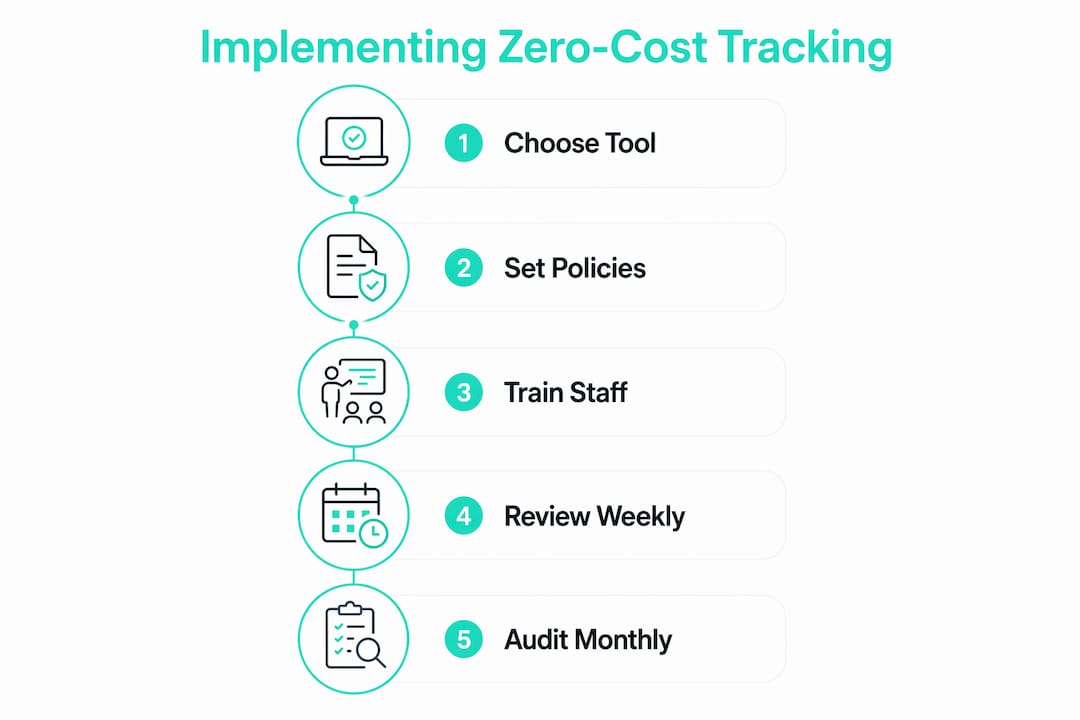
Follow these steps to build a compliant, no-cost tracking setup:
- Define compensable start-of-work activities. Write a clear policy that lists which tasks count as work. Enforcement policies must align with job-specific tasks to define compensable start-of-work activities correctly.
- Set an explicit off-the-clock policy. State in writing that employees must not perform work before clocking in or after clocking out. Distribute this policy at onboarding and review it annually.
- Configure manager approval workflows. Every timesheet should require a manager sign-off before payroll runs. This step catches missed punches, unauthorized overtime, and data entry errors.
- Eliminate rounding shortcuts. Modern electronic timekeeping records actual clock times easily, and the WHD has made clear that discretionary rounding is less acceptable when precise data is available. Use exact timestamps.
- Maintain records for at least three years. Federal law requires payroll records to be kept for three years and time records for two years. Store exports from your free software in a secure, organized location.
- Review exceptions weekly. Flag any timesheet with edits, missing punches, or unusual patterns. Investigate before approving.
Pro Tip: Set a recurring calendar reminder every Friday afternoon for managers to review and approve that week’s timesheets. Catching errors the same week they happen is far easier than reconstructing records weeks later.
Best practices to prevent time theft and enhance accuracy without extra cost
Time theft costs U.S. employers real money, and it does not require sophisticated fraud. Buddy punching, inflated break times, and early clock-outs all add up. Accuracy requires policies like manager approval and geofencing, not just software.
The following practices reduce errors and fraud without adding any software cost:
- Enforce strict clock-in/out discipline. Employees should clock in at their workstation or job site, not from a parking lot or a different floor. A GPS time clock with geofencing enforces this automatically.
- Use photo verification for clock-ins. Photo capture at clock-in eliminates buddy punching. Kloqk includes this feature at no cost, which most entry-level free apps do not offer.
- Set clear policies on early and late work. Define the window in which employees may clock in before their scheduled shift. Any work outside that window requires manager pre-approval.
- Establish a manager exception review process. Exception management is often missing in free-tier implementations but is critical for accuracy. Review every missed punch, manual edit, and overtime flag before approving pay.
- Train employees during onboarding. Walk new hires through the clock-in process on their first day. Confusion about how to log breaks or report missed punches leads to inaccurate records, not intentional fraud.
- Post reminders at clock-in stations. A simple printed sign listing the steps for clocking in and out reduces errors from distraction or habit.
Pro Tip: Run a monthly audit comparing scheduled hours to recorded hours for each employee. A consistent gap between the two is a reliable signal of either a policy problem or time theft.
Common challenges and troubleshooting tips for zero-cost tracking systems
Free time tracking software works well until it does not. The most common failure points are predictable, and most have straightforward fixes.
- Missed punches. An employee forgets to clock out, and the system records an open shift. Fix: require employees to report missed punches to their manager the same day. The manager corrects the record and notes the reason in the audit trail.
- Discrepancies between recorded and actual hours. An employee claims they worked longer than the system shows. Fix: cross-reference clock records with other data points like security badge logs, POS system activity, or job site photos.
- Employee resistance. Some workers view time tracking as surveillance. Fix: explain the legal reason for tracking, emphasize that accurate records protect their pay, and show them how to review their own timesheets.
- Free software feature gaps. A free plan may not support the payroll integration your accountant uses. Fix: export to CSV and import manually, or evaluate whether a platform like Kloqk covers the needed features at no cost before assuming a paid upgrade is necessary.
- Compliance drift over time. Policies get ignored as teams grow or managers change. Fix: schedule a quarterly policy review and re-train any manager who joined after the original rollout.
“Zero-cost setups succeed mainly by forcing disciplined clock-in/out habits and manager exception reviews capturing missing punches or unusual edits.” SAP SuccessFactors practitioner recommendation
Knowing when to upgrade is also part of good management. If your team grows past the user limit of a free plan, or if you operate across multiple locations, look for a platform that scales without per-seat fees. Multi-location time tracking at no cost is available, but not universal across free tools.
Key takeaways
Zero-cost employee hour tracking works when free software is paired with written policies, manager approval workflows, and strict compliance with DOL recordkeeping requirements.
| Point | Details |
|---|---|
| Free tools cover the basics | Manual entry, timer logging, and basic reporting are standard in free plans. |
| Compliance is non-negotiable | DOL recordkeeping rules apply regardless of software cost; keep records for at least two to three years. |
| Pre-shift work can be compensable | WHD FLSA2026-8 clarifies that integral pre-shift tasks may require pay, so define start-of-work activities in writing. |
| Policies drive accuracy | Manager approval, exception review, and anti-rounding rules matter more than the software itself. |
| Kloqk fills the feature gap | GPS geofencing and photo verification at no cost address the anti-fraud controls most free tiers omit. |
Why free tracking tools are only half the answer
I have spent years watching small business owners set up a free time tracking app, feel relieved, and then walk away from it. Six months later, they have missed punches piling up, managers approving timesheets without reading them, and a payroll process held together with spreadsheet patches. The tool was never the problem. The process was.
The most important thing I have learned is this: free software gives you a record. It does not give you a system. A system requires someone to own the review process, someone to enforce the clock-in policy, and someone to read the WHD guidance when it updates. The 2026 FLSA2026-8 opinion letter is a good example. Most small business owners have never heard of it. But if you run a restaurant and your cooks set up their stations before clocking in, that letter directly affects your payroll liability.
My honest advice is to treat your tracking tool as the least important part of the setup. Spend more time writing your off-the-clock policy than you spend configuring the app. Train your managers to review exceptions every week, not just approve timesheets. And check the DOL website at least once a year for updates to recordkeeping guidance. Free tools are genuinely viable for small businesses. They just require more discipline from the people using them, not less.
Saad
Kloqk covers what most free tools leave out
Small business owners who want employee time tracking that goes beyond basic logging have a free option that does not cut corners on compliance features.
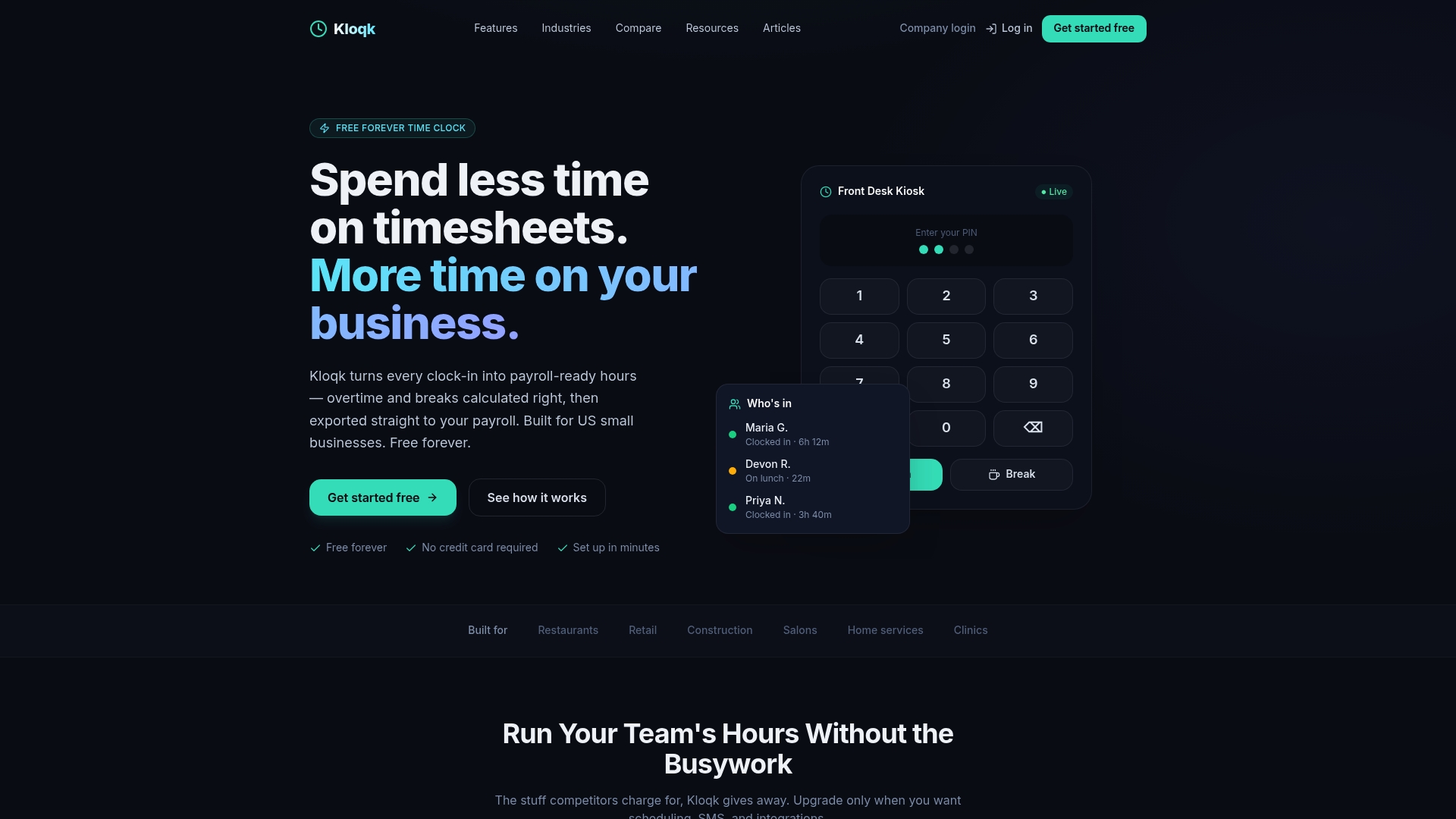
Kloqk includes GPS geofencing, photo verification at clock-in, automatic overtime calculations, break tracking, and payroll-ready exports, all at no cost and with no per-seat fees. These are the exact features that free-tier entry-level apps typically omit. For restaurants, construction crews, and retail teams, Kloqk turns raw clock-in data into payroll-ready hours without manual cleanup. The time clock for small business is built to handle the compliance details that matter most to U.S. employers in 2026.
FAQ
What is zero-cost employee hour tracking?
Zero-cost employee hour tracking means recording and managing employee work hours using free software tools, with no additional software expense. Accuracy still requires written policies, manager review, and compliance with DOL recordkeeping rules.
Does free time tracking software meet DOL requirements?
The DOL requires accurate wage and hour records from all covered employers, regardless of what software they use. Free tools can meet those requirements when paired with proper recordkeeping practices and manager oversight.
Can pre-shift work be compensable under free tracking systems?
Yes. The 2026 WHD opinion letter FLSA2026-8 confirms that pre-shift activities integral to the job can be compensable, so employers must define and track those tasks regardless of which software they use.
How do I prevent time theft without paying for premium features?
GPS geofencing and photo verification at clock-in are the most effective controls. Kloqk provides both at no cost, along with manager approval workflows that catch buddy punching and missed punches before payroll runs.
How long must I keep employee time records?
Federal law requires employers to keep payroll records for three years and time and earnings records for two years. Export and store your records from any free tracking app in a secure location to meet this requirement.
Recommended
Sources
Every figure on this page traces to one of these. Primary law and government sources are listed first.
- 1. U.S. Department of Laborprimary
- 2. U.S. Department of Laborprimary
- 3. sap.com
Written by
Priya NairPeople Operations Writer
Priya focuses on HR and hiring for small teams, onboarding, scheduling people fairly, and the day-to-day of managing hourly staff without an HR department.
Keep Reading
Track Hours the Easy Way
Kloqk is a free time clock that handles punches, breaks, overtime, and payroll-ready reports.
Start free