Types of Employee Time Tracking Systems: 2026 Guide
Employee time tracking systems are digital or physical tools that record when and where employees work, forming the foundation of accurate payroll, labor compliance, and time theft prevention. The employee time tracking software market spans five distinct categories: simple trackers for small teams, automated monitoring for growing teams, HR platforms for enterprises, project management tools for creative and IT teams, and industry-specific solutions. Choosing the wrong category costs you money in payroll errors, missed overtime, and administrative hours you cannot recover. This guide breaks down every major type so you can match the right system to your business.
What are the 7 main types of employee time tracking systems?
The types of employee time tracking systems range from paper timesheets to AI-powered biometric clocks. Each carries distinct trade-offs in cost, accuracy, and administrative overhead.
1. Manual and paper-based systems
Paper timesheets and handwritten logs are the oldest form of employee time management. Employees record their start and end times by hand, and a manager or payroll clerk transfers those numbers into a spreadsheet or payroll software. The upside is zero technology cost and no training curve. The downside is significant: manual entry creates transcription errors, and time tracking accuracy suffers when employees round their hours up or forget to log breaks. Paper systems work for solo operators or businesses with fewer than five employees, but they become a liability as headcount grows.
2. Mechanical punch clocks
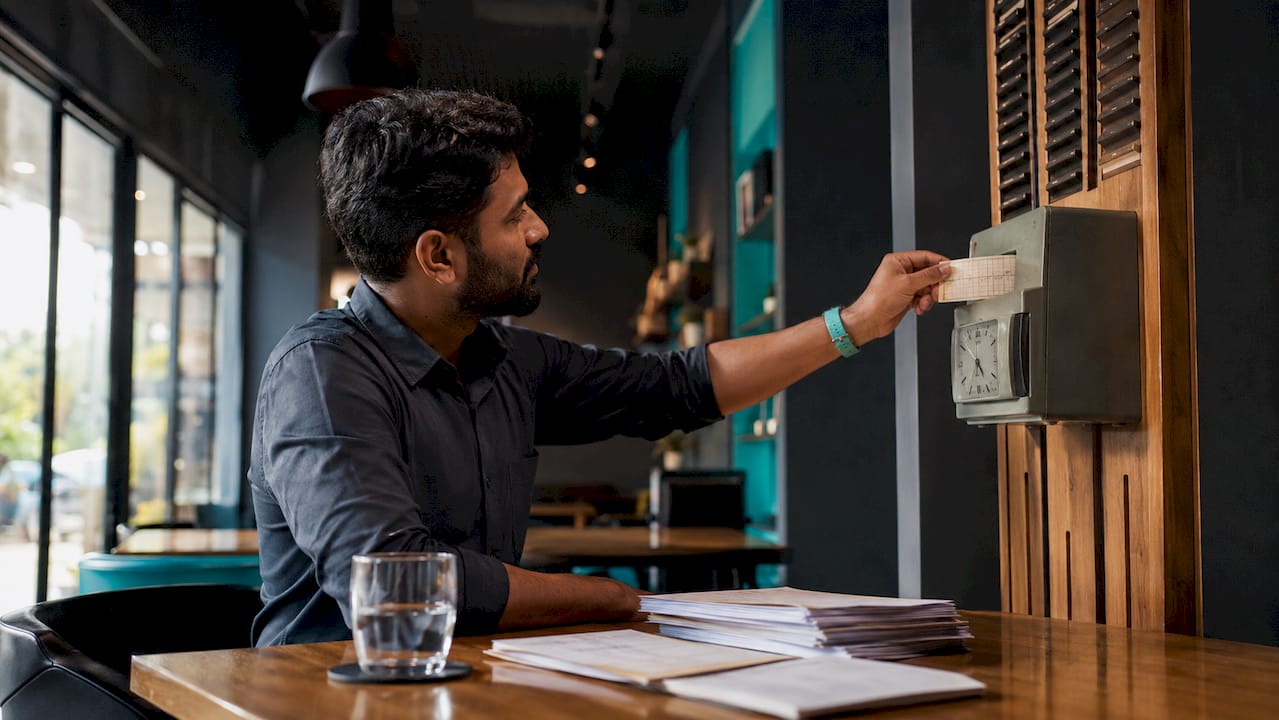
Mechanical time clocks stamp a physical card with the exact time an employee clocks in or out. Manufacturing plants and warehouses used these for decades before digital options arrived. The cards create a physical paper trail, which some managers find reassuring for audits. The problem is that cards get lost, ink fades, and someone still has to manually tally the hours. Buddy punching, where one employee punches in for an absent coworker, is also easy to pull off with a card system.
3. Biometric time clocks
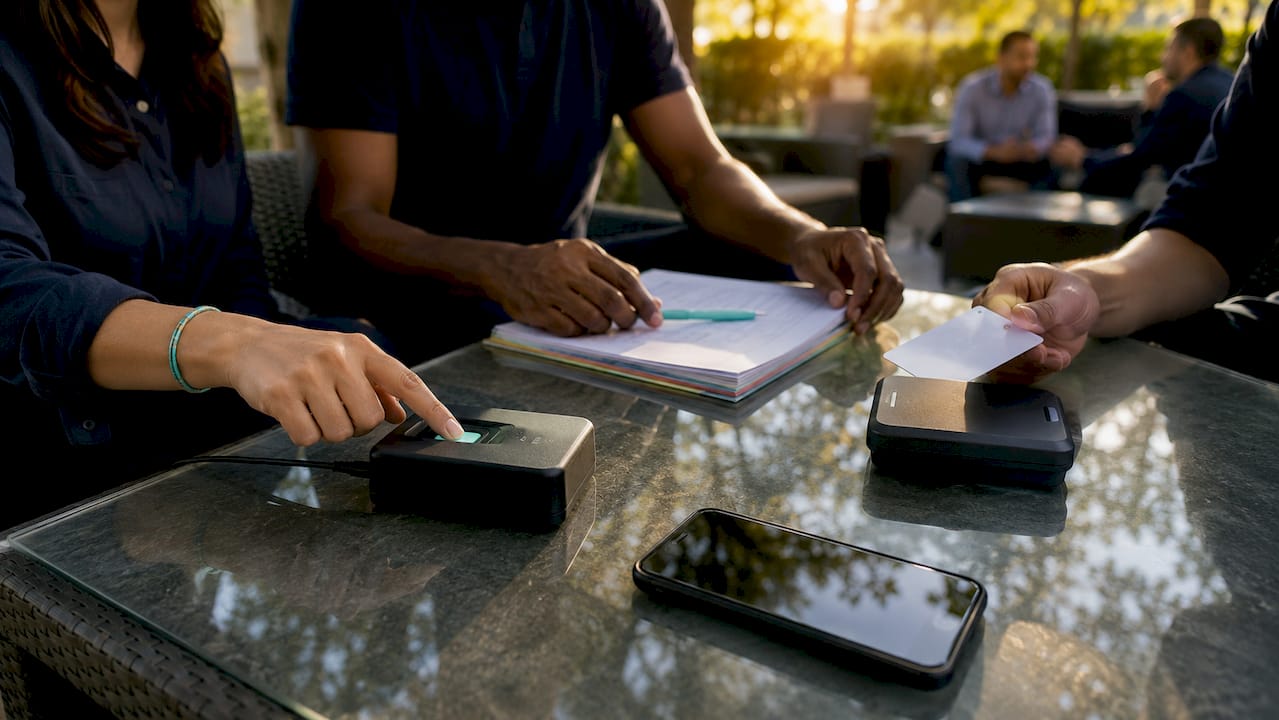
Biometric clocks use fingerprint scanners, facial recognition, or retina scans to verify identity at clock-in. These devices eliminate buddy punching entirely because a fingerprint cannot be shared. Biometric and mobile app systems represent the most secure hardware options available for on-site workforces. Restaurants, healthcare facilities, and retail chains favor biometric clocks because they handle high employee turnover without reissuing cards or PINs. The upfront hardware cost runs higher than other options, but the accuracy gains typically offset that investment within a year.
4. Swipe card and proximity badge systems
Swipe cards and RFID proximity badges let employees clock in by swiping or tapping a card against a reader. These systems are faster than biometric clocks and easier to deploy across multiple entry points in a building. Medium-sized businesses in hospitality and office environments use them widely. The vulnerability is card sharing. An employee can hand their badge to a coworker, which is why many businesses pair proximity systems with a PIN requirement or a camera at the reader.
Pro Tip: If you run a multi-site operation, look for badge systems that sync to a centralized cloud dashboard. This gives you real-time visibility across all locations without manual data consolidation.
5. Mobile apps with GPS and geofencing
Mobile time tracking apps let employees clock in from a smartphone, with GPS coordinates recorded at the moment of the punch. Geofencing takes this further by restricting clock-ins to a defined geographic boundary around a job site or office. Geo-validation and anti-buddy punching features confirm that clock-ins happen at authorized locations, which is critical for construction crews, delivery drivers, and field service teams. Kloqk includes GPS geofencing and photo verification at no cost, making it a strong fit for small businesses with mobile workforces. For construction companies specifically, tools that combine GPS tracking with job site management deliver measurable labor cost control, as explored in job management software resources for the trades.
6. Web-based and cloud time tracking systems
Cloud-based platforms let employees clock in through a browser or app, with all data stored on remote servers. Managers access dashboards, run reports, and approve timesheets from anywhere with an internet connection. Cloud-based time tracking holds about 78% of the market, driven by low upfront costs, automatic software updates, and support for remote teams. That 78% figure reflects a clear industry consensus: most businesses prefer not to manage their own servers. Cloud systems also integrate directly with payroll platforms like Gusto, QuickBooks, and ADP, cutting out the manual re-keying that causes payroll errors in small and midsize businesses.
7. Integrated HR platforms with time modules
Enterprise HR platforms such as SAP SuccessFactors, Workday, and UKG include time tracking as one module within a broader workforce management suite. These systems connect time data directly to scheduling, benefits, performance reviews, and payroll in a single database. The benefit is a single source of truth for all workforce data. The trade-off is cost and complexity. Implementation projects for enterprise HR platforms often take months and require dedicated IT resources. These systems make sense for organizations with 200 or more employees and complex multi-state payroll requirements.
How do cloud-based and on-premise systems compare?
Deployment model is one of the most consequential decisions you will make when selecting a time tracking platform. The table below maps the key differences.
| Factor | Cloud-based | On-premise |
|---|---|---|
| Upfront cost | Low (subscription) | High (hardware + licenses) |
| Accessibility | Any device, anywhere | Internal network only |
| Updates | Automatic | Manual IT deployment |
| Data control | Vendor-managed servers | Full internal control |
| Best fit | SMBs, remote teams | Healthcare, finance, government |
| Compliance | Vendor handles most | Full internal responsibility |
On-premise systems remain the standard in healthcare, finance, and government because those sectors face strict data sovereignty and compliance requirements that cloud vendors cannot always satisfy. A hospital storing patient-adjacent employee data may be legally required to keep that data on internal servers. Hybrid models split the difference: core data stays on-premise while reporting and manager dashboards run in the cloud. Hybrid setups add IT complexity but give regulated industries the access benefits of cloud without surrendering data control.
What features do modern time tracking systems offer?
Modern employee time management tools go well beyond a simple clock-in button. The features below separate basic systems from platforms that actively reduce your administrative workload.
- Automated exception detection. Multi-location platforms reduce administrative burden by 8, 10 hours per week by surfacing only missed punches, unscheduled overtime, and break violations. You review exceptions, not every single timesheet row.
- Schedule-aware timesheets. Real-time compliance enforcement automatically flags when an employee misses a required meal break or approaches overtime thresholds, before the pay period closes.
- Compliance-by-design. Labor law policies are applied automatically at clock-in, covering federal overtime rules and state-specific meal break requirements. This reduces wage and hour lawsuit risk without requiring a manager to memorize every regulation.
- Payroll and billing integration. Time data flows directly into payroll software and, for service businesses, into project billing systems. This eliminates the manual re-keying that creates costly errors, as detailed in job profitability tracking resources for service firms.
- Kiosk and mobile clock-in options. A shared tablet mounted at a job site entrance functions as a kiosk clock, while field employees use a smartphone app. Both feed the same centralized dashboard.
Pro Tip: Prioritize exception management over full timesheet review. Managers who focus only on flagged anomalies cut their weekly payroll prep time dramatically compared to those who audit every punch manually.
How to choose the right system for your business
The five market categories map directly to team size and operational complexity. Use this framework to narrow your options.
- 1, 10 employees. A free cloud app with basic clock-in, break tracking, and payroll export covers everything you need. Kloqk’s free time clock app fits this profile with no per-seat fees.
- 11, 50 employees. Automated monitoring with geofencing, photo verification, and schedule integration becomes worth the added setup. Mobile apps with GPS are the standard choice for teams spread across job sites or multiple locations.
- 50, 200 employees. A mid-market platform with built-in scheduling, PTO management, and direct payroll integration reduces the HR team’s manual workload. Combining automatic tracking with project management tools gives you labor cost visibility at the task level without redundant data entry.
- IT and creative teams. Project management platforms with time modules, such as those that integrate with Jira or Asana, let employees log hours against specific tasks. This feeds directly into client billing and project profitability reports.
- Construction, healthcare, and manufacturing. Industry-specific solutions handle job site geofencing, union rules, shift differentials, and certification tracking that generic platforms miss. Centralized dashboards with global policy settings and local flexibility are particularly valuable for multi-site operations in these sectors.
Key takeaways
The best employee time tracking system is the one that matches your team size, industry compliance requirements, and the level of automation your managers actually need.
| Point | Details |
|---|---|
| System type drives accuracy | Biometric and GPS-based systems eliminate buddy punching; paper systems cannot. |
| Cloud dominates the market | Cloud-based platforms hold 78% market share due to low cost and remote access. |
| Automation cuts admin time | Exception-based management saves 8, 10 hours per week versus manual timesheet review. |
| Compliance must be built in | Labor law enforcement at clock-in reduces wage liability without extra manager effort. |
| Match system to team size | Simple apps suit teams under 10; enterprise HR platforms are built for 200-plus employees. |
Why I think most businesses overcomplicate this decision
I have watched managers spend weeks evaluating enterprise HR platforms when their team of 22 restaurant workers needed nothing more than a mobile app with GPS and a clean payroll export. The instinct to buy the most feature-rich system available is understandable. More features feel like more protection. In practice, they usually mean more configuration, more training, and more support tickets.
The highest ROI move in time tracking is not the fanciest hardware. It is automating exception management so your managers stop reviewing 300 timesheet rows every Friday and start reviewing only the 12 that actually need attention. That shift alone changes how payroll prep feels.
I also think the compliance angle is underrated by small business owners. A restaurant owner in California who does not have meal break enforcement built into their time tracking system is one audit away from a significant wage claim. Compliance-by-design is not a premium feature. It is a baseline requirement, and any system you choose should include it.
The optimal approach for most growing businesses is a combination: a mobile GPS app for field employees and a web-based dashboard for managers, both feeding the same payroll integration. You do not need a single monolithic platform to get a complete picture of your labor costs.
Saad
Try Kloqk’s free time tracking for your team
If you manage a team across one location or several, Kloqk gives you the tools that most platforms charge for at no cost.
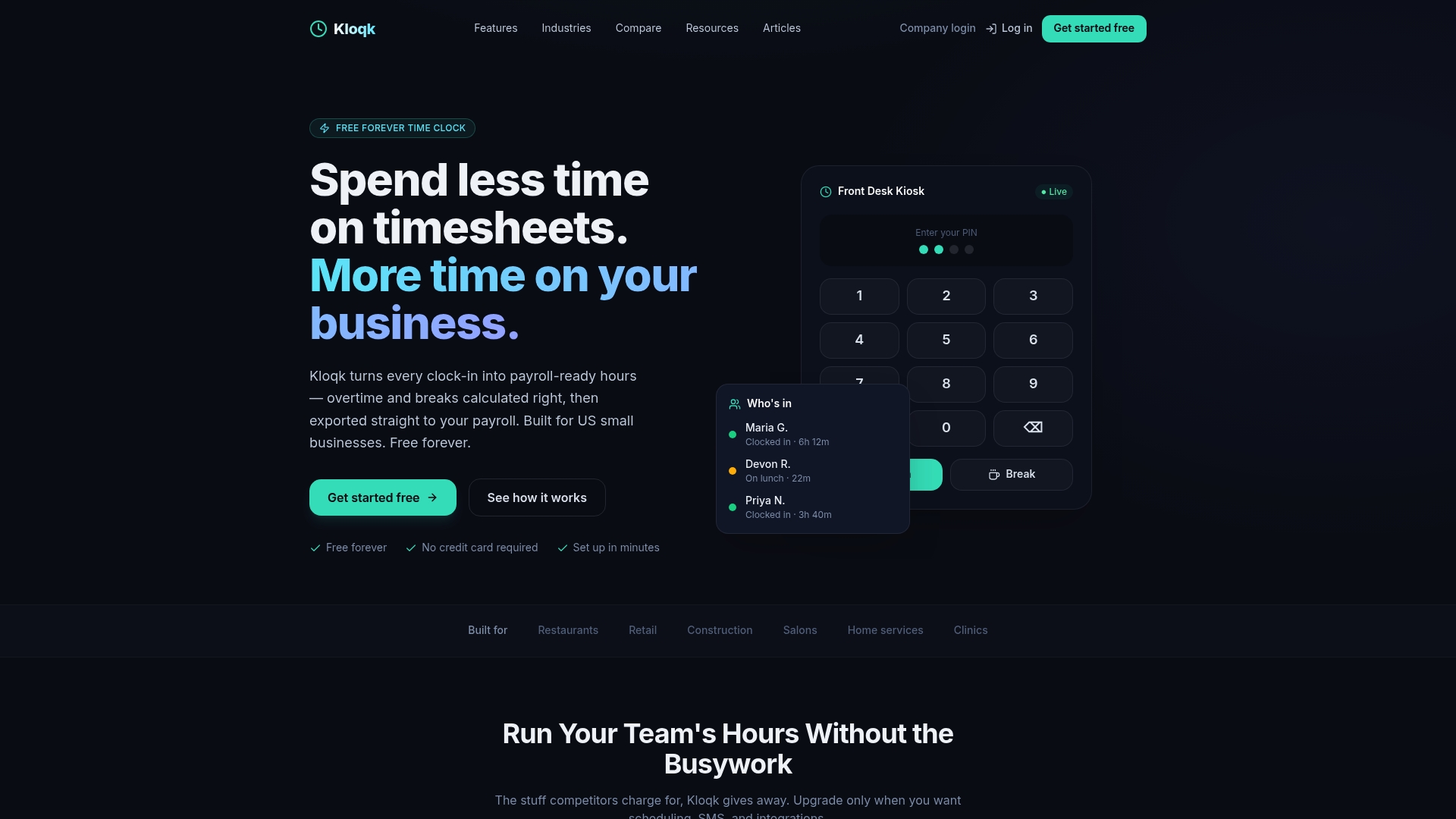
Kloqk’s employee time tracking software includes GPS geofencing, photo verification at clock-in, overtime calculations, break tracking, and direct payroll exports. There are no per-seat fees and no feature paywalls. Whether your team clocks in from a job site, a salon, or a shared tablet at the front desk, Kloqk handles multi-location tracking from a single dashboard. Setup takes minutes, and your first payroll export will show you exactly how much time you were losing to manual reconciliation.
FAQ
What is employee time tracking?
Employee time tracking is the process of recording when employees start and stop work, including breaks and overtime. Modern systems automate this using mobile apps, biometric devices, or web-based platforms that feed directly into payroll.
Which type of time tracking system prevents buddy punching?
Biometric clocks and GPS-enabled mobile apps with photo verification are the most effective at preventing buddy punching. These systems verify identity at the moment of clock-in, making it impossible for one employee to punch in for another.
Are cloud-based time tracking systems secure?
Cloud-based systems are secure for most businesses, but regulated industries such as healthcare and finance often require on-premise deployment to meet strict data sovereignty rules. Reputable cloud vendors use encryption and role-based access controls as standard.
How many hours per week can automated time tracking save?
Multi-location platforms with automated exception detection reduce administrative burden by 8, 10 hours per week compared to manual timesheet review. That time comes from eliminating the need to audit every punch and instead focusing only on flagged anomalies.
What is the best time tracking system for small businesses?
A free cloud-based app with GPS geofencing, break tracking, and payroll export covers the needs of most small businesses with under 50 employees. Kloqk offers all of these features at no cost, with no per-seat pricing that scales against you as your team grows.
Recommended
Sources
Every figure on this page traces to one of these. Primary law and government sources are listed first.
Written by
Sam TolbertWorkforce Operations Editor
Sam writes about scheduling, shift work, and the software that runs an hourly workforce, what actually saves time on the floor versus what just adds clicks.
Keep Reading
Track Hours the Easy Way
Kloqk is a free time clock that handles punches, breaks, overtime, and payroll-ready reports.
Start free