Digital Timesheet Setup for Retail: A Practical Guide

A digital timesheet setup in retail is the process of replacing paper or spreadsheet time records with software that automatically logs employee clock-ins, enforces pay rules, and exports payroll-ready data. Retail managers who still rely on manual tracking lose an average of $700$900 per month in payroll errors for a three-store operation with 15 employees. That loss comes from rounding errors, buddy punching, and missed overtime calculations. The industry term for this category of software is “automated time and attendance,” and the digital timesheet setup process is how you put it to work in your stores.
What tools and prerequisites do you need for digital timesheet setup in retail?
Getting the setup right starts before you open any software. Retail managers who skip the preparation phase typically spend weeks fixing misconfigured pay rules after launch.
Hardware you need on day one
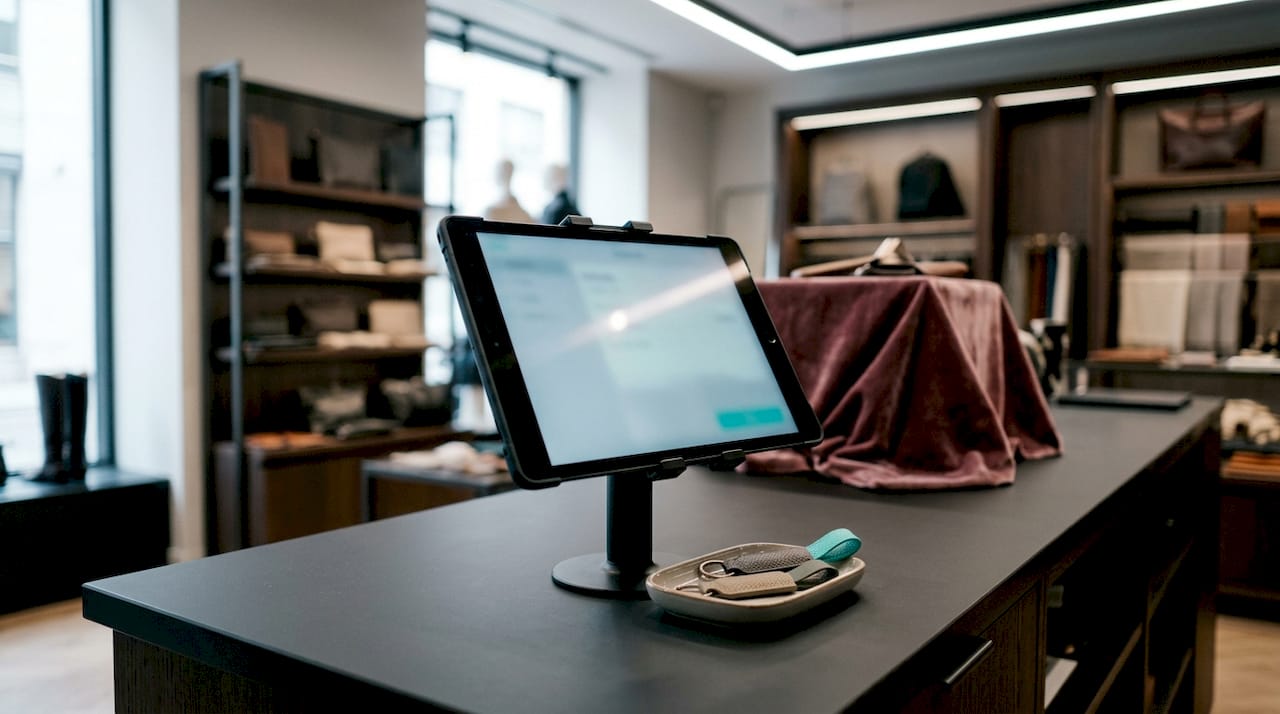
Most retail timesheet software runs on a smartphone, tablet, or any browser-connected PC. A dedicated tablet mounted near the store entrance works well as a shared kiosk for clock-ins. Employees who work across multiple locations can use a mobile app on their own phones. A reliable Wi-Fi or cellular connection at each location is non-negotiable. Without it, clock-in data fails to sync and creates the same gaps you were trying to eliminate.
Software categories to consider
| Category | Best for | Key limitation |
|---|---|---|
| Basic digital timesheets | Single-location stores with simple pay rules | No payroll integration; manual export required |
| Cloud-based time and attendance | Multi-location retail with varied shift types | Setup requires more configuration time |
| Integrated workforce platforms | Larger retail chains needing scheduling and HR | Higher cost; more features than small stores need |
For most small retail operations, a cloud-based time tracking solution with built-in payroll export covers every core need without unnecessary complexity.
Information to gather before setup
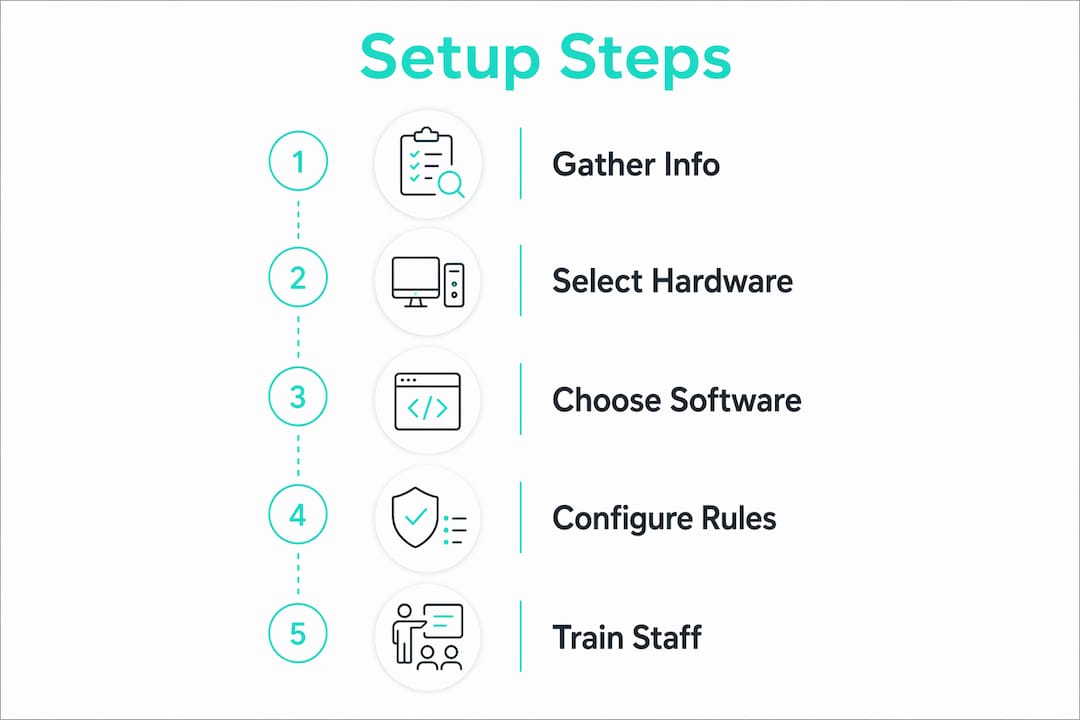
Before you configure any software, collect the following:
- Full employee roster with legal names, roles, and pay rates
- State and local overtime rules (some states trigger overtime after 8 hours daily, not 40 hours weekly)
- Break requirements by shift length under applicable labor law
- Your current scheduling format, whether spreadsheet, whiteboard, or app
- Any existing payroll provider details for integration
Payroll cost leakage from inefficient manual processes consumes between 3% and 8% of total wage spend in retail. Gathering accurate pay rules before setup is the single fastest way to close that gap.
How to set up digital timesheets step by step for retail employees
A clean setup takes less time than most managers expect. Follow these six steps in order and you avoid the most common configuration mistakes.
-
Add employees and set pay rates. Enter each employee’s name, role, hourly rate, and employment type. Flag salaried versus hourly workers separately. Miscategorizing a worker here causes every payroll run to carry the error forward.
-
Configure locations and clock-in methods. Set up your store locations inside the software. Publish a unique QR code for each location or define a GPS geofence around the store perimeter. QR code clock-ins log time, location, and employee ID simultaneously, which eliminates buddy punching without requiring manager oversight at the door.
-
Install the app or enable browser access. Send employees a download link or a browser URL. For shared kiosk setups, install the app on one store tablet and lock it to that screen. Test the login flow with one employee before rolling out to the full team.
-
Set overtime thresholds, break rules, and approval workflows. Enter your state’s daily and weekly overtime thresholds. Configure mandatory break prompts for shifts over a set number of hours. Assign a manager to receive and approve timesheets before payroll runs. This approval step is where errors get caught before they cost money.
-
Run a test week before going live. Have two or three employees use the system for a full week while you also keep manual records. Compare the two sets of data. Any discrepancy reveals a configuration error you can fix before the entire team depends on the system.
-
Connect the system to your payroll provider. Direct payroll integration eliminates transcription errors and enforces pay rules consistently across every pay period. Most cloud platforms export to common payroll formats with one click. If your payroll provider does not offer a direct integration, export a CSV and confirm the column mapping matches your provider’s import template.
Pro Tip: If you manage three or more locations, set up one location first, confirm everything works correctly, then duplicate the configuration for the remaining stores. This cuts total setup time significantly and prevents the same error from appearing across all locations at once.
After a successful test week, weekly payroll processing drops from roughly 3 hours to 18 minutes in a typical three-store retail operation. That time saving compounds every single week.
What common mistakes arise in digital timesheet setup and how do you avoid them?
Most setup failures share the same root causes. Knowing them in advance puts you ahead of the majority of retail managers who learn these lessons the hard way.
Employee resistance to verification features
GPS tracking and photo verification create friction with some employees, particularly those who have worked at the store for years. The most effective response is direct communication. Tell your team that photo clock-in protects their pay record. If a dispute ever arises about hours worked, the system provides an audit trail that proves their time. Framing the technology as a protection for employees rather than surveillance reduces resistance without requiring policy changes.
Misconfigured pay rules
Configuring the software without entering your exact state overtime rules is the most expensive setup mistake. A system set to federal 40-hour weekly overtime in a state that mandates daily overtime after 8 hours will underpay employees and expose you to wage claims. Check your state’s Department of Labor website before entering any thresholds.
Partial digital adoption
Switching to digital time tracking while still manually re-entering data into a separate payroll spreadsheet eliminates none of the transcription risk. Partial adoption maintains manual errors and removes real-time labor cost visibility entirely.
The fix is full integration from day one. If your payroll provider does not connect directly to your time tracking software, that is a signal to reconsider one of the two tools.
Ignoring documentation requirements
Since 2022, systematic daily hour recording is a legal requirement for all employees in many jurisdictions, with penalties reaching €30,000 for violations. Even where local rules differ, the Fair Labor Standards Act requires employers to keep accurate time records for non-exempt employees. A digital system with automatic audit logs satisfies this requirement by default. A paper timesheet signed at the end of the week does not.
How do you maintain and optimize your digital timesheet system for retail success?
Setup is a one-time event. Maintenance is what determines whether the system actually saves money over time.
Review timesheet versus roster comparisons weekly. Your scheduling tool shows who was supposed to work. Your timesheet shows who actually clocked in. Comparing the two each week surfaces no-shows, early departures, and unauthorized overtime before they compound into larger payroll problems.
Set real-time alerts for overtime and exceptions. Most cloud platforms let you configure alerts when an employee approaches their weekly hour threshold. Receiving that alert on thursday gives you time to adjust the schedule before overtime costs trigger. Waiting until payroll runs on friday means the cost is already locked in.
Train new hires on the system during onboarding. Employees who learn the clock-in process on their first day treat it as normal. Employees who are introduced to it weeks later after using a different method often resist the change. Build the app walkthrough into your standard onboarding checklist.
Use timesheet data to identify labor leakage patterns. Eliminating labor leakage through precise time tracking and automated payroll integration is the primary financial benefit of digital timesheets. Run a monthly report showing total hours by role and compare it against your sales data. If labor hours spike during low-revenue periods, that pattern points to scheduling inefficiency you can correct.
Keep the system updated and audit configurations quarterly. Pay rules change. Minimum wage increases, overtime thresholds shift, and your store may add new roles with different pay structures. A quarterly review of your software configuration takes less than an hour and prevents months of payroll errors from accumulating undetected.
Key Takeaways
A complete digital timesheet setup in retail requires accurate pay rule configuration, full payroll integration, and consistent employee training to eliminate labor cost leakage.
| Point | Details |
|---|---|
| Prepare before you configure | Collect employee data, pay rates, and state overtime rules before opening the software. |
| Use integrated systems only | Partial adoption without payroll integration keeps transcription errors and manual rework in place. |
| Verify with QR codes or GPS | Location-based clock-ins prevent buddy punching and create automatic audit trails for disputes. |
| Train on day one | Employees introduced to the system during onboarding adopt it faster and resist it less. |
| Review weekly, audit quarterly | Weekly roster comparisons and quarterly configuration checks prevent payroll errors from compounding. |
What I’ve learned from watching retail managers get this wrong
Most retail managers treat digital timesheet setup as a technology project. It is not. It is a labor policy project that happens to use technology. The managers who get the best results spend more time writing clear clock-in rules and communicating them to staff than they spend configuring the software itself.
The second pattern I see consistently is the partial adoption trap. A store switches to a digital clock-in app but keeps a separate spreadsheet for payroll. The manager feels like they have modernized the process. The payroll errors continue. The only difference is that the errors now come from manual data transfer between two systems instead of one. Full integration is not optional if your goal is accuracy.
GPS and photo verification make some employees uncomfortable, and that discomfort is worth addressing directly. I have seen managers avoid the conversation and watch adoption collapse within two weeks. The better approach is a five-minute team meeting where you explain that the photo clock-in protects their pay record the same way a receipt protects a purchase. Most employees accept that framing immediately.
The managers who treat their timesheet data as a management tool rather than a compliance checkbox get the most value from the system. They run weekly labor reports, spot scheduling inefficiencies, and make adjustments before costs escalate. That habit, more than any software feature, is what separates stores that control labor costs from stores that are controlled by them.
Saad
Kloqk makes digital timesheet setup straightforward for retail stores
Retail managers who want accurate time records without a complicated setup process use Kloqk. The platform is free, requires no per-seat fees, and includes QR code clock-ins, GPS geofencing, photo verification, and automated payroll exports out of the box.

Kloqk’s employee time tracking software handles overtime calculations, break tracking, and labor law compliance automatically. Setup takes minutes, not days. Retail stores with multiple locations can manage all of them from one dashboard. If you want to stop losing hours to manual payroll prep and start running payroll from verified, clean data, Kloqk is built for exactly that. Visit Kloqk for retail to see how it fits your store.
FAQ
What is a digital timesheet in retail?
A digital timesheet is software that automatically records employee clock-in and clock-out times, calculates hours worked, and exports payroll-ready data. It replaces paper records and manual spreadsheets.
Why do paper timesheets fail in retail?
Manual time tracking causes roughly $700$900 in monthly payroll loss for a small retail chain. Rounding errors, buddy punching, and missed overtime rules are the primary causes.
How long does digital timesheet setup take for a retail store?
A single-location retail store can complete a basic setup in under two hours. Multi-location setups take longer but can be accelerated by configuring one location first and duplicating the settings.
Do digital timesheets help with labor law compliance?
Yes. Systems with automatic audit logs satisfy record-keeping requirements under the Fair Labor Standards Act and state labor laws. Systematic daily hour recording is a legal requirement in many jurisdictions, and digital systems fulfill it by default.
What is the biggest mistake in retail timesheet setup?
Misconfiguring overtime thresholds is the most costly error. Entering federal rules in a state that mandates daily overtime leads to consistent underpayment and potential wage claims. Always verify your state’s specific rules before configuring the software.
Recommended
Sources
Every figure on this page traces to one of these. Primary law and government sources are listed first.
Written by
Marcus ReyesPayroll & Timekeeping Specialist
Marcus covers payroll accuracy, timesheets, and time tracking, the unglamorous mechanics that keep paychecks correct and audits painless.
Keep Reading
Track Hours the Easy Way
Kloqk is a free time clock that handles punches, breaks, overtime, and payroll-ready reports.
Start free