Digital Timesheets in Clinic HR: A Practical Guide

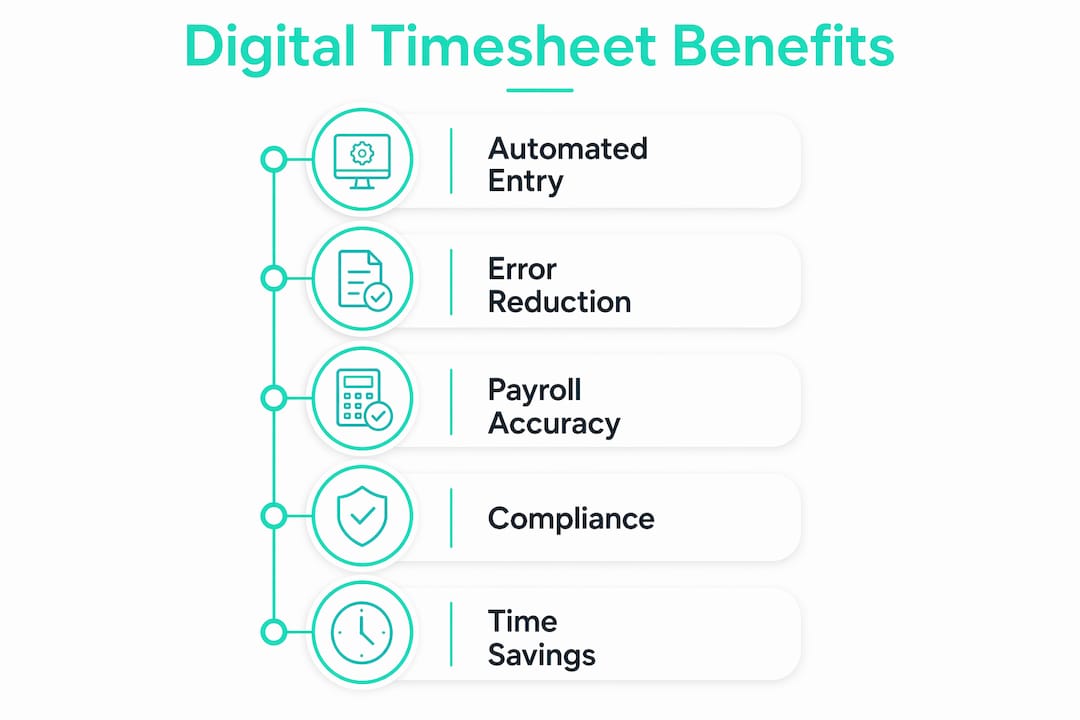
Digital timesheets are defined as electronic systems that record, store, and report employee work hours automatically, replacing paper logs and manual spreadsheets in clinic HR operations. The role of digital timesheets in clinic HR extends beyond simple clock-in records. These systems automate overtime calculations, flag missed breaks, and feed payroll-ready data directly into processing software. Clinics operating under Fair Labor Standards Act requirements and state-level wage-and-hour laws face real legal exposure when records are incomplete or altered. Switching to electronic timesheet solutions for clinics is no longer optional for HR teams that want accurate payroll and clean audit trails.
How digital timesheets improve payroll accuracy in clinics
Manual timesheet processing is the single biggest source of payroll error in clinical settings. A practice manager who reviews paper logs by hand must catch rounding mistakes, missing punch-outs, and overtime thresholds manually. That work adds up fast.
Transitioning to digital timesheets boosts organizational productivity by 34% and saves 9 hours per week previously spent on manual timesheet reviews and PTO tracking. Nine hours is more than a full workday returned to HR every single week.

The benefits of digital timesheets go further than time savings. Automated systems eliminate buddy punching, calculation errors, and missing meal break records by providing real-time monitoring and clean audit trails. Buddy punching alone costs U.S. employers billions annually, and clinics are not immune. A nurse clocking in a colleague who is running late is a compliance risk, not just a scheduling inconvenience.
Key payroll tasks that digital timesheets handle automatically:
- Overtime calculation: The system applies FLSA thresholds and flags hours over 40 per week without manual review.
- Break tracking: Missed or shortened meal breaks trigger alerts before they become wage violations.
- PTO management: Accrual balances update in real time, reducing back-and-forth between staff and HR.
- Shift differentials: Evening, weekend, and on-call rates apply automatically based on clock-in time.
- Payroll export: Hours transfer directly to payroll software, cutting manual data entry to near zero.
Digital timesheets create a single source of truth that removes manual chasing for signatures and corrections. That centralized record means HR professionals spend less time hunting down paperwork and more time on workforce planning.
Pro Tip: Set up automatic alerts for any shift that runs more than 15 minutes past its scheduled end. Catching overtime before it posts to payroll is far easier than correcting it after the fact.
Why compliance makes digital timesheets non-negotiable for clinics
Healthcare providers face increased regulatory pressure to use non-tamperable, time-stamped digital timesheets as the baseline standard for compliance with labor inspections. The Department of Labor’s Wage and Hour Division conducts audits across healthcare settings of every size. Paper records that can be altered after the fact do not satisfy that standard.
“Digital time tracking systems satisfy regulatory requirements by providing legally robust, tamper-resistant, and audit-ready employee work hour records. Systems log corrections with time stamps for labor audits, so every change has a verifiable paper trail.”
The compliance steps that matter most for clinic HR teams:
- Use tamper-resistant records. Every clock-in, clock-out, and correction must carry a time stamp that cannot be edited without a logged reason.
- Retain records for the required period. Federal law requires payroll records for at least three years. Some states require longer retention.
- Make records accessible. Inspectors and employees must be able to retrieve records on request. Cloud-based systems satisfy this requirement automatically.
- Apply rules regardless of clinic size. Even small clinics with fewer than 10 employees must comply with digital record-keeping requirements. Size does not create an exemption.
- Document corrections properly. When an employee forgets to clock out, the correction must be logged with a reason and a manager’s approval, not silently overwritten.
Many clinics underestimate these legal mandates. Digital timesheets must be non-tamperable, audit-proof, and retained for several years. Manual systems physically cannot meet that bar. A clinic that relies on spreadsheets or paper logs is one audit away from significant penalties.
Conducting a regular HR time management audit helps HR teams confirm that their records meet current standards before an inspector arrives.
What features should clinic HR look for in a digital timesheet solution?
Not every time tracking tool handles the complexity of clinical workforce management. Generic solutions built for retail or construction miss the pay rule nuances that healthcare HR professionals deal with daily.
Healthcare-specific digital timesheet solutions integrate with EHR and payroll systems to handle complex pay rules like differential pay and credential-linked shifts. That integration is the single most important differentiator between a tool that works for clinics and one that creates more problems than it solves.
| Feature category | What to look for |
|---|---|
| Payroll integration | Direct export to payroll software with no manual re-entry |
| EHR compatibility | Sync with scheduling and clinical billing systems |
| Differential pay rules | Automatic rate changes for evenings, weekends, and on-call shifts |
| Mobile clock-in | App-based punch-in with photo verification and GPS geofencing |
| Kiosk mode | Shared tablet clock-in for front desk and clinical staff |
| Audit trail | Time-stamped logs of every entry, edit, and approval |
| Reporting | Real-time dashboards showing who is working, overtime risk, and labor costs |
Digital timesheets give HR leaders real-time visibility into workforce status, which aids scheduling and cost management. Knowing at 2:00 PM that a medical assistant is approaching overtime lets a manager make a staffing call before the cost is locked in.
Pro Tip: Before selecting a solution, map every pay rule your clinic uses: shift differentials, credential premiums, on-call rates, and holiday pay. Confirm the system handles each one automatically. If it cannot, the manual workaround will erase the time savings.
How to implement digital timesheets effectively in a clinic
A technology rollout fails when staff do not understand why the change is happening. Clinic HR teams that communicate the legal and operational reasons for switching to digital timesheets see faster adoption and fewer workarounds.
The most common implementation mistakes and how to avoid them:
- Skipping staff communication. Tell employees exactly why the clinic is switching. Explain that accurate records protect their pay, not just the clinic’s compliance. Staff who understand the reason are less likely to resist the change.
- Launching without training. Run a short hands-on session for every employee before go-live. Cover clock-in, clock-out, break logging, and how to flag a missed punch. Ten minutes of training prevents weeks of correction requests.
- Ignoring exception management. Every clinic will have forgotten clock-outs and schedule changes. Build a clear process for corrections before launch, including who approves them and how they are documented.
- Rolling out to all locations at once. For multi-location clinics, start with one site. Fix the issues that surface there before expanding. A phased approach reduces the risk of system-wide problems during the transition.
- Underusing alerts. Most digital timesheet platforms send automatic notifications for overtime risk, missed breaks, and unapproved absences. Turn these on from day one. They catch problems before they become payroll errors.
Employee self-service timesheets reduce the administrative load on HR by letting staff view their own hours, request corrections, and check PTO balances without calling the HR office. That single feature alone cuts a significant volume of routine HR inquiries.
The impact of digital timesheets on payroll extends to the correction cycle. When employees can see their own records in real time, they catch errors faster. HR spends less time tracking down discrepancies at the end of a pay period.
Key Takeaways
Digital timesheets are the most direct way for clinic HR teams to reduce payroll errors, meet labor law requirements, and reclaim administrative time.
| Point | Details |
|---|---|
| Payroll accuracy | Automation eliminates manual calculation errors and applies pay rules consistently every pay period. |
| Time savings | Switching to digital timesheets saves practice managers up to 9 hours of manual review work each week. |
| Compliance protection | Tamper-resistant, time-stamped records satisfy FLSA audit requirements for clinics of any size. |
| Feature fit matters | Healthcare HR needs EHR integration, differential pay support, and mobile clock-in. Generic tools fall short. |
| Implementation approach | A phased rollout with staff training and clear correction procedures drives faster, smoother adoption. |
What I’ve learned from watching clinics get this wrong
I’ve seen clinic HR teams put off switching to digital timesheets because they assume the problem is manageable. It rarely is. The manual process looks fine until a Department of Labor audit request arrives or a payroll dispute surfaces that paper records cannot resolve cleanly.
The compliance risk for small clinics is the part that surprises people most. A practice with six employees has the same record-keeping obligations as a hospital system. The difference is that the small clinic has no dedicated compliance team to catch the gaps. Digital timesheets fill that role automatically.
The implementation challenge I see most often is not the technology. It is the assumption that staff will figure it out. Clinics that invest 30 minutes in a proper walkthrough before launch have dramatically fewer correction requests in the first month. The ones that skip training spend weeks cleaning up missed punches and disputed hours.
The future of clinic HR management runs through tighter integration between time tracking, scheduling, and clinical billing. The clinics that build that foundation now, with audit-ready time tracking for medical offices, will handle workforce complexity far better than those still patching together manual processes. The technology is not the barrier. The decision to use it is.
Saad
How Kloqk supports clinic HR with accurate, compliant time tracking
Clinic HR teams that need payroll-ready records without the administrative overhead have a direct option in Kloqk.

Kloqk’s free employee time tracking platform handles overtime calculations, break tracking, and payroll exports at no cost. Photo verification on clock-ins and GPS geofencing address buddy punching without requiring manual oversight. The system logs every correction with a time stamp, keeping records audit-ready for labor inspections. Multi-location clinics can manage all sites from a single dashboard, and the mobile app lets staff clock in from anywhere within a defined geofence. Kloqk’s GPS time clock adds a layer of location verification that paper logs and basic spreadsheets cannot match.
FAQ
What is the role of digital timesheets in clinic HR?
Digital timesheets in clinic HR automate the recording of employee work hours, apply pay rules like overtime and shift differentials, and generate audit-ready records for labor compliance. They replace manual logs that are prone to errors and cannot satisfy federal record-keeping requirements.
How do digital timesheets reduce payroll errors?
Automated systems apply pay rules consistently, flag missed breaks in real time, and transfer hours directly to payroll software without manual re-entry. Fewer manual steps mean fewer errors and smoother payroll processing each period.
Do small clinics need digital timesheets for compliance?
Yes. Even clinics with fewer than 10 employees must maintain tamper-resistant, time-stamped work hour records under federal and state labor laws. Size does not create an exemption from FLSA record-keeping requirements.
What features matter most for clinic HR time tracking?
The most critical features are EHR and payroll integration, support for differential pay rules, mobile clock-in with photo verification, and a full audit trail with time-stamped corrections. Generic tools built for other industries typically lack the pay rule complexity that clinical HR requires.
How long should clinics retain digital timesheet records?
Federal law under the FLSA requires payroll records to be retained for at least three years. Some states set longer retention periods, so clinic HR teams should confirm their state’s specific requirements and verify that their digital system stores records accordingly.
Recommended
Sources
Every figure on this page traces to one of these. Primary law and government sources are listed first.
Written by
Marcus ReyesPayroll & Timekeeping Specialist
Marcus covers payroll accuracy, timesheets, and time tracking, the unglamorous mechanics that keep paychecks correct and audits painless.
Keep Reading
Track Hours the Easy Way
Kloqk is a free time clock that handles punches, breaks, overtime, and payroll-ready reports.
Start free