Restaurant Staffing and Scheduling Software: Buyer's Guide
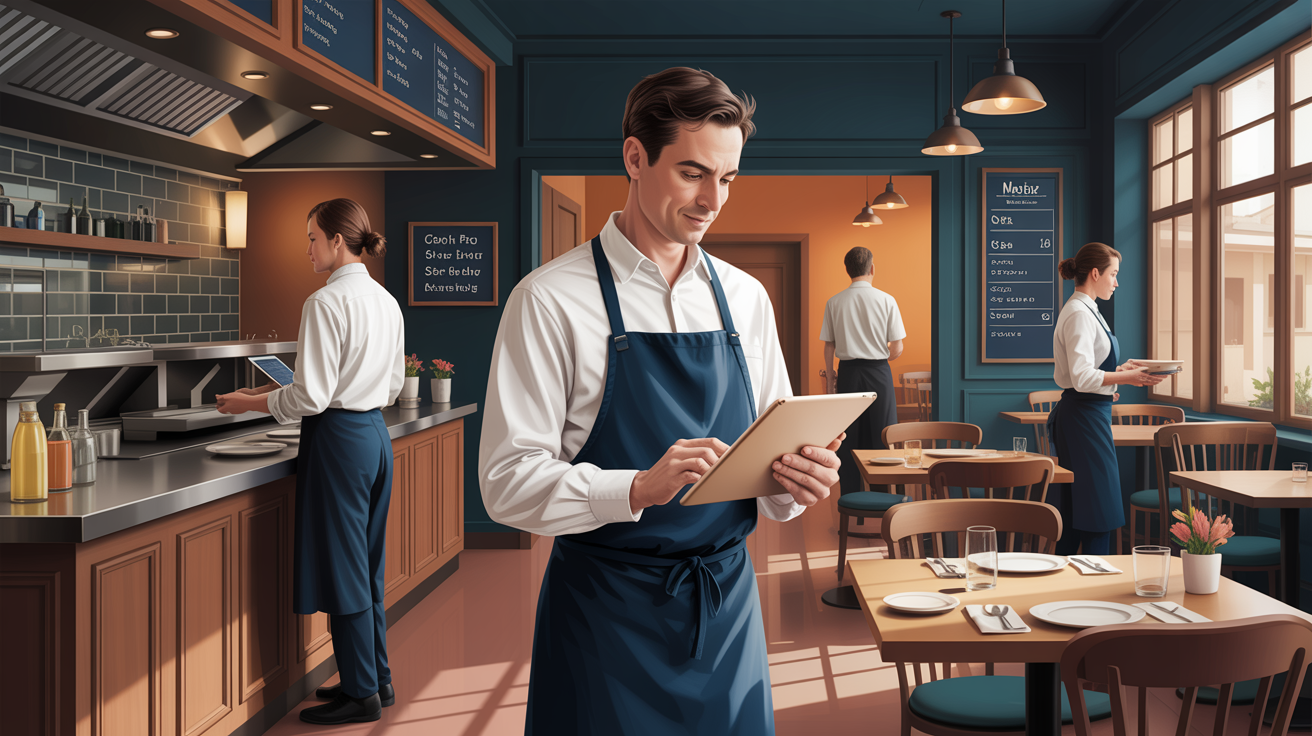
Restaurant staffing and scheduling software replaces the whiteboard, the group text, and the Sunday night phone calls with one system where shifts get built, published, swapped, and tracked. This guide covers what restaurant scheduling software should include, how the main options compare, and why the schedule needs to talk to your time clock.
The stakes are bigger than saved manager hours. Labor is the largest cost you can actually control week to week, and the schedule is the lever that controls it. Get scheduling right and overtime stops sneaking up on you, coverage gaps shrink, and the labor cost you planned starts matching the payroll you cut.
Why scheduling is the biggest lever on restaurant labor
The industry backdrop makes the case by itself. The National Restaurant Association projects restaurant and foodservice sales to reach $1.55 trillion in 2026, with employment hitting 15.8 million jobs as operators add more than 100,000 positions. The same report found that 42% of operators said their restaurant was not profitable in the prior year, and more than 9 in 10 named labor among their significant cost challenges.
Read those two numbers together. Nearly half of restaurants are losing money, and nearly all of them say labor is a main pressure. You can't change the minimum wage or the price of insurance. You can change how many labor hours you schedule against Tuesday lunch, and whether the people scheduled actually show up.
Turnover raises the stakes further. Industry turnover has hovered around 70%, with front-of-house roles running as high as 150% according to 7shifts' analysis of BLS data. Every departure means a new hire learning your systems, and chaotic scheduling is one of the most fixable reasons hourly staff quit. A schedule that arrives late, changes without notice, or ignores availability tells your best server to keep her options open.
What does a bad schedule actually cost?
Put rough numbers on the failure modes and the software decision gets easier.
A no-show on a Friday night doesn't cost you a shift's wages; it costs the sales that section didn't turn. If one server covers six tables instead of four, ticket times stretch, and a couple of parties walk. Call it a few hundred dollars in lost revenue for one communication failure, repeated weekly at most places still scheduling by text thread.
Overstaffing burns from the other side. One unnecessary body on a slow Tuesday, four hours at $16 with taxes and payroll costs on top, is roughly $75. Do that twice a week across the year and you've spent close to $8,000 fixing a forecasting problem a labor-cost view would have flagged while you built the schedule.
Then there's the manager. Three hours every Sunday building the week from scratch, plus another hour of mid-week shuffling, is 200-plus hours a year of your highest-hourly-cost floor person doing data entry. Template-based scheduling gives most of that back.
None of these numbers are exotic. They're just invisible when the schedule lives on a whiteboard, because nothing measures them. The first thing decent software changes is that you start seeing them.
What should restaurant staffing and scheduling software actually do?
A weekly grid is not the product. The product is preventing the five ways schedules break down: shifts that take hours to build, availability conflicts, no-shows from bad communication, overtime that surfaces on the timesheet instead of the plan, and swaps that happen behind your back. Here's what earns its keep.
What is scheduling software, exactly?
Scheduling software is a shared system that holds who works when, publishes it to phones, and keeps one authoritative copy as the week changes. Vendors label the same thing three ways. An employee scheduling app usually means the phone-first version aimed at hourly teams. A staffing and scheduling system is that plus reporting. Workforce scheduling is what the enterprise tier calls itself once demand forecasting and labor budgets appear on the quote. For a 25-seat diner, the phone-first version is the one that matters.
For a lot of restaurants it's also the first HR software they buy. Scheduling touches every hourly employee every week, which makes it the natural place to add time off, documents, and timesheet software later, instead of starting with a full HR suite nobody has time to configure.
Shift templates and copy-forward
Most restaurants run a similar pattern every week with small adjustments. Building from a saved template, or copying last week and editing the differences, should take 20 minutes. Save your standard Friday once as a shift schedule template and the next build is edits, not construction. A work schedule maker that drops you on a blank grid every Sunday isn't saving you much.
Availability and time off built into the draft
The schedule should know who can't work before you assign them, not after. Availability preferences and approved time-off requests should block those slots automatically while you build. A tool that ignores approved PTO keeps generating conflicts you fix by hand, which is the old whiteboard problem wearing new clothes.
Shift swaps with manager approval
Employees request coverage changes inside the app, you approve with one tap, and the schedule updates for everyone at once. No group text. No mystery about who is actually working tonight. The approval step matters: unrestricted swaps let your two newest hires trade into the same Friday close. This is the ESS scheduling layer (employee self-service), and it's what makes staffing and scheduling for employees feel like a system they can use rather than a notice taped to a wall.
Labor cost visible before you publish
As you build the week you should see total scheduled hours, estimated cost, and overtime flags in real time. Catching a 44-hour week at the planning stage costs you a drag-and-drop. Catching it Thursday on a timesheet costs you four hours at time and a half. Think of it as a scheduling calculator running under the grid: hours per person, dollars per day, and a flag the moment someone crosses 40.
Notifications on every phone
Publish once and every scheduled employee gets a push notification. Because the schedule lives in the cloud rather than on the office computer, the version employees see is always the current one. That single fact kills the most common no-show excuse in the industry: "I didn't know I was working." Some tools add message scheduling so a preshift note lands with the published week. Useful, not decisive.
How the top restaurant scheduling apps compare
Restaurant employee scheduling software is a crowded category, and the grids are more alike than different. Where restaurant staff scheduling tools actually differ is the price model, how the time clock connects, and which features sit behind a paid tier.
| Tool | Scheduling | Integrated time clock | Labor cost view | Shift swaps | Starting price |
|---|---|---|---|---|---|
| Kloqk | Yes, Pro plan $29 per location | Yes, free (kiosk with photo; mobile GPS on Premium $6) | Yes | Yes | Free core, paid tiers $29 to $59 per location |
| Homebase | Yes (basic free tier) | Yes (basic free tier) | Paid tier | Yes | Free basic, paid plans per location |
| When I Work | Yes | Yes (add-on) | Yes | Yes | Per user, per month |
| Deputy | Yes | Separate module | Yes | Yes | Per user, per month |
| 7shifts | Yes (restaurant-focused) | Yes (paid tiers) | Yes | Yes | Free for one location, paid tiers |
Vendor features and pricing change often, so verify current tiers before you commit. For deeper side-by-side breakdowns, see how Kloqk compares against Homebase, When I Work, and Deputy.
One buying note that applies to every per-user tool: do the math at your real roster size, not the size in the demo. A per-user price that looks harmless at 12 employees triples when you staff up for patio season, and restaurant rosters swing more than almost any other industry's.
What is the best free employee scheduling software for a restaurant?
Free plans exist at Homebase, Connecteam, and 7shifts, and every one of them caps somewhere: headcount, a single location, or features held back for paid tiers. The best free employee scheduling software for your restaurant is simply the one whose cap you won't hit this year.
Three checks before you commit a season to a free tier:
- Where the cap sits. Ten employees is a coffee counter, not a restaurant with a patio in July. Count your peak roster, not your February one.
- Whether the time clock is included. Free staffing and scheduling that stops at the grid leaves you buying punches separately, and punches are the half that feeds payroll.
- Whether swaps and notifications are free. Those are the features hourly staff actually touch. Held back a tier, the free plan is a demo with a longer trial.
For a single location, the best staffing and scheduling pick is usually the tool that keeps the time clock free and charges only for the scheduling layer, because the clock runs every day while the schedule gets built once a week. That's how Kloqk is priced: unlimited employees on the free time clock, scheduling on Pro at $29 per location.
Staffing and scheduling for small business restaurants also means accepting you'll outgrow something eventually. A staffing and scheduling app you can walk away from without losing your punch history is worth more than one with a longer feature list, so check the export before you check the roadmap.
Does your schedule talk to your time clock?
The schedule is the plan. The time clock is what actually happened. When the two live in separate systems, you reconcile by hand, and actual hours almost always run higher than scheduled ones. That gap is where labor budgets quietly die.
An integrated system gives you scheduled-versus-actual automatically. You see who punches in 20 minutes early every Friday close. You see which station consistently runs past its scheduled hours. You catch the drift while it's a pattern, not a payroll surprise. These trends stay invisible when restaurant shift scheduling lives in one app and the punches live in a spreadsheet. For a restaurant, a shared tablet running a time clock kiosk by the kitchen door is usually the whole hardware footprint: staff punch with a PIN, the kiosk snaps a photo, and punches land next to the schedule they were supposed to match.
Restaurants also have two compliance reasons to want punches and schedules in one place. Tipped employees need accurate per-shift hours so you can verify cash wages plus tips reached the full minimum wage on every shift; our state minimum wage guide covers where tip credits apply and where they don't. And break records need to sit beside the shift record, or proving compliance becomes an archaeology project every time someone asks.
The compliance features restaurants actually need
Scheduling software marketing loves the word compliance. Your real staffing and scheduling requirements as a restaurant operator come down to four concrete things.
Break tracking that creates records. Break rules are state law, and some are strict. California, for example, requires a meal period of at least 30 minutes before an employee works more than five hours in a day (Labor Code section 512). The software should log break punches as their own entries, not auto-fill a lunch that may not have happened. Auto-filled breaks look fine until a wage claim arrives, and then they look like fabricated records.
Overtime math that matches federal and state law. Hours past 40 in a workweek are owed at not less than one and one-half times the regular rate under 29 USC 207, and several states add daily overtime on top. Your scheduling tool should flag the exposure while you build the week, and your time clock should compute the actual premium. State rules differ enough that it's worth checking our overtime laws by state guide for wherever you operate.
Fair scheduling support if your city requires it. A growing list of cities and one state enforce fair scheduling rules (often called fair workweek or predictive scheduling) that require posting schedules in advance and paying premiums for late changes. If you operate somewhere with these rules, you need a system that timestamps when schedules were published and changed. If you don't, treat advance posting as free retention insurance anyway.
Minor work-hour limits. If you employ 15 to 17 year olds, school-week hour caps and late-night limits apply, and they vary by state. Scheduling software can't know your state's rules for you, but it should at least make each employee's age visible to whoever builds the schedule.
How do I make a work schedule for employees?
Build from demand, then constraints, then people. Restaurants that work the other way around, starting with who wants hours and filling in from there, are the ones overstaffed on Tuesday and short on Friday.
- Start with covers, not names. Pull the same week last year plus your recent four weeks. How many covers at 6 p.m. Friday, how many at 2 p.m. Tuesday. That sets bodies per station per hour.
- Block what's unavailable. Approved time off, class schedules, the closer who can't open Sunday.
- Assign the hard shifts first. Friday close and Saturday brunch go before the easy midweek lunches, because those are the ones you'll be negotiating over.
- Total hours per person before publishing. Anyone sitting at 38 or 39 is one cover call away from time and a half.
- Check labor percentage by day. Scheduled labor cost against forecast sales, day by day, not just for the week. A good week hides two bad days.
Then write the outcome down as staffing and scheduling rules your managers can follow when you're not in the building: minimum staffing per daypart, who's cleared to close, the overtime ceiling, how late a swap can still be approved. Rules that live only in your head get bent on busy weeks, and the bending is the part staff notice.
How far in advance should I post schedules?
Two weeks where you can, one week as the floor. Predictive scheduling ordinances that reach restaurants generally set 14 days, so a two-week window keeps you clear if those rules ever apply to you, and it's roughly the horizon staff need to arrange childcare and second jobs. Posting Thursday for a week that starts Monday teaches your best people to keep a backup job.
What is a 2-2-3 schedule, and does it fit a restaurant?
A 2-2-3 (also called the Panama schedule) is a rotating 12-hour pattern for round-the-clock operations: two days on, two off, three on, then the pattern flips the following week. It suits plants, hospitals, and dispatch centers where coverage never stops. Most restaurants don't fit it, because demand arrives in peaks around meals instead of running flat across 24 hours, and 12-hour blocks fight the split you need between lunch and dinner. If you run a 24-hour diner, our 2-2-3 work schedule breakdown covers the rotation and the overtime it builds in. Everyone else is better served by dayparts.
Rollout mistakes that sink good software
The tool is rarely why adoption fails. The rollout is. Four patterns account for most abandoned scheduling apps in restaurants.
- Keeping the paper backup alive. If a printed copy still goes up by the kitchen, that's what staff will read, and it's stale within a day. Publish in the app, point everyone there, and let the printout die.
- Publishing at random times. Staff plan their lives around your schedule. Pick a publish day, ideally giving at least a week's notice, and hit it every time. Consistency is what converts the team from checking the group text to trusting the app.
- Letting swaps happen off the books. The first time two employees trade a shift by text and nobody updates the system, your schedule stops being the source of truth. Route every swap through the approval flow from day one, no exceptions for veterans.
- Skipping the two-minute training. Hourly teams download the app and use it when someone shows them once, at a preshift, on their own phones. Announcing it in a memo and hoping doesn't count as training.
Give the rollout two honest weeks. Restaurants that make it to week three almost never go back to the whiteboard, because by then the no-show conversations have already gotten rarer.
How to choose without regretting it in six months
The evaluation doesn't need a committee. It needs an honest hour with your numbers and a two-week test.
- Price it at your real headcount, annually. Multiply the per-user fee by your peak-season roster and by 12. Compare that against free scheduling software for small business teams doing the same job.
- Confirm the time clock is included, not an add-on. Scheduling without punches is half a product for a restaurant. You want both in one system, on one bill or better, on no bill.
- Check the payroll export. Whatever you run (Gusto, ADP, QuickBooks, Square), hours should export in a format it accepts without retyping.
- Pilot with one week's schedule. Build a real week, publish it, and have staff punch against it. You'll learn more in that week than in any sales demo.
- Watch what managers do on Sunday. If your manager still opens a spreadsheet to plan before entering shifts into the tool, the tool failed the test.
If you want a starting point that costs nothing to test, Kloqk's restaurant time clock and scheduling is free on the core: unlimited staff at one location, kiosk with photo punches, break tracking, and payroll-ready exports, with scheduling on Pro at $29 per location and mobile GPS punches on Premium at $59 per location. Run the one-week pilot against whatever you use now and let the scheduled-versus-actual report make the argument.
Frequently Asked Questions
What is the best restaurant scheduling software for a small restaurant?
For most small restaurants, the best tool combines scheduling and time tracking in one system so you aren't reconciling two apps at payroll time. Free options cover teams of roughly 5 to 50 well. Paid tools like When I Work and Deputy earn their fees mainly at larger headcounts or with complex multi-location labor rules.
How much does restaurant scheduling software cost?
Free tiers exist for smaller operations, while paid tools typically charge per user per month. Always calculate the annual cost at your peak-season roster size before committing. A tool that looks affordable at 12 employees can triple in cost by the time patio season staffing kicks in.
Can restaurant scheduling software reduce no-shows?
Significantly. Automatic notifications when a schedule publishes or changes eliminate the most common cause of no-shows: the employee simply didn't know they were scheduled. Push and text notifications work far better with hourly restaurant staff than email.
Should restaurant scheduling and time tracking be in the same app?
Yes. Labor is your biggest controllable cost, and connecting the schedule to actual punches gives you a scheduled-versus-actual comparison automatically. That comparison is how you catch overtime drift early and build a break compliance record without a manual audit every pay period.
What scheduling features matter most for restaurant compliance?
Break tracking tops the list. States like California require a 30-minute meal period before the fifth hour of work, and your records need to show it happened. Choose software that logs break punches as real entries rather than auto-filling them, and that exports those records alongside payroll data.
Sources
Every figure on this page traces to one of these. Primary law and government sources are listed first.
- 1. National Restaurant Associationprimary
- 2. Cornell Legal Information Instituteprimary
- 3. 7shifts.com
- 4. leginfo.legislature.ca.gov
Written by
Sam TolbertWorkforce Operations Editor
Sam writes about scheduling, shift work, and the software that runs an hourly workforce, what actually saves time on the floor versus what just adds clicks.
Keep Reading
Track Hours the Easy Way
Kloqk is a free time clock that handles punches, breaks, overtime, and payroll-ready reports.
Start free