Top 5 Buddypunch.com Alternatives for 2026

Finding employee time tracking software that records hours accurately, prevents buddy punching, and exports payroll-ready data without hidden fees is difficult. Many popular tools limit essential features behind paid plans or require extra hardware and complex setup for verification. This comparison shows five alternatives to Buddypunch.com so business owners and managers can match software to their payroll and compliance needs without wasted trials.
Table of Contents
Kloqk
At a Glance
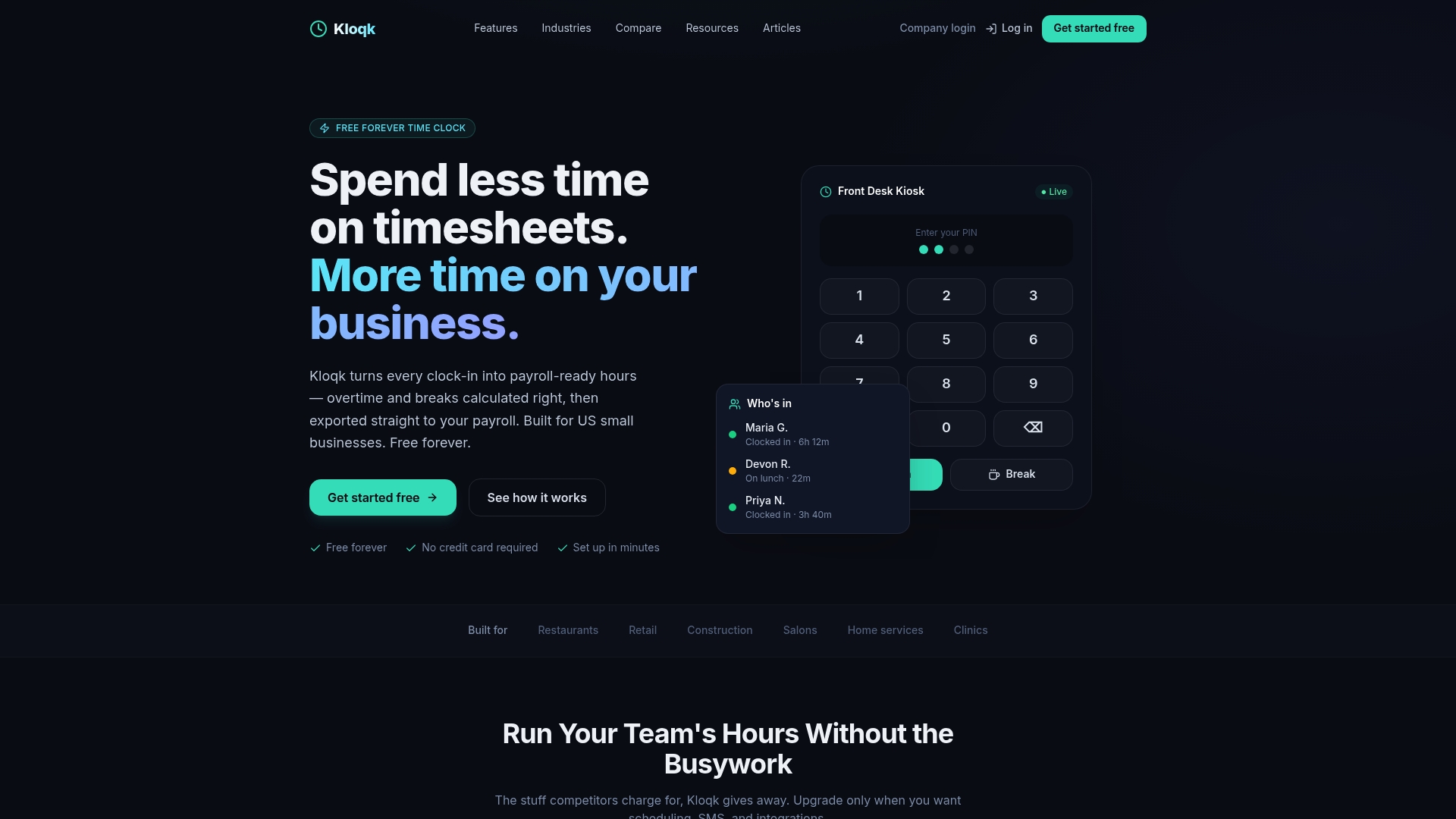
The core time clock remains free forever for unlimited employees and includes overtime calculations and missed break alerts. The system captures a photo on every punch for verification. It runs in any browser on kiosks or phones and supports GPS geofencing for on-site checks.
Core Features
Kloqk provides a genuinely free core time clock that supports unlimited employees and runs without downloads or hardware. It includes photo verification, GPS geofencing, and mobile or kiosk clock-ins that work entirely in a browser. The system performs automatic overtime and premium pay calculations, tracks missed breaks, and keeps records for two to three years while offering payroll-ready exports.
Key Differentiator
Kloqk’s standout feature is a fully functional, unlimited user time clock available at no cost while still enforcing verification and compliance. The free tier does not lock essential features behind a paywall, so small teams get payroll-ready hours without needing an immediate upgrade. Optional paid tiers add scheduling, PTO, and extra geofencing features.
Pros
The free core product removes the usual seat limits and hidden fees, letting you add every employee without extra cost. Setup is fast and requires no IT or hardware because it runs in a browser on existing tablets or phones. Built-in compliance features handle FLSA and California overtime calculations and provide audit logs and photo records for dispute resolution. Remote or field staff can clock in with GPS validation, and exports let you move hours into third-party payroll systems.
Cons
- Advanced scheduling, PTO, and direct payroll sync require paid plans starting at $29 per location per month.
Who It’s For
Small business owners and managers who need a reliable, low-cost way to record hours and prevent buddy punching will find this useful. It fits restaurants, retail shops, construction crews, salons, and other operations with on-site or mobile staff. Teams that want compliance with overtime rules and simple payroll exports will get immediate value.
Unique Value Proposition
Payroll-ready hours appear in the free core plan with automatic overtime and break tracking plus export capability. That combination lets you close payroll faster without paying for basic tracking. For small employers, this reduces administrative time while keeping a clear audit trail for labor law compliance.
Real World Use Case
A retail store places a tablet at the sales floor entrance for kiosk clock-ins. Staff punch in with a photo captured each time, the system flags missed breaks, and overtime is calculated automatically. Managers export the verified hours to their payroll provider at payday.
Pricing
Core time clock features are free for unlimited employees. Paid plans start at $29 per location per month for Pro and $59 per location per month for Premium. Paid tiers add scheduling, PTO, geofencing upgrades, and communication tools.
Website: https://kloqk.com
OnTheClock
At a Glance
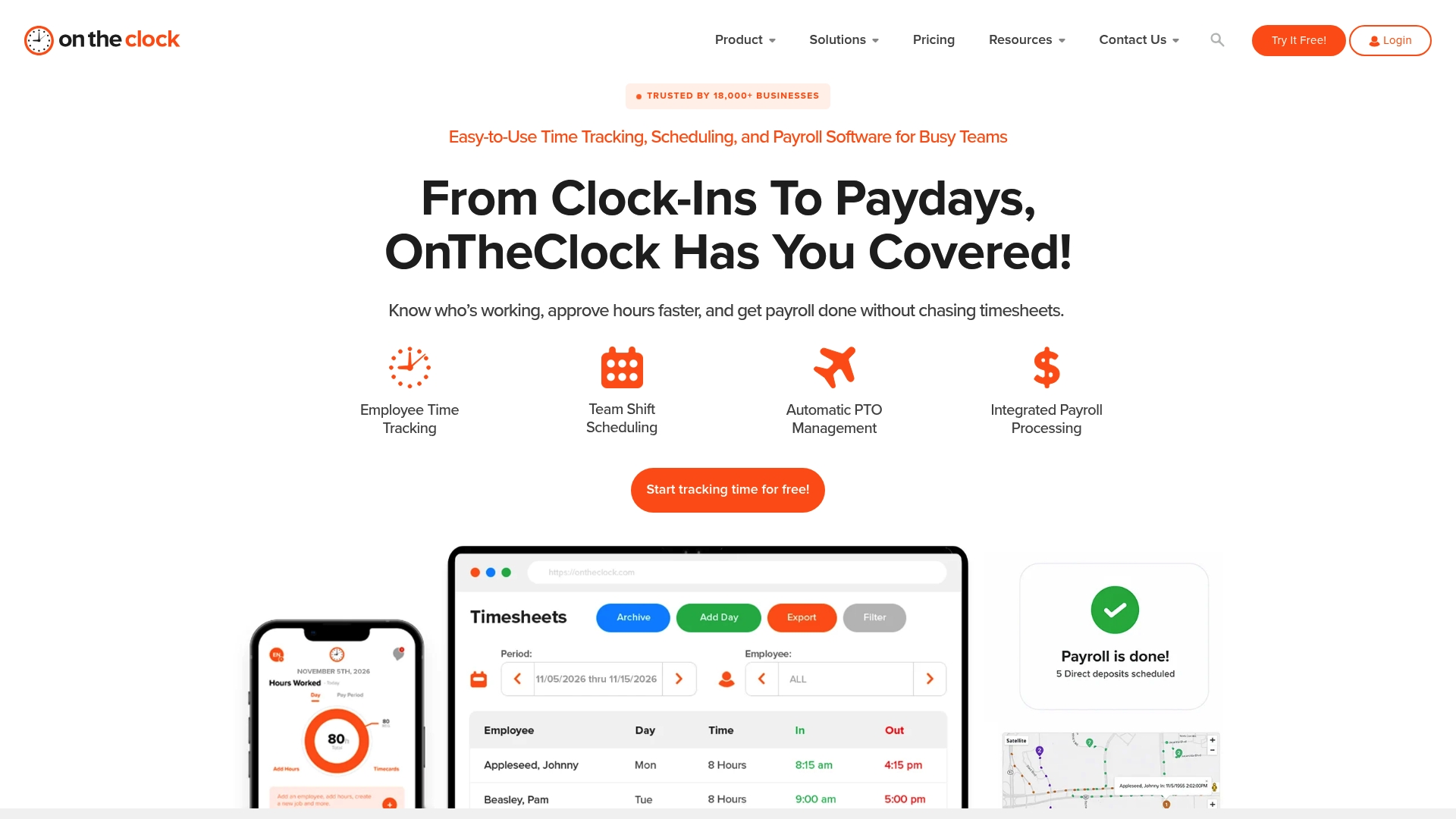
OnTheClock reports that it is trusted by over 18,000 companies. The product pairs mobile and web clock-ins with shift scheduling and payroll processing. A US-based support team handles onboarding and day-to-day questions.
Core Features
Mobile and web time tracking includes geofencing and biometric punching, plus GPS location capture for on-site verification and time theft prevention. Employee shift scheduling uses drag-and-drop adjustments, and automated PTO accruals manage time-off balances. The payroll module performs automatic tax calculations and year-end form generation to connect with external payroll providers.
Key Differentiator
OnTheClock centers on a single platform that combines time tracking, shift planning, PTO management, and payroll processing. That integration reduces handoffs between tools and keeps schedule and pay data in one place. For small operations that want fewer vendor relationships, that tight coupling is the main selling point.
Pros
The interface is straightforward, which helps managers and staff adopt the system quickly. According to the company, setup can take under two minutes, which shortens initial rollout time. Customer support is US based and available to troubleshoot payroll, scheduling, or hardware questions. Pricing is flexible with no long-term contract requirements, making budgeting predictable.
Cons
-
Occasional reliability issues have been reported during system peak times, which can disrupt clock-ins.
-
Biometric and advanced geofencing features may require extra hardware or configuration, adding setup work.
-
Some advanced payroll and scheduling options offer limited customization compared with enterprise payroll suites.
When It May Not Fit
If your operation needs highly customizable payroll workflows, OnTheClock may feel restrictive. Large multi-state employers with complex payroll tax rules might prefer a dedicated payroll platform. Companies that cannot invest in biometric terminals should plan for alternate verification methods.
Notable Integrations
- ADP
- Gusto
- QuickBooks
- Square
- Thomson Reuters
Who It’s For
Small and medium-sized business owners and managers who want a compact set of tools for timekeeping, scheduling, and payroll. Teams with mobile or field employees who need GPS verification will find the feature set relevant. Businesses that prefer US-based support and no-contract pricing will benefit from the vendor approach.
Real World Use Case
A retail chain manages clock-ins through mobile devices and verifies location with GPS. Managers adjust shifts with drag-and-drop tools and use the payroll module to calculate taxes and export data to their payroll provider. The result is fewer manual edits and faster payroll cycles each pay period.
Pricing
OnTheClock uses flexible, per-employee monthly pricing with no contracts. Specific rates are available on the vendor website and depend on features and employee counts.
Website: https://ontheclock.com
Attotime
At a Glance
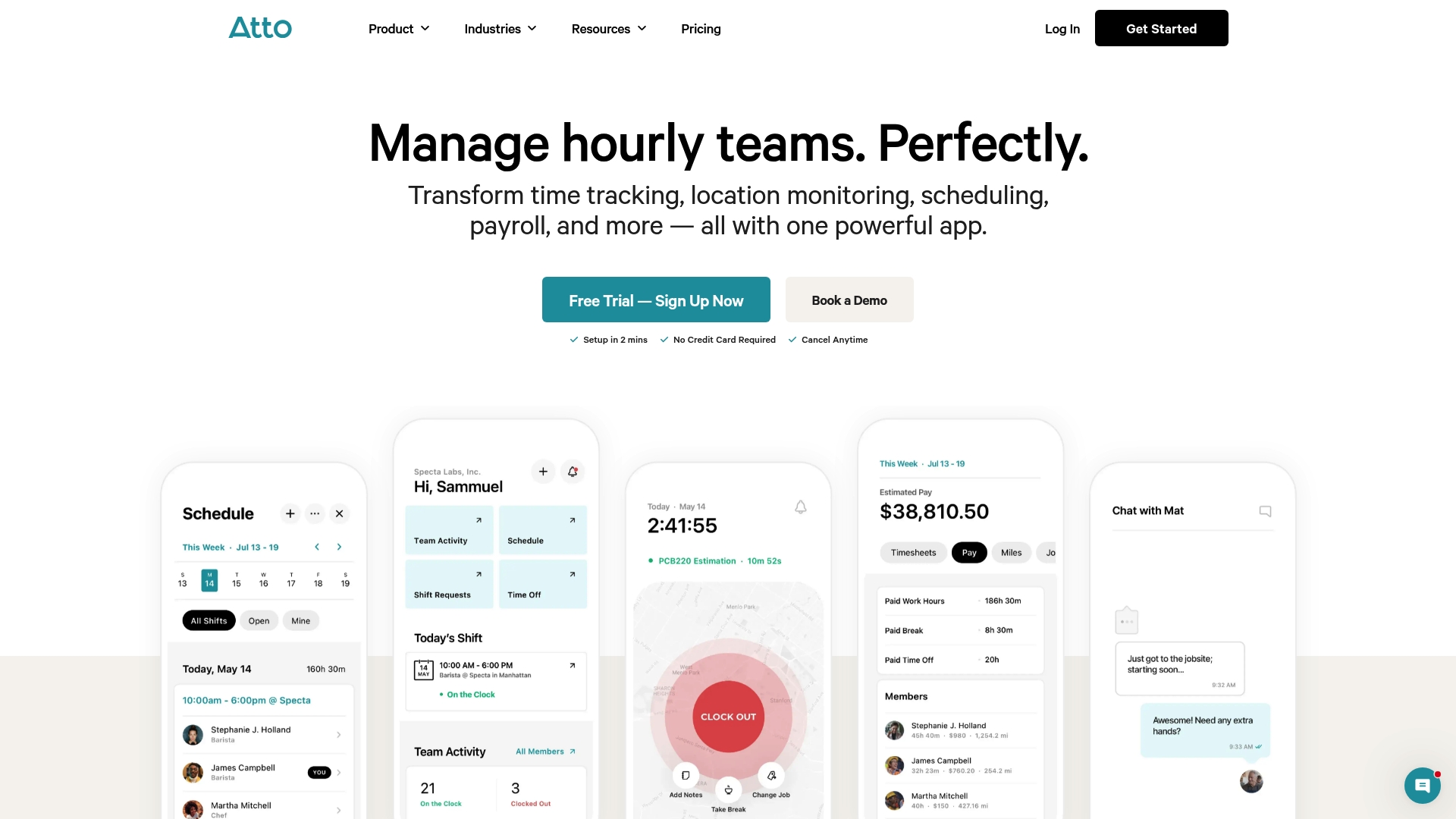
Attotime reports it is trusted by over 15,000 companies, a user count most vendors advertise. The product targets hourly and field teams with combined tools for tracking, scheduling, and payroll. That broad feature set aims to reduce manual timesheet work and field confusion.
Core Features
Attotime bundles time tracking and timesheets automation, real-time GPS location monitoring, and shift scheduling into mobile and web apps. The platform also supports mileage and expense auto-logging with route maps and includes a Time Clock Kiosk for on-site crews. Automated payroll and tax compliance round out the workflow so payroll exports require less manual cleanup.
Key Differentiator
Attotime focuses on a single integrated workflow that covers clock-ins through payroll for hourly teams. The vendor positions that integration as its main advantage for companies with mobile staff. For organizations juggling separate scheduling, tracking, and payroll tools, the unified product reduces the number of systems to manage.
Pros
Users praise Attotime for ease of use, which speeds adoption for crews who resist complex software. The mobile app and kiosk support make it practical for field teams, and built-in payroll automation helps reduce calculation errors. Customer reviews also highlight time savings and improved coordination when teams use the platform across multiple sites.
Cons
- Third-party reviews report that integration options and customer support responsiveness can vary, which may slow some deployments.
- Advanced customization and complex scheduling workflows can require a learning curve and some onboarding time.
- Pricing details are not specified on the homepage, so larger teams likely need to contact sales for an exact quote.
When It May Not Fit
Organizations that require full offline operation will find limitations because real-time GPS and sync need internet connectivity. Firms needing deep custom integrations may outgrow the platform before setup if they rely on niche payroll systems. Teams that require consistently fast vendor support should plan for variable response times.
Who It’s For
Attotime fits small to medium-sized businesses that manage hourly or mobile workforces. It works well for construction, landscaping, electrical, cleaning, and healthcare teams that need on-the-go time capture. Companies that want one vendor for scheduling, location tracking, and payroll will get the most value.
Real World Use Case
A construction company uses Attotime to capture field hours with mobile clock-ins and the Time Clock Kiosk on site. Supervisors track crew locations with GPS to confirm job site presence and adjust schedules. Payroll then imports timesheets, reducing manual corrections and payroll processing time.
Pricing
Pricing is not specified on Attotime’s public site. The vendor indicates a subscription model with demo and trial options, and larger teams should contact sales for custom quotes. Expect to request a demo to see exact tiering and seat pricing.
Website: https://attotime.com
ClockInEasy
At a Glance
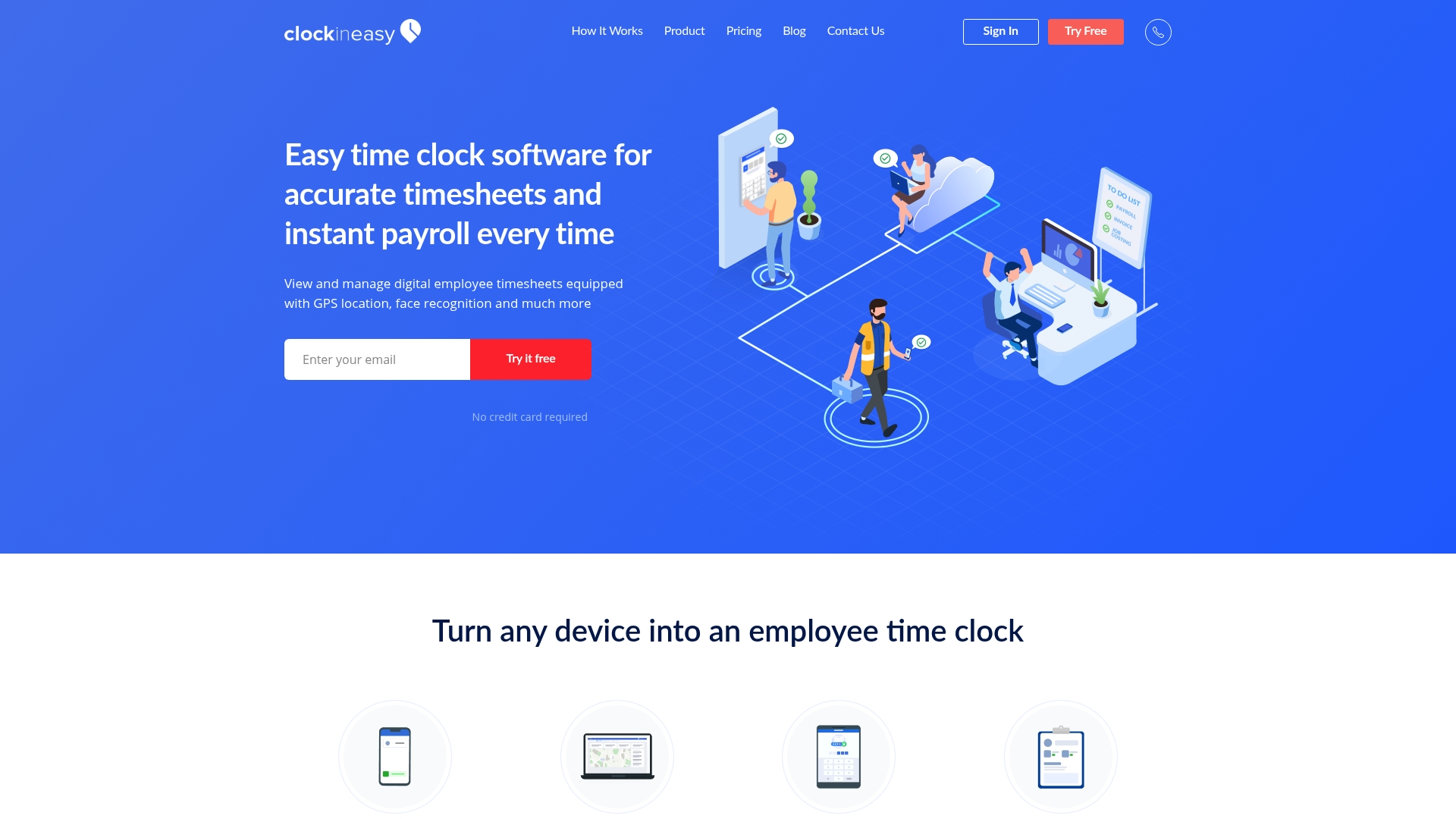
Free plan for single users is available. ClockInEasy pairs face recognition and GPS location tracking with DCAA compliant audit logs to support audit trails. The product targets businesses that need device flexibility and payroll-ready timesheets across offices and field sites.
Core Features
ClockInEasy turns any device into a time clock and supports mobile apps, kiosks, and web browser sign-ins. It logs GPS coordinates for attendance and uses face recognition to reduce buddy punching while producing instant payroll reports that export in common formats. The system also includes manual time entry, project and job costing reports, and labor law rules such as rounding and overtime.
Key Differentiator
ClockInEasy combines GPS location, face recognition, and instant payroll reporting in one product. That mix makes it useful for companies running multiple job sites that need auditable timesheets and quick exports for payroll processing. The platform leans toward industries with field staff and regulated audit needs.
Pros
The vendor advertises that it is highly rated by users for ease of use and customer support. Device flexibility stands out because you can use mobile phones, dedicated kiosks, or a web browser as a clocking device. Built-in payroll reporting and export options speed payroll preparation, and DCAA compliant audit logs help teams that face formal audits. A Free plan for single users lowers the barrier to trial.
Cons
- Pricing for larger teams can be complex and often requires contacting sales.
- Face recognition works only after employees have photos set up, which adds admin work.
- Most features rely on internet access, so offline clocking options are limited.
When It May Not Fit
If your operation requires robust offline clocks at remote sites, this product may fall short because full functionality needs internet access. Organizations that want instant plug and play face recognition without photo management may find the setup overhead frustrating. Small teams that need only simple clock-ins without GPS or audit logs will pay for features they do not use.
Who It’s For
Businesses with hourly employees in construction, healthcare, retail, and logistics will find the platform relevant. It fits companies that need GPS-verified attendance and auditable timesheets for compliance or billing. Larger employers that require dedicated enterprise support can request customized plans.
Real World Use Case
A construction firm uses ClockInEasy to track crews across multiple sites. Workers clock in on a kiosk or mobile device and GPS stamps confirm site location. Payroll runs faster because supervisors export instant payroll reports linked to project costing.
Pricing
Free for single users is available. The Professional plan is $4 per user/month. Enterprise plans are available on request and include custom support and pricing.
Website: https://clockineasy.com
Timesheets.com
At a Glance
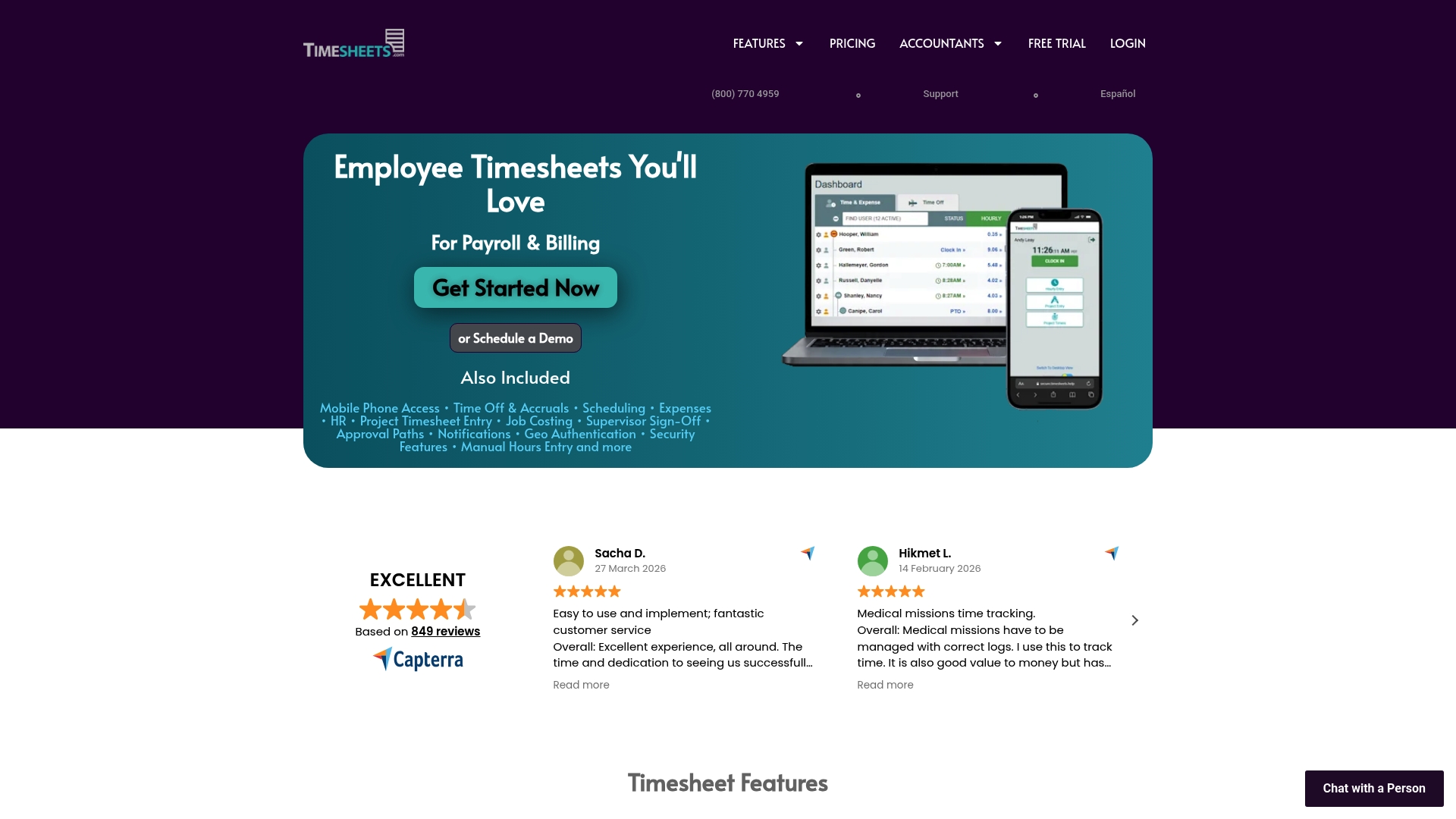
According to the company, Timesheets.com combines GPS, photo timestamp, and IP Lock to reduce time theft and verify on-site clock-ins. The product targets payroll accuracy and job costing for small and medium businesses. It also supports manual and real-time entries so teams can pick the method that fits their workflow.
Core Features
Timesheets.com covers employee time tracking, shift scheduling, and PTO management while keeping job costing and billing in view. It includes mileage and expense tracking with receipt upload and stores HR documents and notes inside employee records. The platform exports data for payroll and accounting and supports both real-time and manual time entry.
Key Differentiator
The standout feature is the security toolkit that ties location and identity to time records. GPS coordinates, photo timestamps, and IP locking lock down where and when employees clock in. That combination focuses on preventing inaccurate time punches more than many basic trackers do.
Pros
The interface makes clocking in straightforward for hourly teams. Managers can build schedules and adjust PTO accruals without switching tools. The security controls give you traceable evidence for disputed shifts, and the expense and mileage features keep small job billing tidy.
The vendor advertises high user ratings for usability and support. Live assistance and follow-up after implementation are part of the reported support experience. Integrations with payroll and accounting reduce manual payroll work once set up.
Cons
- No dedicated mobile app; the service is browser based on phones, which some staff find less convenient than an app.
- Not built for complex HR systems; large enterprises will miss advanced HR workflows.
- Some users report that pricing can feel high for very small teams.
When It May Not Fit
If you run a large company with advanced HR needs, this product may lack deep HR modules. If your workforce demands a native mobile app for offline clocking, the browser based approach will fall short. If you require multi system HR automation across many vendors, this product may not integrate tightly enough.
Notable Integrations
Timesheets.com connects to QuickBooks Desktop and Online for accounting sync. It also supports CSV export formats used by payroll providers such as Gusto, ADP, and Paychex. These options let you move hours into payroll without manual entry.
Who It’s For
Small to medium-sized businesses that need secure, auditable timekeeping and straightforward payroll exports. Trades, field service teams, and smaller office-based employers who need job costing and expense captures will get the most value. Organizations that prioritize location verification will find the feature set relevant.
Real World Use Case
A construction company tracks hourly crews, ties hours to specific jobs, and captures photos at clock-in for client records. The team exports payroll data to QuickBooks for invoicing and payroll. GPS and timestamps help resolve client billing questions and internal time disputes.
Pricing
Pricing is based on the number of users with no hidden fees and details listed on the vendor site. The model scales with headcount, so small teams can start modestly and grow without surprise charges. Contact the vendor for exact tiering and any volume discounts.
Website: https://timesheets.com
Comparison of alternatives
Kloqk sets itself apart with its free offering of an unlimited employee time clock, delivering value without mandatory upgrades for essential features. This analysis highlights core trade-offs and strengths of Kloqk and its competitors, aiding business owners in selecting the platform that aligns with their operational needs.
Free and Essential Feature Access
Kloqk’s free core time clock, supporting unlimited employees, includes necessary tracking and compliance features such as GPS geofencing and photo verification. Competing products like OnTheClock or Attotime require memberships for similar capabilities, presenting Kloqk as a cost-effective choice for basic operations. However, businesses requiring enhanced scheduling and payroll modules might evaluate paid options from other providers.
Scheduling and Integrations
OnTheClock differentiates itself by unifying time tracking with shift planning and payroll processing within a single system. This integrated approach minimizes the need for multiple external tools, a benefit for midsized teams managing dynamic schedules. Attotime emphasizes field-team functionalities and multi-site management, supplying GPS and mileage tracking, essential for highly mobile teams.
Best fit
- Businesses operating on limited budgets and requiring fundamental employee time tracking will benefit from Kloqk’s free, payroll-ready system that includes compliance tools.
- Teams seeking strong customer service combined with scheduling and payroll integration should consider OnTheClock for its US-based support and functionality.
- Companies managing highly mobile or on-site field workers requiring GPS location stamping should explore Attotime as a compatible solution.
- Organizations in fields like construction or healthcare necessitating GPS-driven time tracking and compliance with facial recognition will find utility in ClockInEasy.
Our pick
For businesses that prioritize cost-effectiveness and simplicity in their time tracking solution, Kloqk is the choice. Its free, payroll-ready time clock eliminates the expense otherwise incurred for fundamental tracking capabilities, particularly benefiting organizations with diverse employee numbers or dynamic operations. While premium-tier features such as scheduling and PTO management exist as optional upgrades, Kloqk remains for straightforward, essential tracking without upfront costs.
When considering employee time tracking software to suit various operational needs, the following comparison outlines leading platforms and their features:
| Product | Core Feature | Best For | Pricing | Notable Limitation |
|---|---|---|---|---|
| Kloqk | Free core timeclock with GPS and photo logging | Small businesses | Free for core features. Paid plans from $29/location/month | Advanced scheduling and PTO management require upgrade |
| OnTheClock | Integrated time tracking and payroll processing | Small and medium businesses | Pricing available on the vendor site, flexible per employee | Some reliability issues during peak usage periods |
| Attotime | All-in-one solution including GPS and mileage | Hourly and field teams | Pricing not published; contact for details | Limited offline functionality; internet required |
| ClockInEasy | GPS location and face recognition tracking | Auditable field operations | Free for single users, $4/user/month for Professional plan | Admin setup required for face recognition |
| Timesheets.com | Secure timekeeping with GPS and job costing | Trades and small offices | Pricing scales with team size; contact for details | No dedicated mobile app, browser-based only |
How to Overcome Time Tracking Challenges With a Buddypunch.com Alternative
Many small business owners and managers face issues with inaccurate time tracking, complex payroll preparation, and hidden fees from software that charges for must-have features. Kloqk meets these demands by offering a free time clock with unlimited employees, automatic overtime calculations, and break tracking included. It also uses photo verification and GPS geofencing to prevent time theft and help businesses in construction and restaurants comply with labor laws.

If you want to reduce payroll busywork while ensuring employee hours are verified and ready to export, try Kloqk. Add your team and start generating payroll-ready hours without upfront costs or complicated setups.
FAQ
How does Kloqk support overtime calculations?
Kloqk automates overtime calculations for unlimited employees as part of its free core time clock features. This capability helps businesses accurately manage labor costs and compliance with labor laws. Companies using Kloqk can streamline their payroll processes and reduce errors related to overtime.
What is the difference between Kloqk and OnTheClock in terms of scheduling features?
OnTheClock excels in its shift scheduling with drag-and-drop adjustments, making it easy to allocate shifts for employees. Kloqk, while offering essential time tracking, does not include advanced scheduling features in its free plan. Businesses seeking straightforward scheduling may benefit from OnTheClock.
Can I use Kloqk if my business needs GPS verification for clock-ins?
Kloqk includes GPS geofencing for on-site clock-ins, allowing teams to verify if employees are on location when they punch in. This feature helps prevent time theft and ensures that labor hours are accounted for accurately. Companies with field staff can confidently use Kloqk for GPS-based clock-ins.
Which platform offers better support for payroll exports, Kloqk or Timesheets.com?
Timesheets.com provides a detailed payroll export feature that connects seamlessly with QuickBooks and other platforms. Kloqk also offers payroll-ready exports; however, Timesheets.com may be more suitable for businesses needing robust payroll integration. Users requiring extensive payroll support should consider their specific needs when selecting between these platforms.
What advantages does Kloqk offer compared to ClockInEasy for time tracking?
Kloqk allows unlimited employee clock-ins with photo verification to prevent buddy punching, a vital feature for accurate timekeeping. ClockInEasy also offers GPS location and face recognition, but Kloqk’s straightforward free tier is more suitable for businesses starting out without immediate costs. This makes Kloqk an accessible choice for smaller teams.
Recommended
Sources
Every figure on this page traces to one of these. Primary law and government sources are listed first.
Written by
Marcus ReyesPayroll & Timekeeping Specialist
Marcus covers payroll accuracy, timesheets, and time tracking, the unglamorous mechanics that keep paychecks correct and audits painless.
Keep Reading
Track Hours the Easy Way
Kloqk is a free time clock that handles punches, breaks, overtime, and payroll-ready reports.
Start free