6 Step GPS Time Tracking Rollout for Small Businesses
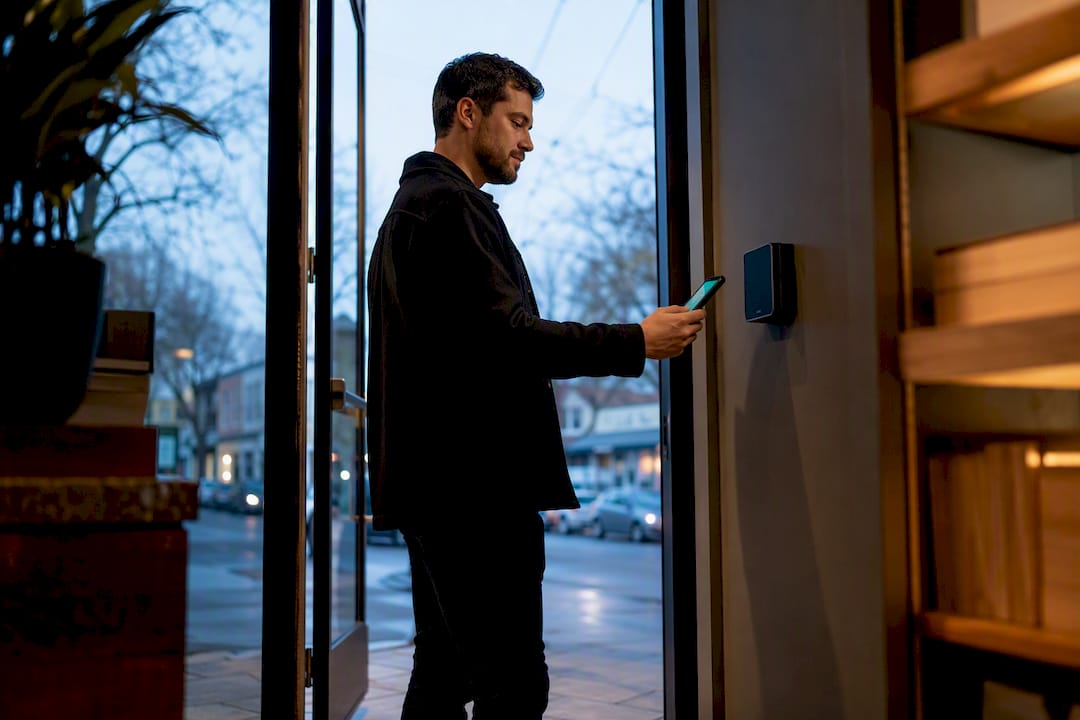
GPS time tracking gives managers verified, payroll-ready hours by pairing every clock-in with a location stamp, cutting down on time theft without adding paperwork. Tools like Kloqk combine geofencing and photo verification to confirm staff actually clocked in on-site. The rest of this guide covers the features, compliance basics, and rollout steps that make it work in practice.
TL;DR:
- GPS time tracking benefits field teams by automatically verifying employee location at clock-in, especially effective for construction, delivery, and mobile service industries.
- Using geofencing and photo verification reduces buddy punching and false clock-ins, but requires careful radius testing to avoid false alerts and inconvenience.
- Privacy compliance entails clear employee policies, tracking only during work hours, and adherence to state-specific consent laws, to mitigate legal risks.
- The most successful implementation involves a two-week pilot, a written policy, and testing payroll exports before a full rollout, with focus on team trust.
- The software’s core features like geofencing and photo verification are available for free, allowing small businesses to pilot without commitment before upgrading.
Table of Contents
- How GPS Time Tracking Actually Works
- Key Features to Look for in a GPS Time-Tracking Tool
- Where GPS Time Tracking Pays Off Fastest
- Privacy, Notice, and Compliance Basics
- Choosing the Right GPS Time-Tracking Setup
- Implementation Checklist: Roll Out GPS Time Tracking in 6 Steps
- Why Kloqk Fits the Small-Business Playbook
- The Overlooked Part of GPS Time Tracking
- Get Started with Kloqk’s Free GPS Time Clock
How GPS Time Tracking Actually Works
A GPS time clock app records an employee’s location the moment they punch in, then again at punch out. That’s it. It’s a point-in-time stamp, not a live tracking feed running all day, which is exactly what most small businesses need and nothing more.
The GPS signal itself comes from satellites broadcasting UTC time, and any device translating that into a local timestamp has to correctly apply time zone and daylight-saving rules. This isn’t a trivial detail: GPS-disciplined systems rely on precise second marks from satellite signals, and small errors in how software converts that into “9:03 AM Central” can throw off payroll math if the underlying logic is sloppy.
Here’s what happens between the punch and the paycheck:
- The employee opens the app (or taps a kiosk) and clocks in; GPS coordinates and, optionally, a photo get attached instantly.
- If a geofence is configured, the app either prompts the clock-in automatically when the phone enters the zone or blocks it entirely if the employee is outside the boundary.
- The timestamp, location, and photo get logged to a timesheet in real time.
- At the end of the pay period, hours flow into a payroll export instead of a spreadsheet someone has to reconcile by hand.
Battery drain and weak GPS lock are real constraints, especially in urban canyons or thick tree cover. Good apps handle this by using the last-known-good location with a timestamp flag rather than forcing a retry loop that burns battery and annoys workers.
Key Features to Look for in a GPS Time-Tracking Tool
Not every time clock app is built the same, and the gap between a bare-bones punch clock and a real workforce tool shows up fast once you have more than a handful of employees.
- Geofencing with automatic prompts: the app should nudge staff to clock in when they enter a job site and flag or block punches from outside it.
- Photo verification: a selfie at clock-in stops one employee from punching in for another, a problem commonly called buddy punching.
- Audit logs: every manual edit to a timesheet should leave a trace, with who changed what and when.
- Payroll export: hours, overtime, and break deductions should calculate automatically and export in a format your payroll provider accepts.
- Mileage tracking: for teams that drive between sites, route logging turns reimbursement math into something automatic instead of a monthly argument.
- Offline clocking: rural job sites and basements kill signal constantly, so the app needs to queue punches and sync once connectivity returns.
Pro Tip: Test geofence radius before you roll out to the whole team. A 150-foot radius works for a single-building office; a construction site spanning several acres needs a wider boundary or multiple geofences, or you’ll get false “outside the zone” alerts all day.
Where GPS Time Tracking Pays Off Fastest
Some industries feel the benefit within a week; others barely notice it. It depends almost entirely on how spread out the workforce is.
- Field service and maintenance. Techs who bounce between five job sites a day generate constant “was I actually there” disputes without location data. Geofenced clock-ins end that argument automatically.
- Construction and contracting. Enforcing site hours across subcontractors gets messy fast without a shared system. GPS punches simplify payroll when three crews are on three different sites.
- Delivery and mobile sales. Mileage and route accountability matter here more than anywhere else, since reimbursement is a recurring line item.
- Restaurants, retail, and janitorial teams. Shift verification for remote or after-hours locations (a second restaurant location, an overnight cleaning crew) closes the gap managers can’t watch in person.
A small landscaping crew running a few trucks daily can burn hours each week just reconciling paper timesheets against fuel receipts. Automating that reconciliation is often the single biggest administrative time save a small operation sees.
Privacy, Notice, and Compliance Basics
GPS tracking touches employment law fast, and the fix is almost always the same: write it down, tell people, and keep tracking narrow.
- Put the policy in writing and get a signed or digital acknowledgment from every employee before their first tracked punch.
- Track location only while someone is clocked in. Continuous background tracking outside work hours creates legal exposure with no upside for payroll accuracy.
- Check state-specific rules before rollout. California and Illinois both have consent and disclosure requirements around employee location data that vary by circumstance.
- Keep audit logs and set a clear data retention window. That documentation is what protects you if a dispute ever reaches a labor board.
Pro Tip: When in doubt about a state’s specific consent requirements, don’t guess. A short call with an employment attorney costs far less than defending a privacy complaint after the fact.
Preferring geofence-triggered clock-ins with occasional location stamping over always-on tracking gives you the verification you need without the privacy exposure you don’t.
Choosing the Right GPS Time-Tracking Setup
The right setup depends less on features and more on how your team actually works day to day.
- Decide your tracking scope first. Geofence-only clocking covers most small businesses. Continuous on-shift location makes sense only for delivery or dispatch teams that need to live route visibility.
- Map your integration needs. If you already run payroll through a specific provider, confirm the export format matches before you commit.
- Weigh ease of use for hourly staff. A confusing app means missed punches, and missed punches mean manual corrections, which defeats the entire purpose.
- Check admin-level controls. You need the ability to edit erroneous punches, set retention rules, and see change history without calling support every time.
- Estimate the real cost. Factor in training time for staff who’ve never used a phone-based clock, not just the subscription price.
Implementation Checklist: Roll Out GPS Time Tracking in 6 Steps
Most rollout failures come from skipping the pilot, not from picking the wrong software.
- Define scope before you touch settings. Decide whether you need geofence-only clocking or continuous tracking for a subset of roles, and write that decision down.
- Pilot with a small crew first. Run it with five to ten employees for two weeks and test geofence accuracy against real job-site boundaries, not office guesses.
- Publish a written policy and collect acknowledgments. Every employee should sign off before their first tracked shift, not after.
- Set up your payroll export and test it. Run one full pay cycle through the export before trusting it for the whole team.
- Measure early results and adjust. Compare hours logged against your old system for discrepancies, then tighten or widen geofences accordingly.
- Document what worked. Keep manager notes on adjustments made during the pilot; they save you from repeating the same mistakes when you add locations later.
Pro Tip: Run your pilot during a normal week, not your busiest one. You want clean data on how the app behaves day to day, not a stress test that hides usability problems under chaos.
Rollout success tends to hinge on low-friction clock-in design and a short calibration period more than on how many features the software ships with.
Why Kloqk Fits the Small-Business Playbook
Everything on the checklist above maps directly onto what Kloqk’s GPS time clock already includes at no cost: geofencing, photo verification for clock-ins, overtime and break calculations, and payroll-ready exports. That combination matters because most competitors charge extra for exactly these features.
- Geofencing prevents clock-ins from outside approved job sites.
- Photo verification stops buddy punching before it starts.
- Payroll exports remove the manual reconciliation step entirely.
- Built-in compliance logic accounts for federal and state labor rules.
| What you need | What Kloqk provides |
|---|---|
| Verified location on punch | GPS geofencing, free tier |
| Time-theft prevention | Photo verification at clock-in |
| Payroll-ready hours | Automatic overtime and break calculations |
| Export to payroll provider | Built-in payroll export |
A two-week pilot on Kloqk’s free tier costs nothing and tells you exactly where your geofences need adjusting before you commit to a paid tier for scheduling or PTO tools. Kloqk’s guide on field service dispatch walks through setup for mobile crews specifically.
The Overlooked Part of GPS Time Tracking
Most advice on this topic obsesses over feature checklists and ignores the one variable that actually determines success: whether employees trust the system enough to use it correctly. A geofence that’s too tight generates false alerts, staff start manually overriding punches, and you’ve recreated the exact paper-trail mess you were trying to eliminate.
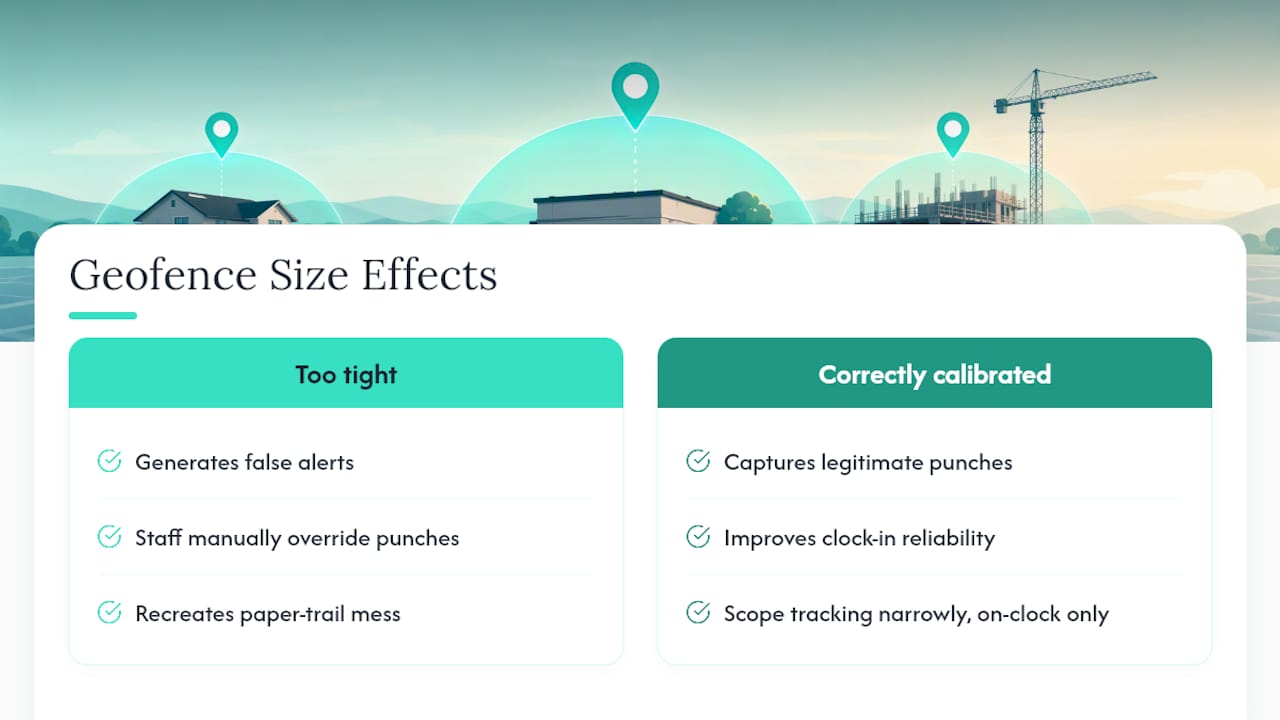
The conventional wisdom says more tracking data is always better. It isn’t. Continuous background location logging creates legal exposure and employee resentment for very little payroll benefit over simple geofenced punches. The businesses that get real value from this technology are the ones that scope tracking narrowly, on-clock only, and treat the pilot phase as mandatory rather than optional.
If you take one thing from this guide, prioritize the written policy and the two-week pilot before you touch a single setting. Software choice matters less than most guides suggest. Implementation discipline matters more.
Saad
Get Started with Kloqk’s Free GPS Time Clock
Kloqk gives you the GPS time clock, geofencing, photo verification, overtime math, and payroll exports as part of its free core plan, with no trial period or credit card required to start. That’s the direct contrast with most competitors in this space, who put geofencing or photo verification behind a paid tier before you’ve even confirmed the software fits your crew.

If you run a restaurant, a construction crew, or a delivery team and want to see how the numbers look with your actual staff, set up a free account and run a two-week pilot using your real job sites. Start with the GPS time clock feature page to see the geofencing and photo verification settings, then test one full payroll export before deciding whether the paid tiers for scheduling or PTO make sense for your team.
Recommended
Sources
Every figure on this page traces to one of these. Primary law and government sources are listed first.
Written by
Marcus ReyesPayroll & Timekeeping Specialist
Marcus covers payroll accuracy, timesheets, and time tracking, the unglamorous mechanics that keep paychecks correct and audits painless.
Keep Reading
Track Hours the Easy Way
Kloqk is a free time clock that handles punches, breaks, overtime, and payroll-ready reports.
Start free