Top 6 clockineasy.com Alternatives in 2026

Finding employee time tracking software that fits your budget and team needs is harder than it should be. Many employee time tracking platforms lock core features or payroll-ready exports behind upgrades and per user fees. This comparison covers pricing, device support, and payroll options across six direct substitutes, so small business owners can pick the best fit without wasted spend.
Table of Contents
Kloqk
At a Glance
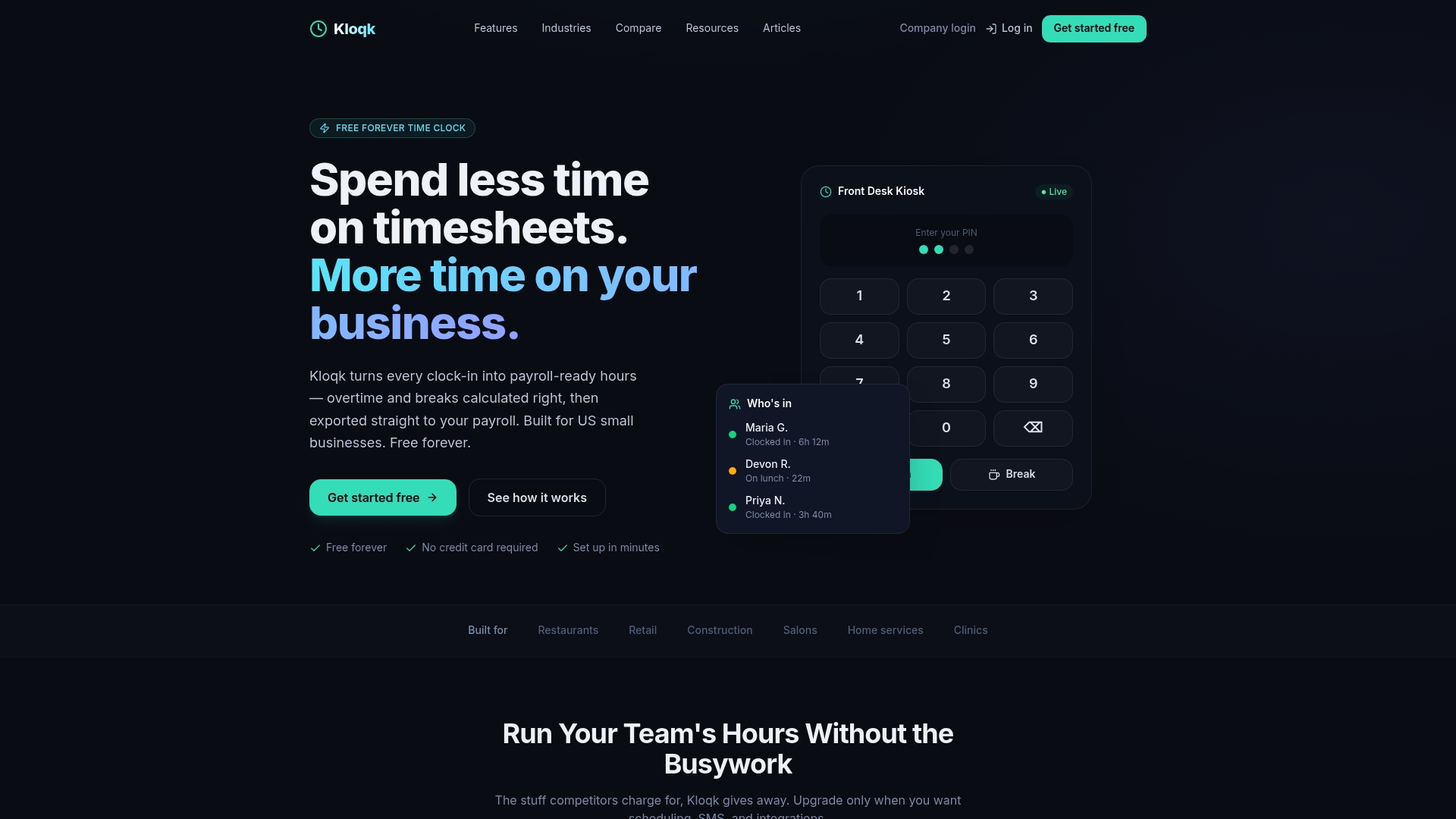
The core time clock stays free forever and supports unlimited employees. The vendor advertises built in compliance with US and California labor laws, plus overtime calculations and break tracking. That mix makes the free tier usable for payroll-ready hours without immediate upgrades.
Core Features
Kloqk offers browser-based clock in and clock out from tablets or phones, with kiosk and mobile punch options and real time visibility of who is on the clock or on break. It captures a photo for each punch and uses GPS geofencing to restrict on-site clock ins. The system also performs overtime and break compliance math and provides one-click export to payroll systems such as QuickBooks, Gusto, ADP, Paychex, and Xero.
Key Differentiator
The single standout is the free core time clock that supports unlimited users with no feature gating. That core includes payroll-ready features such as overtime calculation, break tracking, photo capture for verification, and direct exports to common payroll tools.
Pros
The free core time clock removes per-employee fees for basic time tracking, which lowers monthly software spend for small teams. The product works on any browser so you do not need special hardware or terminals, and photo capture plus GPS reduces buddy punching. According to the company, setup typically takes about 10 minutes, which gets managers from signup to employee punches quickly.
Cons
- Advanced features such as scheduling, PTO management, and deeper integrations require paid plans, so some payroll workflows need upgrades.
Who It’s For
Kloqk fits small business owners and managers who need reliable, low-cost hourly tracking. It matches restaurants, retail shops, construction crews, and similar teams that want payroll-ready timesheets without a large monthly bill. Choose Kloqk if you need simple compliance features and immediate visibility into who is working.
Unique Value Proposition
No per-employee charge on the core clock lets you add unlimited hourly staff without raising your base software cost. That frees budget for payroll and staffing while still delivering photo verification, GPS checks, overtime math, and payroll exports in the free tier.
Real World Use Case
A restaurant uses Kloqk on tablet kiosks to capture a photo for every punch and enforce a GPS boundary around the location. Managers export timesheets with one click to payroll, eliminating manual reentry and cutting the time needed to prepare payroll.
Pricing
The core time clock is free forever. Paid plans add scheduling, PTO, and advanced integrations and start at $29 per location per month for Pro and $59 per location per month for Premium.
Website: https://kloqk.com
Buddy Punch
At a Glance
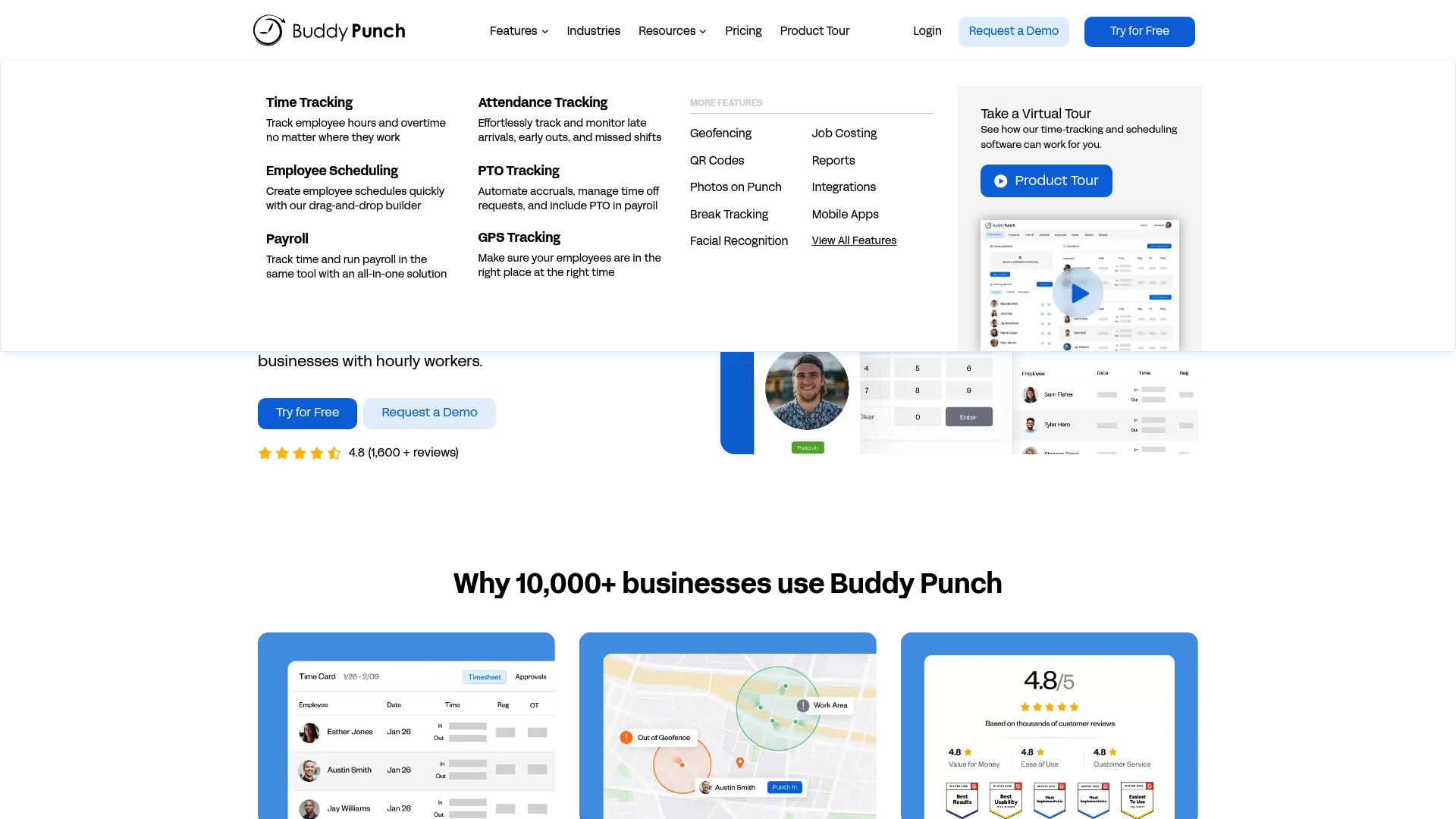
Buddy Punch reports more than 10,000 organizations have used the product since 2012. The platform focuses on simple time tracking, schedule management, and payroll exports for hourly teams. Small business owners will recognize the emphasis on an easy-to-use interface and mobile location controls.
Core Features
The system provides clock in and clock out with overtime tracking and attendance monitoring. It includes drag and drop schedule creation, automated PTO accruals, and time off request workflows. The mobile app supports GPS tracking and geofencing, and payroll exports connect to common payroll providers.
Key Differentiator
The clearest difference is the focus on ease of use and hands on support for small employers. The vendor prioritizes straightforward setup and a short learning curve for managers and staff. That approach makes administration faster for teams without complex payroll rules.
Pros
The interface is intuitive and keeps common tasks visible, which reduces training time for hourly staff. The company emphasizes responsive customer support that helps with onboarding and troubleshooting. The mobile app performs well for field teams because it adds location controls and allows payroll data to flow to accounting systems.
Cons
- Occasional technical bugs and slow loading times have been reported by some users. These incidents can disrupt shift punches for busy locations.
- Editing or correcting timesheets can be awkward for managers and may require extra steps. That process increases admin time when mistakes occur.
- Several advanced capabilities are available only on higher priced plans. Smaller operators may pay extra to unlock scheduling or reporting features.
- Schedule navigation can feel complex for larger rosters and may slow managers during shift swaps.
When It May Not Fit
If you run a large enterprise with complex pay rules, Buddy Punch may feel limited. Teams needing built in advanced analytics or unlimited schedule complexity will likely outgrow the product. Organizations that require every advanced feature at the base price will want to compare plan limits closely.
Notable Integrations
Buddy Punch integrates with QuickBooks, Gusto, and ADP for payroll and accounting exports. Those connections let you move approved hours into payroll workflows. If you already use one of those providers, payroll setup takes less manual exporting.
Who It’s For
The product fits small to medium business owners managing hourly staff across retail, construction, healthcare, and services. It suits operations that need simple deployment and clear mobile clock in controls. Owners who prefer a guided setup and live support will get the most value.
Real World Use Case
A retail chain with multiple stores uses Buddy Punch to capture employee clock ins and to record GPS location at punch time. Managers approve hours in the web console and export payroll files each pay period. That process reduces manual entry and cuts payroll reconciliation time.
Pricing
Pricing is not publicly listed here. The vendor sells subscription plans where some advanced features require higher tiers or add ons. Contact Buddy Punch for current per user rates and plan details.
Website: https://buddypunch.com
Clockify
At a Glance
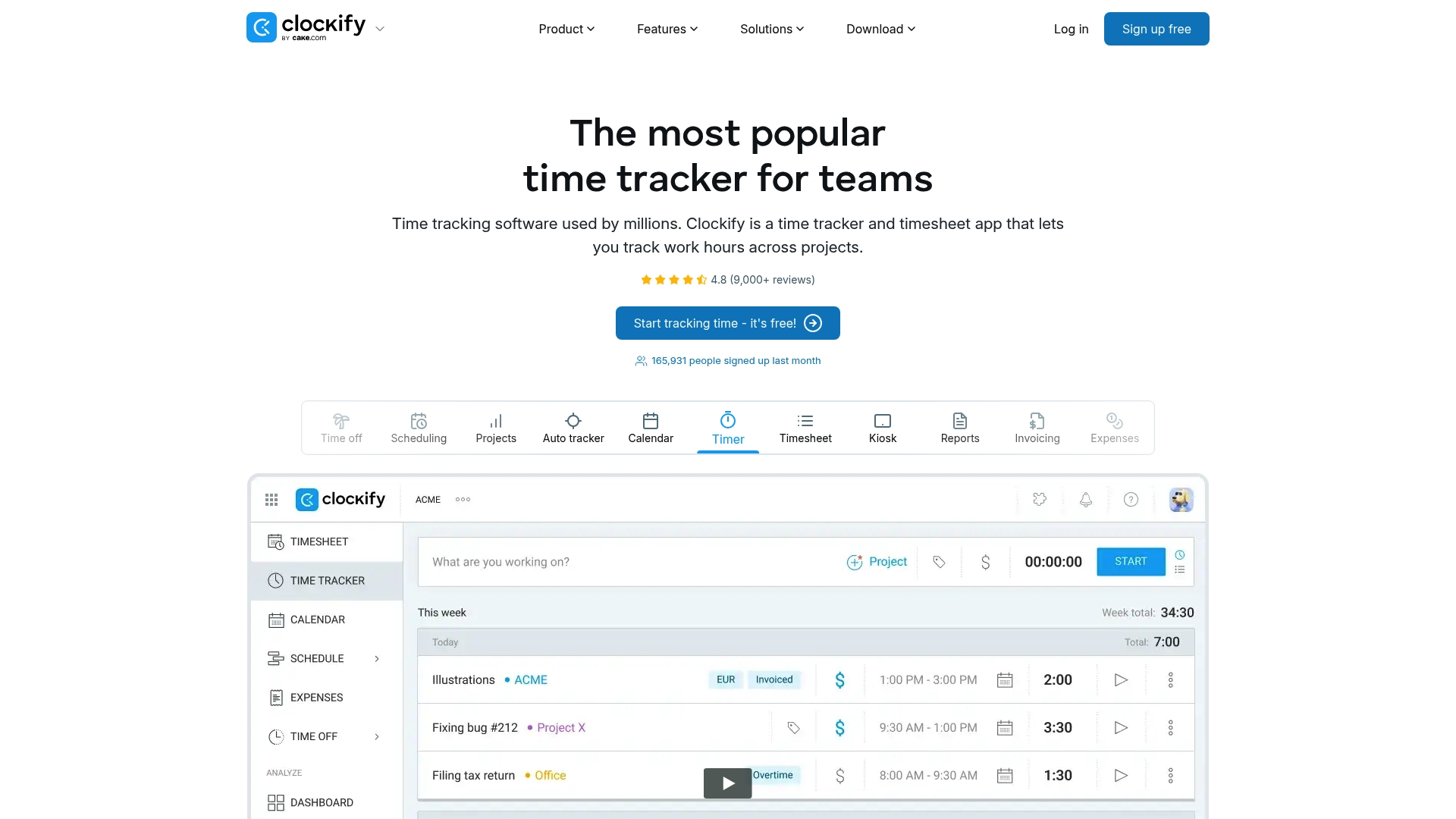
Clockify reports integrations with over 100 web apps. Clockify reports a free tier that allows unlimited tracking, which makes basic time capture cost-free for small team and freelancers. The app runs on desktop, web, and mobile and includes a kiosk mode for shared devices.
Core Features
Clockify combines manual timers and timesheets with a kiosk app and an auto tracker, plus GPS tracking for mobile clock-ins. Reporting covers time, activity, rates, projects, and location, and management tools handle scheduling, approvals, time off, expenses, and invoicing. Apps cover Windows, Mac, Linux, Chrome, Firefox, Edge, iOS, and Android so teams can work from the device they already use.
Key Differentiator
Clockify positions its product around an outstanding free tier paired with broad integrations and a simple interface. That focus makes it easy for small businesses to start tracking hours without committing to a paid plan while connecting to existing tools.
Pros
The free plan supports unlimited tracking, which helps small businesses and freelancers capture billable hours without upfront cost. Reporting and project tracking work well for agencies and managers who need quick visibility into budgets and time use. The breadth of third-party connections expands workflow options, and the vendor advertises 24/7 customer support with high satisfaction ratings.
Cons
- Mobile app features lag behind the desktop and web versions, limiting on-the-go workflows.
- Advanced tools such as custom fields and automation require paid plans, which raises the cost for power users.
- Report customization is limited, reducing flexibility for deep, bespoke analysis.
- Users report occasional lag or bugs, especially on weak networks.
When It May Not Fit
If you require full parity between mobile and desktop features, Clockify may not fit. If your reporting needs demand heavy customization or automation is central to your workflow, you will likely need a paid tier. Large enterprises wanting highly tailored analytics or offline-first mobile apps should look elsewhere.
Notable Integrations
Jira, QuickBooks, Zapier, Google Calendar, Outlook, GitHub, Asana, Trello.
Who It’s For
Small to medium-sized businesses, freelancers, and project managers who want a low-cost entry to time tracking and project reporting. Agencies that bill by the hour and remote teams needing basic productivity tracking will find the feature set useful. Organizations that plan to grow into paid features can migrate without changing vendors.
Real World Use Case
A marketing agency uses Clockify to capture campaign hours across designers and copywriters, then exports timesheets to invoice clients. Managers compare project reports to budgets to spot overruns. The kiosk app handles shared workstations during busy production weeks.
Pricing
A free tier offers unlimited tracking at no charge. Paid plans start at $5.49 per seat per month billed annually for Standard, with Pro and Enterprise levels and optional business bundles available.
Website: https://clockify.me
ClockShark
At a Glance
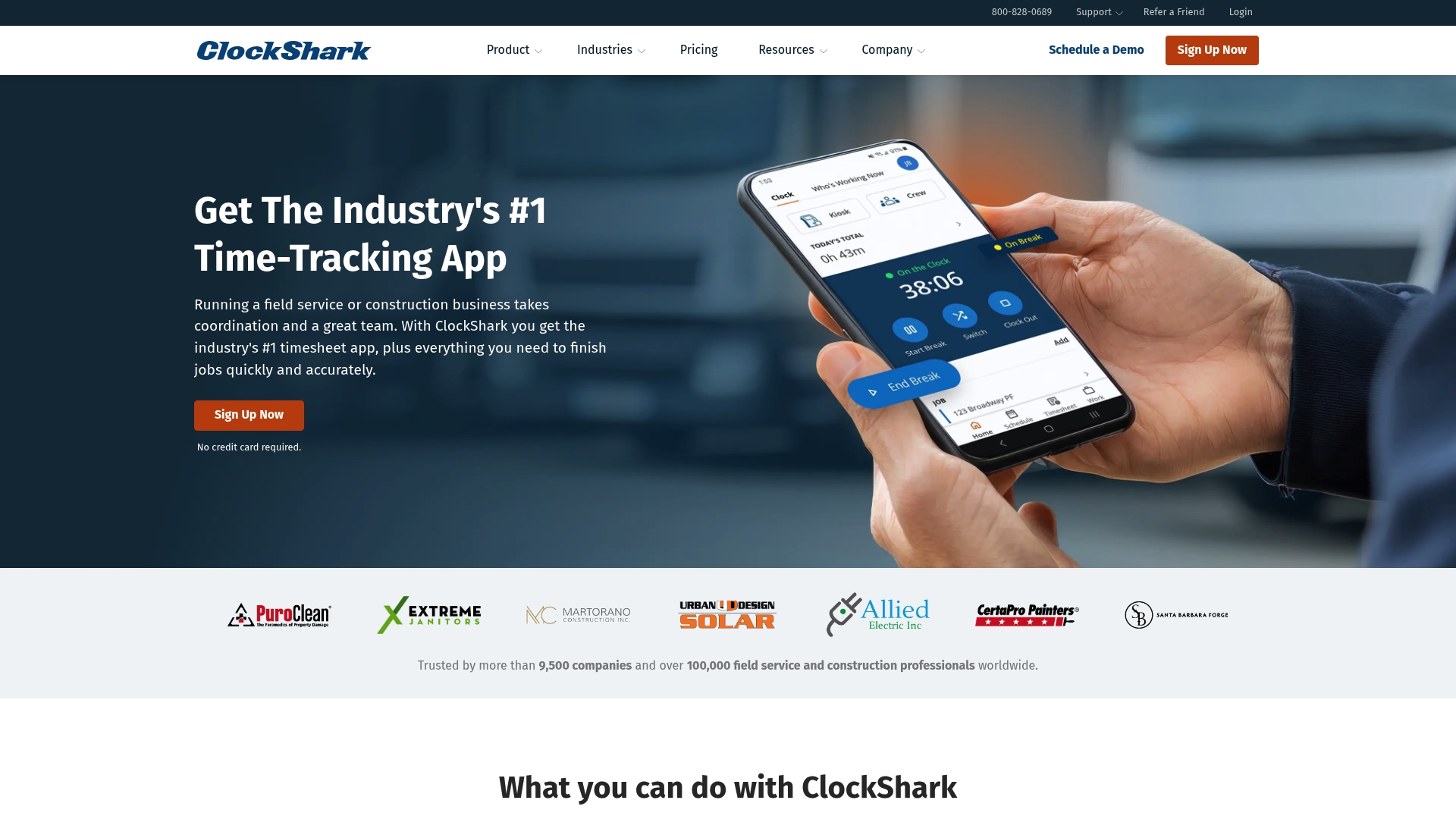
ClockShark reports being trusted by over 9,500 companies worldwide. It centers mobile apps and GPS to tie timecards to location for field crews. Users praise the location controls and onboarding, while some note syncing glitches and mobile battery drain.
Core Features
ClockShark provides time and attendance tracking through both mobile and web apps so crews can clock in on site. The platform uses GPS tracking and geofencing and includes employee scheduling with a drag and drop calendar. Job management supports notes, photos, custom forms, plus job costing and receipt-based expense tracking.
Key Differentiator
ClockShark’s main edge lies in its mobile first design paired with integrated GPS tracking and geofencing built for field teams. That focus makes supervisor audits and dispatch verification straightforward. The product targets construction, field service, and maintenance companies rather than general office teams.
Pros
Field crews get a simple clock in flow with location stamping that cuts timecard guesswork. The platform offers GPS and geofencing features and an intuitive scheduling board that reduces missed shifts and overlapping assignments. Integrations with major payroll and accounting systems simplify payroll export and invoicing for managers who already use those tools.
Cons
- Some users report GPS inaccuracies and syncing delays that require manual corrections.
- Pricing becomes expensive for small teams once per user fees are added to the base cost.
- The mobile app can drain battery on older phones during long shifts.
- Advanced project management features are limited compared with dedicated project tools.
When It May Not Fit
Very small teams operating on tight monthly budgets may find the per user fees hard to justify. Organizations that need deep project management features beyond basic job costing should look at specialist tools. Companies unwilling to sign multiyear contracts or requiring flexible short-term terms should check contract details before committing.
Notable Integrations
ClockShark integrates with common payroll and accounting platforms and automation tools.
- QuickBooks
- Xero
- ADP
- Sage 100
- Gusto
- Paychex
- Myob
- Zapier
Who It’s For
ClockShark fits field service, construction, and maintenance businesses that need GPS enabled time tracking and straightforward job management. It works well for companies that dispatch crews, track mileage or job hours, and export labor data to payroll systems. Firms that rely on mobile clock ins and location verification will see the most value.
Real World Use Case
A roofing company uses ClockShark to let crews clock in with GPS, manage schedules in real time, and attach photos to job records. Labor hours sync to QuickBooks for payroll and invoicing. The result is fewer manual adjustments and faster billing cycles for completed jobs.
Pricing
The most popular plan starts at $40 USD/month plus $9/month per user. The Pro plan is $60/month plus $11/month per user. The vendor states contracts of three years apply and a free 14-day trial is available.
Website: https://clockshark.com
Workyard
At a Glance
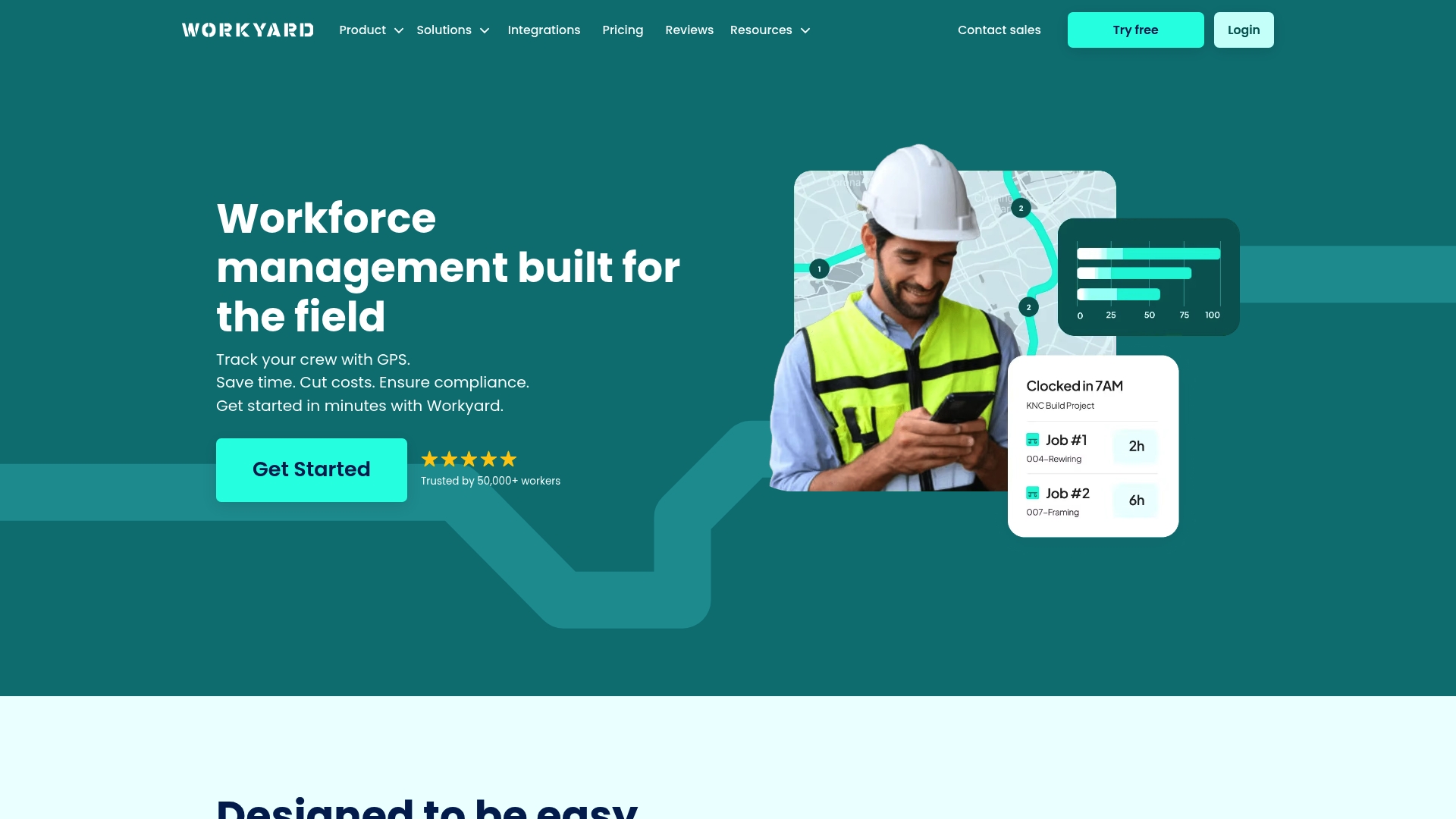
Workyard reports it is trusted by over 50,000 tradespeople. The product focuses on mobile crew tracking with GPS time capture, automated job tagging, and mileage monitoring. That combination targets field teams that need job-level hours without manual timesheet entry.
Core Features
Workyard combines GPS-based time tracking and mileage monitoring with automated job and project time tagging so crew hours land on the right job. The app offers job scheduling, real-time crew location, and rules to enforce breaks and overtime. Reporting exports support payroll and job costing workflows for construction and field service teams.
Key Differentiator
Workyard’s main advantage is its GPS accuracy paired with automated tagging that attaches hours directly to jobs. That reduces the common payroll errors caused by manual entry and lost receipts. The system’s focus on location plus auto-assignment makes it practical for crews that move between sites.
Pros
The mobile app delivers a simple clock-in experience and clear crew location views that reduce back-and-forth calls. Automated tagging and job-level reporting cut the manual work needed to allocate labor to projects. GPS and mileage capture reduce reconciliation time for travel and expense claims. Built-in rules help track breaks and overtime so payroll aligns more closely with labor laws. Many field supervisors find the interface straightforward once they complete initial setup.
Cons
- Steep learning curve for managers who enable advanced automation and rules.
- Mobile app can cause significant battery drain, which affects crews on long shifts.
- Billing requires annual prepayment by default, which limits monthly flexibility.
- Limited pay category support restricts certain specialized compliance payroll setups.
When It May Not Fit
If your operation needs deep customization for enterprise workflows, this product may feel constrained. Heavy emphasis on GPS makes it a poor match for work performed entirely indoors or without reliable cellular access. Teams that prefer month-to-month billing or frequent plan changes will find the default billing approach inflexible.
Notable Integrations
Workyard offers integrations with QuickBooks, Gusto, ADP, Xero, Sage, and NetSuite to move time and payroll data into accounting systems.
Who It’s For
Small to medium-sized construction and field service companies with mobile crews benefit most from Workyard. Supervisors who need job-level labor costs and simple mobile clocking will get the fastest value. Companies that require complex enterprise customization or spare-device battery operation should look elsewhere.
Real World Use Case
A contractor uses Workyard to clock crews at multiple sites via GPS, automatically tag travel time, and export hours into payroll. Project managers run weekly job cost reports to compare estimated labor against actual hours. That workflow shortens the billing cycle and highlights overruns before they grow.
Pricing
Plans start at $6 per user/month billed annually, with discounts available for high-volume accounts. The vendor also offers monthly billing as an alternative, though annual prepayment remains the default option.
Website: https://workyard.com
Timesheets.com
At a Glance
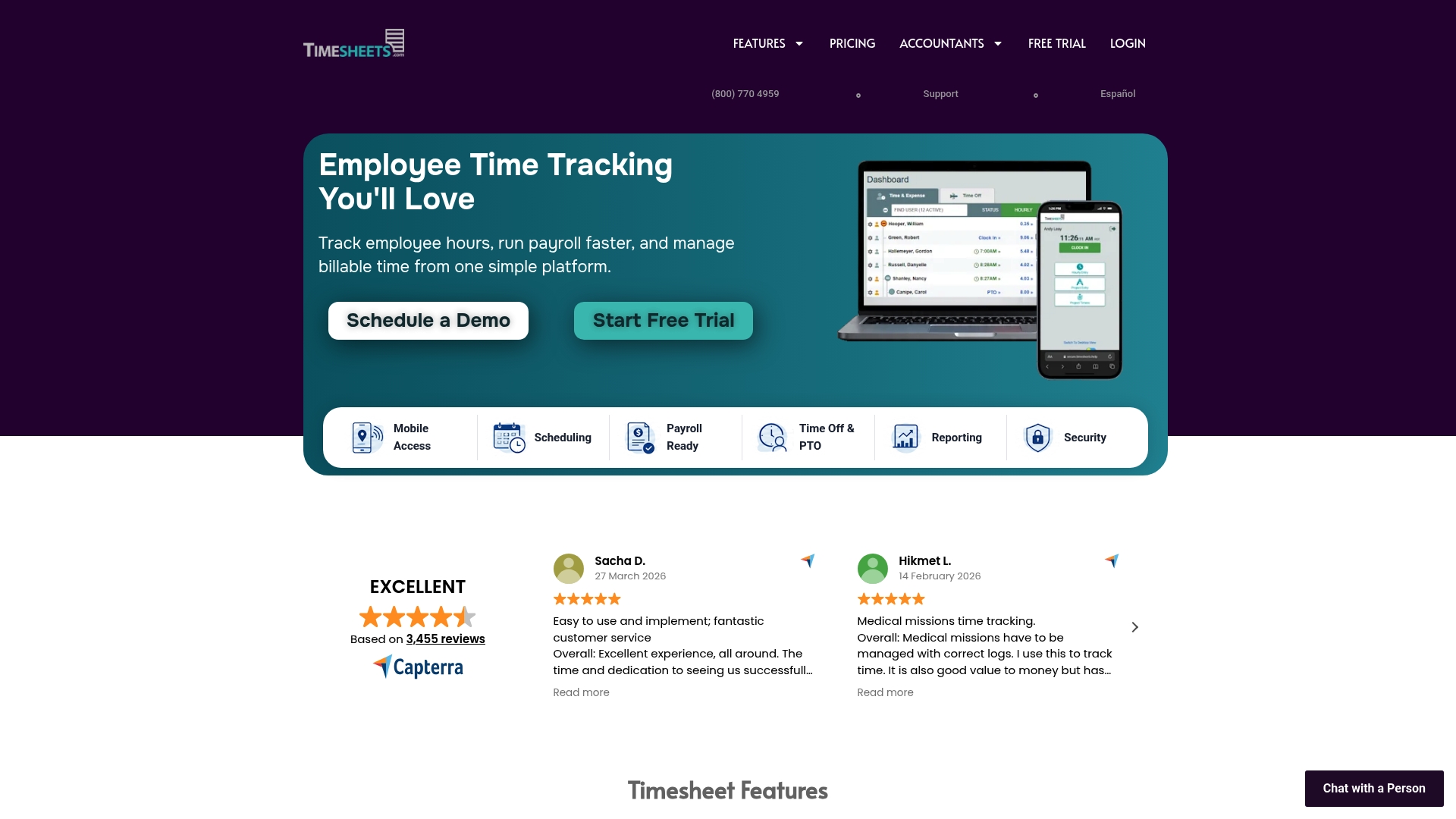
Secure clock in and clock out with GPS, IP locking, and electronic signatures works in the browser for employees. The platform is known for quick setup and responsive support aimed at small organizations. It also handles scheduling, PTO accruals, mileage and expense reimbursement, and exports to payroll systems.
Core Features
Timesheets.com offers time tracking for payroll and billing plus employee scheduling and calendar management in one web based interface. It tracks time off and PTO accruals, stores HR documents and notes, and records mileage and expense reimbursements. Reporting and analytics cover time and expenses, and timesheet data exports directly to payroll and accounting tools.
Key Differentiator
The product stands out for its simplicity and speed of implementation, which suits small teams that need a working system fast. Support is frequently cited as responsive and helpful, which lowers onboarding friction for managers who handle payroll and scheduling. That focus on ease of use distinguishes it from feature-heavy systems aimed at larger enterprises.
Pros
Very easy to implement and use. The vendor highlights responsive and helpful customer support, which reduces time spent on setup and troubleshooting. Payroll and expense exports work reliably with common accounting tools, and pricing is transparent and straightforward according to the company. The browser based interface removes the need for an app download, and the system supports multiple entry methods including punch clock, manual entry, and timers.
Cons
- No dedicated native mobile app. The web based approach can limit mobile experience and offline use.
- Some users report a learning curve with certain interface options and report customization.
- Occasional system errors or crashes have been reported by users, which can interrupt payroll workflows.
When It May Not Fit
If your workforce needs offline clocking or a full native mobile app, this product may fall short. Larger teams that require heavy customization of reports might find the interface limiting. If mission critical uptime is a top priority, the occasional reported errors may be a deciding factor.
Notable Integrations
Timesheets.com connects to QuickBooks for payroll and accounting exports. That link simplifies moving approved hours and expense data into commonly used bookkeeping workflows.
Who It’s For
Small business owners, HR managers, and operations staff at small to medium enterprises who want simple time and attendance tools will find this product a good match. Owners who prefer a browser based solution without forced app installs will appreciate the access model. Teams that prioritize fast setup and hands-on support will get the most value.
Real World Use Case
A small manufacturing firm uses Timesheets.com to record employee work hours, manage PTO requests, and track mileage for field staff. Managers export approved timesheets to QuickBooks for payroll, which cuts manual entry and reduces payroll errors. The responsive support team helped the firm complete setup in a short timeframe.
Pricing
Pricing follows a per user subscription model with no hidden fees, and detailed pricing tiers are listed on the vendor website. Organizations should review the site for current per user rates and available add ons.
Website: https://timesheets.com
Comparison of alternatives
Kloqk provides an ideal solution for budget-conscious small business owners by delivering cost-effective hourly tracking without per-employee charges. Among alternative software options, several competitors offer unique advantages, making their selection dependent on the business’s requirements.
Tradeoffs in Mobile Functionality
ClockShark excels at providing focused mobile-first time tracking features tailored for field operations and maintenance crews. By leveraging GPS accuracy and location-sensitive clock-ins, it minimizes discrepancies and enhances payroll reconciliation. However, its cost structure can be prohibitive for smaller teams operating on tight budgets, especially when considering per-user pricing applied above the base plan.
Pricing Models and Free Tier Accessibility
Kloqk offers small businesses crucial savings with its free core plan, delivering unrestricted user management alongside payroll-ready compliance features. In contrast, Clockify similarly proposes unlimited tracking at no initial cost for freelancers and small teams, yet certain advanced tools necessitate paid plans. Timesheets.com adopts a transparent subscription pricing model well-suited for expedited deployments, yet specifics on free offerings remain less compared to the former.
Best fit
- Businesses with small budgets needing unlimited free tracking can benefit most from Kloqk, as its cost-effective solution ensures compliance without user fees.
- Companies requiring GPS-based mobile tracking for field-heavy workflows should assess ClockShark, particularly for its geofencing and task integration.
- Small organizations seeking rapid deployment without intricate setup could explore Timesheets.com due to its simplicity.
- Hourly teams seeking flexible project integrations may favor Clockify, especially when external compatibility is a priority.
Our pick
Kloqk’s free tier delivers crucial compliance tracking and payroll integration for small businesses looking to save costs without compromising functionality. While competitors offer specific strengths for field operations or expansive reporting, Kloqk stands as the choice for general use, ensuring effective time tracking and labor law adherence at minimal expense.
To find the best time tracking solution for your business, consider the following features and pricing structures.
| Product | Core Feature | Key Differentiator | Pricing | Limitation |
|---|---|---|---|---|
| Kloqk | Free core time clock with GPS geofencing | Unlimited users with payroll-ready free tier | Free core; paid plans start at $29/location/month | Advanced features require paid plans |
| Buddy Punch | Time tracking with geofencing | User-friendly interface with dedicated support | Price not published | Technical glitches and feature limits on lower tiers |
| Clockify | Unlimited tracking with broad integrations | Outstanding free tier with low-cost entry plans | Free; paid plans start at $5.49/user/month | Mobile features lag behind desktop |
| ClockShark | Mobile-focused time tracking with GPS | Designed for construction crews with field reporting | Plans start at $40/month + $9/user/month | Expensive for small teams |
| Workyard | GPS time tracking with job tagging | Combines crew location with automated job costs | Plans start at $6/user/month, billed annually | High battery usage on mobile |
| Timesheets.com | Secure online time and expense tracking | Web-based solution for simple implementation | Price not published | No native mobile app support |
Finding affordable, reliable time tracking amid clockineasy.com alternatives can feel overwhelming
Small business owners often struggle with time tracking systems that charge per employee or lock key payroll features behind paywalls. Kloqk solves this by offering a free core time clock that supports unlimited employees with built-in overtime calculations, break tracking, and precise compliance measures like GPS geo-fencing. These features turn daily clock-ins into payroll-ready data without extra costs or complicated setups.

If managing hourly teams in restaurants, retail, or construction matters to you, Kloqk reduces administrative hours and payroll errors. Visit Kloqk to try a system that keeps your base software cost steady while protecting your payroll accuracy. Experience how quick setup and direct payroll exports can simplify your management tasks today.
FAQ
What features make Kloqk suitable for small businesses?
Kloqk offers a completely free core time clock that supports unlimited employees without hidden fees. This feature includes payroll-ready capabilities like overtime calculation, break tracking, and photo capture, making it ideal for small teams that need effective time tracking. Business owners can expect to manage their time sheets efficiently without incurring additional costs.
How does Kloqk compare to Buddy Punch regarding ease of use?
Buddy Punch is known for its intuitive interface, which reduces training time for staff. While it offers strong support for small employers, Kloqk stands out by providing a completely free time clock that includes essential features like GPS tracking and compliance math without requiring upgrades. This makes Kloqk a better choice for businesses seeking cost-effective solutions.
Can Kloqk handle payroll exports to common systems?
Yes, Kloqk offers one-click export to popular payroll systems such as QuickBooks, Gusto, and ADP. This feature enhances its usability by simplifying the payroll process for managers. Expect a streamlined experience when moving your approved hours into payroll workflows.
How does Kloqk support compliance management for small teams?
Kloqk has built-in features that comply with US and California labor laws, including overtime calculations and break tracking. This compliance capability ensures that teams meet legal requirements without needing additional tools. Small business managers can rely on Kloqk to help maintain accurate records and avoid non-compliance.
What should I expect from Kloqk in terms of setup time?
Kloqk’s setup time is typically about 10 minutes, allowing managers to quickly transition from signup to employee punches. This swift onboarding process helps teams begin tracking hours almost immediately, making it suitable for businesses that need a fast solution for time management.
Recommended
Sources
Every figure on this page traces to one of these. Primary law and government sources are listed first.
Written by
Marcus ReyesPayroll & Timekeeping Specialist
Marcus covers payroll accuracy, timesheets, and time tracking, the unglamorous mechanics that keep paychecks correct and audits painless.
Keep Reading
Track Hours the Easy Way
Kloqk is a free time clock that handles punches, breaks, overtime, and payroll-ready reports.
Start free