Employee Geofencing for US HR: 6 Legal Steps to Avoid Complaints

Geofencing used only to capture clock-in and clock-out location, backed by written notice and clear consent, is the low-risk approach for US employers. It becomes a legal problem the moment it drifts into continuous background tracking or reaches into a personal device without permission. The three guardrails that keep you safe: capture location during work hours only, provide notice or written acknowledgment where state law demands it, and set firm limits on how long that data sits in your system and who can see it.
TL;DR:
- Employers should limit geofencing to clock-in and clock-out events during work hours, avoiding continuous background tracking to reduce legal risks.
- State laws vary significantly, with California, Texas, and Delaware requiring written notice or acknowledgment before location monitoring, especially on personal devices.
- Using employees’ personal devices often demands explicit consent, and courts scrutinize such monitoring more closely than company-owned hardware.
- Setting proper geofence boundaries and disabling background location on employee phones are key to minimizing false positives and privacy concerns.
- In unionized or multi-state workplaces, early consultation with employment counsel is crucial to comply with legal obligations and avoid unfair labor practice disputes.
Table of Contents
- Employee Geofencing Privacy Laws: Federal Rules vs. State Requirements
- Employer Geolocation Tracking Risks and the Best Practices That Cut Them
- How to Roll Out Geofencing Without Landing in HR’s Legal File
- Employee Rights and What Union Contracts Change
- A Privacy-First Time Clock in Practice
- Verify Work, Don’t Watch People
- How Kloqk Puts These Safeguards to Work
- Where to Verify These Rules Yourself
- Sources
Employee Geofencing Privacy Laws: Federal Rules vs. State Requirements
No federal statute bans an employer from recording where an employee clocks in. The Electronic Communications Privacy Act has narrow application here and doesn’t create a blanket prohibition on workplace location capture. That leaves the real rulebook to the states, and the rules vary enough that a policy written for one office can violate the law in another.
A few states set the tone for the rest of the country:
- California requires clear written notice before location monitoring begins, and its privacy statutes are among the strictest in the country for workplace surveillance.
- Texas has criminal statutes covering unauthorized electronic tracking, which raises the stakes for any employer using personal-device GPS without documented permission.
- Delaware requires a written acknowledgment before an employer can monitor employee communications or location activity.
- New York and Connecticut both require advance notice to employees before electronic monitoring starts, with specific documentation expectations.
Device ownership changes your legal footing more than almost any other factor. On a company-owned phone or tablet, you have far more latitude to configure location capture as a condition of using that hardware. On an employee’s personal phone, several states effectively require written consent before you can collect any location data at all, and courts tend to scrutinize personal-device monitoring more closely than company-device monitoring. The Williams Mullen legal advisory on geofencing draws this line clearly: clock-in/clock-out geofencing carries meaningfully less risk than continuous geotracking, and several states require advance written notice before either one.
Bring in employment counsel before rollout if any of these apply to your business: you operate across multiple states with different notice laws, your workforce is unionized, or you employ people in California, Texas, or Delaware where the written requirements are strict and the penalties for skipping them are real. A quick legal review costs far less than defending a location-privacy complaint after the fact.
Employer Geolocation Tracking Risks and the Best Practices That Cut Them
Location data has a way of revealing more than employers intend to collect. A geofence built around an office building doesn’t just tell you when someone arrived. Drive-by pings from a phone with location services left on can hint at a stop at a medical clinic, a place of worship, or a union hall, none of which is any of an employer’s business. GPS drift adds its own mess: urban canyons and older device chipsets can place someone 200 meters from where they actually stood, triggering false late-arrival flags that erode trust fast.
Fisher Phillips’ guidance on geolocation tools lays out seven best practices that hold up across most state laws:
- Get informed consent before tracking begins, documented in writing.
- Limit the purpose to timekeeping, stated explicitly in your policy.
- Minimize data collection to clock-in and clock-out events only.
- Restrict technical capture so the system triggers only on intentional punches.
- Control access so only payroll and direct managers can view location logs.
- Secure the data with encryption and access logging.
- Set a retention schedule and stick to it.
Radius tuning matters more than most HR teams realize. A geofence set too tight around a single-entrance retail store or restaurant creates false negatives when someone parks a block away; too loose, and you’re capturing location well beyond the workplace. An appropriately balanced radius works for most fixed-site businesses, with a manual override path for employees who get flagged incorrectly. Dispersed job sites, like construction crews spread across a large lot, often need a wider boundary paired with a supervisor verification step rather than relying on GPS alone.
Pro Tip: Have employees set their phone’s location permission to “While Using the App” on iOS or “Allow only while using the app” on Android. This single setting stops your time clock from pulling location in the background between shifts, which is the fastest way to shut down the “why does this app know where I am at 11 PM” complaint before it starts. This single configuration choice does more to limit continuous tracking than almost any policy language you could write, according to LegalClarity’s analysis of clock-in tracking laws.
How to Roll Out Geofencing Without Landing in HR’s Legal File
A written policy is the foundation, and it needs to answer six questions before a single employee clocks in under the new system: what data you’re collecting, why, who can access it, how long you keep it, what happens if someone violates the policy, and when you’ll review the policy again. Vague language here is where lawsuits start.
Roll it out in this order:
- Draft and review the policy with input from legal counsel, especially if you operate in California, Texas, or Delaware.
- Build the consent workflow. Have employees sign an acknowledgment during onboarding, and treat personal-device tracking as a separate consent event from company-device use.
- Offer a company device or kiosk option for anyone unwilling to install a tracking app on a personal phone. This single step resolves most consent objections in strong-consent states.
- Configure the technical settings: clock-in-only capture, background location disabled, and a documented process for handling GPS drift disputes.
- Train managers and staff on what the system does and doesn’t collect, before launch, not after complaints start.
- Set a recurring audit and deletion schedule so historical location data doesn’t pile up past its usefulness.
A few operational details make or break the rollout. Retention policies get overlooked constantly, and Fisher Phillips flags this as one of the most common compliance gaps: employers collect the data properly, then never delete it, which turns a clean policy into a liability the moment a dispute or audit surfaces old records. Build the deletion schedule into the system from day one, not as a cleanup project six months later. A tool like a GPS time tracking app with clock-in-only capture built in removes most of the manual configuration risk.
Employee Rights and What Union Contracts Change
Employees aren’t without recourse here. They can check their phone’s permission settings, request a copy of the location data an employer holds on them, revoke consent in states where the law allows it, and escalate to an attorney if off-duty tracking crosses into something the NLRB or state privacy law prohibits.
Unionized workplaces add a layer employers frequently miss. Section 7 of the National Labor Relations Act protects employees’ concerted activity, and introducing new surveillance technology, including geofencing, can qualify as a mandatory subject of bargaining. That means advance notice to the union and, often, negotiation before you flip the switch, not after.
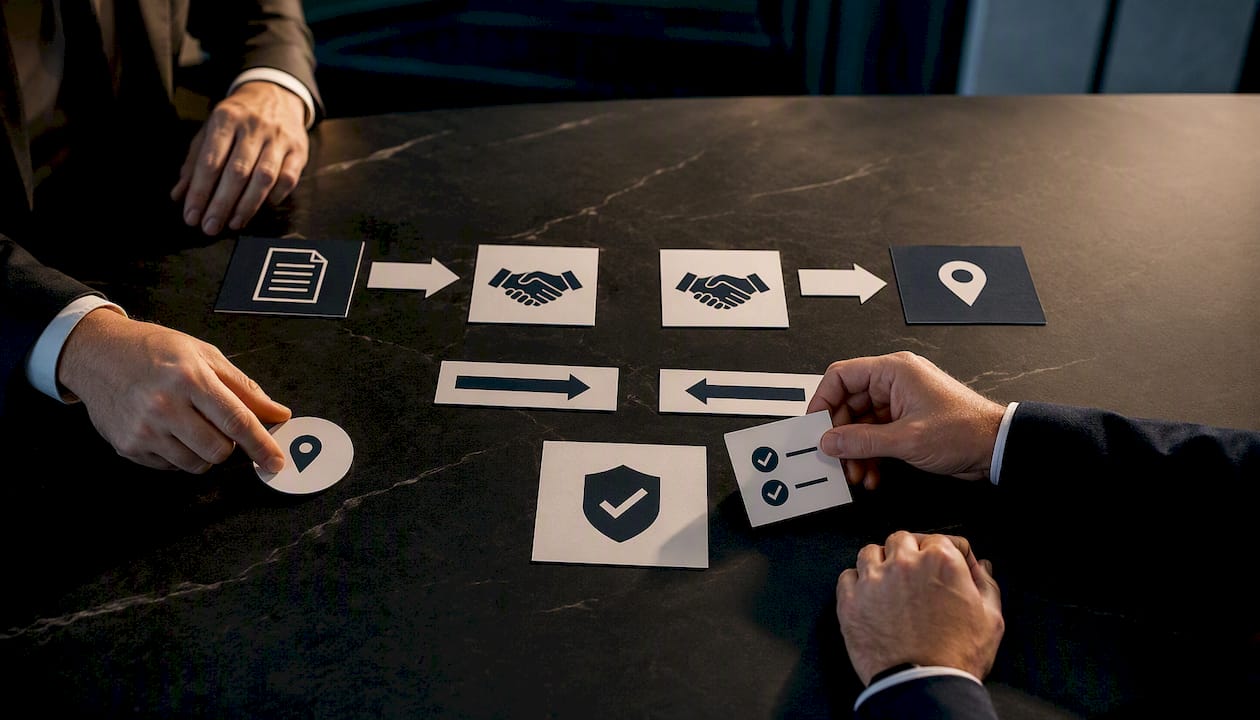
The practical fix is simple: loop in union representatives early, before the policy is finalized, and put location tracking on the bargaining agenda if your existing contract covers monitoring technology at all. Employers who skip this step and roll out geofencing unilaterally in a union shop invite exactly the kind of unfair labor practice complaint the Williams Mullen advisory warns about, and those disputes tend to cost far more in legal fees than the bargaining conversation would have.
A Privacy-First Time Clock in Practice
Kloqk builds its geofencing around the same guardrails this guide lays out, rather than layering privacy controls on afterward. The system captures location only at the clock-in and clock-out moment, never as a continuous background feed, and pairs that with photo verification to confirm the right person is actually punching in.
- Clock-in-only geofencing, no passive location history.
- Photo verification at punch, which also curbs buddy punching.
- Payroll-ready exports so location data never needs manual reconciliation.
- Support for written acknowledgment workflows during onboarding.
A restaurant with a single location can set a tight 75 meter radius around the building. A construction crew spread across a job site can widen that boundary and pair it with manager sign-off for edge cases. This is exactly the kind of flexible configuration the role of location-based timekeeping in field work is built to handle.
Verify Work, Don’t Watch People
Geofencing exists to confirm someone showed up, not to map their day. Employers who default to the smallest amount of location data that gets the job done almost always end up on the right side of both the law and their employees’ trust. If your workforce spans multiple states or carries a union contract, get counsel involved before launch, not after the first complaint lands on your desk.
Saad
How Kloqk Puts These Safeguards to Work
The best defense against a geofencing privacy complaint is a system that was built narrow from the start, not one you have to lock down after the fact. Kloqk’s GPS time clock captures location only at the punch, never as a running log, and layers photo verification on top so time theft and buddy punching get caught without collecting anything beyond what payroll actually needs.

Small businesses in restaurants and construction get the parts that matter most here at no cost: geofenced clock-in and clock-out, automatic overtime and break calculations, and payroll-ready exports that skip the manual reconciliation entirely. Multi-site operators can extend the same setup across locations through Kloqk’s multi-location time clock, with each site’s geofence configured independently. If your crews work off-site rather than at a fixed address, the remote employee time tracking option applies the same clock-in-only logic without demanding a company-issued device for every worker. Set up a free account and configure your first geofence in the time it takes to read one shift’s timesheet.
Where to Verify These Rules Yourself
State-specific requirements shift, and this guide should be a starting point, not the final word for your business. Confirm details against these sources, and bring in employment counsel for any multi-state or unionized workforce:
- Williams Mullen: geofencing and geotracking legal guidance
- Fisher Phillips: seven best privacy practices for geolocation tools
- U.S. Chamber of Commerce: how to protect employee privacy
- NLRB: Section 7 and 8(a)(1) protections
- Huprich Law: California employee privacy rights
Sources
- How to protect employee privacy | U.S. Chamber of Commerce
- 7 best privacy practices for employers when using geolocation tools | Fisher Phillips LLP
- Geofencing and geotracking: Navigating legal and privacy concerns for employers | Williams Mullen
- Can my employer see where I clock in from? Laws & limits | LegalClarity
- NLRB: Rights we protect Section 7 & 8(a)(1)
Recommended
Sources
Every figure on this page traces to one of these. Primary law and government sources are listed first.
Written by
Marcus ReyesPayroll & Timekeeping Specialist
Marcus covers payroll accuracy, timesheets, and time tracking, the unglamorous mechanics that keep paychecks correct and audits painless.
Keep Reading
Track Hours the Easy Way
Kloqk is a free time clock that handles punches, breaks, overtime, and payroll-ready reports.
Start free