How to Verify Off-Site Employee Attendance: HR Checklist

The most defensible way to verify off-site employee attendance combines GPS geofencing to confirm location, photo verification with liveness detection to confirm identity, and immutable timestamped audit logs to make every clock-in provable. No single control is enough on its own. Location without identity can be spoofed; identity without location proves nothing about where the employee actually was; and both are worthless in a payroll dispute without a tamper-resistant record. Pair that stack with a written policy and documented employee notice, and you have something that holds up.
Three must-haves before you deploy anything:
- Geofencing: Employees can only clock in within a defined radius of an approved work site.
- Photo liveness verification: A real-time selfie at clock-in, checked against the registered employee, prevents buddy-punching.
- Auditable, timestamped records: Every clock-in event logs the time, GPS coordinates, device ID, and photo metadata in a record that cannot be edited after the fact.
GPS-confirmed digital check-ins reduce disputes and provide a defensible audit trail for payroll and client reporting in a way paper sign-in sheets simply cannot.
Table of Contents
- What your off-site attendance verification checklist should include
- How each verification method actually works
- What to require from time and attendance software
- US privacy and legal considerations before you deploy
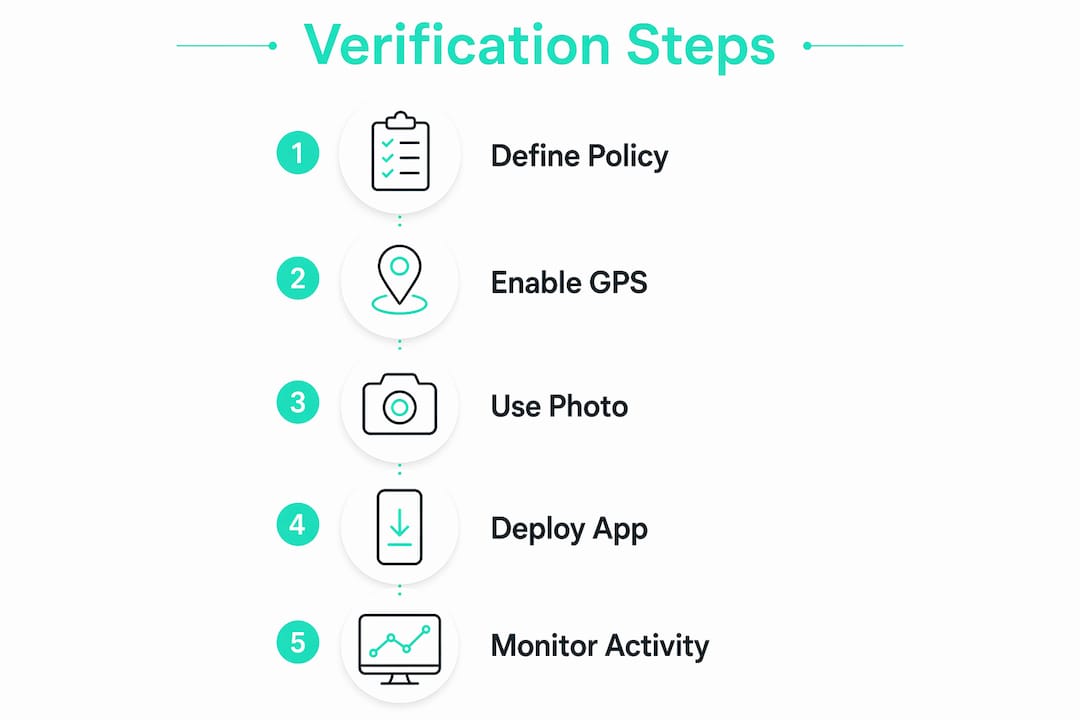
- How to roll out off-site attendance verification step by step
- How to handle fraud, disputes, and common technical problems
- Key Takeaways
- The verification tools are only half the problem
- Kloqk gives small US businesses a free, complete verification stack
- Useful sources for further reading
What your off-site attendance verification checklist should include
Before you evaluate a single vendor or write a line of policy, run through this grouped checklist. It doubles as a quick RFP filter.
Verification controls
- GPS geofencing with configurable radius per site
- Photo check-in with liveness detection (not just a static selfie upload)
- Device binding so only the registered employee’s phone can clock in
- Offline mode that queues clock-ins and syncs when connectivity returns
Anti-fraud controls
- Mock-location and GPS-spoof detection
- Anomaly flagging for impossible check-in patterns (two locations within minutes, duplicate device use)
- Periodic re-authentication during long shifts
Integrations
- Payroll export (CSV, direct API, or SFTP) to your payroll provider
- HRIS sync for employee records and scheduling data
- Scheduling or calendar integration to validate clock-ins against assigned shifts
Reporting and audit
- Immutable audit logs with timestamp, coordinates, device fingerprint, and photo
- Exception-only dashboards so managers review flags, not every log entry
- Exportable reports filtered by employee, site, date range, or exception type
Employee communications
- Written notice in the employee handbook before deployment
- Documented consent or acknowledgment where state law requires it
- A clear escalation path for disputed clock-ins
Pro Tip: Before you roll out company-wide, pilot every feature with one team for two weeks. You will catch geofence radius issues, offline sync gaps, and employee friction points before they become HR problems at scale.
Short wins you can implement in a week: require a photo at every clock-in, enable geofencing on your primary work sites, and turn on audit logs. Those three steps alone close the most common fraud vectors immediately.
How each verification method actually works
Understanding the mechanics of each method helps you choose the right combination for your workforce. Field crews, client-site workers, and fully remote knowledge workers each need a different primary control.
GPS and geofencing
Geofencing creates a virtual boundary around an approved work location. When an employee opens the app and clocks in, the system checks whether the device’s GPS coordinates fall inside that boundary. If they do not, the clock-in is blocked or flagged for manager review. Mobile check-ins with geofencing consolidate attendance across multiple locations into one dashboard, which is a significant operational win for businesses with field teams spread across job sites.

Best for: construction crews, field service technicians, delivery drivers, and any role tied to a physical site.
Anti-fraud pairing: combine geofence with device binding and mock-location detection. A geofence alone can be defeated by a GPS spoofing app; device binding and spoof detection close that gap.
Photo and biometric verification
Photo verification captures a real-time selfie at clock-in and compares it against the employee’s registered profile. Liveness detection, the critical piece most basic apps skip, confirms the photo is taken live rather than uploaded from a gallery or held up from a screen. Biometric systems go further, using facial geometry or fingerprint matching, but they carry heavier legal obligations (see the privacy section below).

Best for: any off-site role where buddy-punching is a risk, which applies to most of them.
Anti-fraud pairing: liveness detection is non-negotiable. Without it, a photo requirement is theater.
Mobile time and attendance apps
A mobile T&A app is the delivery mechanism for most of the controls above. The employee clocks in via their phone; the app captures GPS coordinates, a photo, a device fingerprint, and a timestamp simultaneously. Platforms that centralize timesheets let admins review and approve records for payroll compliance, cutting manual effort and reducing errors.
QR-based check-ins are a lighter-weight variant. An employee scans a code posted at the work site, which logs their presence. They are useful for events or temporary sites but offer weaker identity verification than photo liveness.
Best for: any mobile workforce where employees carry a smartphone.
Activity-based monitoring
For fully remote knowledge workers, location is less meaningful than actual work output. Activity-based monitoring tracks keyboard and mouse input, app usage, and active versus idle time to confirm presence during scheduled hours. Systems differentiate between logged-in status, idle time, and active work inside productive software, producing timestamps for attendance and active-time reports. Device login times can also map directly into attendance records and flag overtime anomalies for review.
Best for: remote knowledge workers, software developers, analysts, and customer support staff working from home.
Anti-fraud pairing: correlate active-time logs with calendar events and project task logs to validate presence without invasive screen captures.
Method comparison at a glance
| Method | Accuracy | Intrusiveness | Cost sensitivity | Legal sensitivity |
|---|---|---|---|---|
| GPS / geofencing | High for location | Low | Low, moderate | Low (location data) |
| Photo / biometric | High for identity | Moderate, high | Moderate | High (biometric laws) |
| Mobile T&A app | High (combined signals) | Low, moderate | Low | Moderate |
| Activity monitoring | Moderate, high | High | Moderate | Moderate, high |
When to use each method:
- GPS geofencing: primary control for field and site-based employees.
- Photo liveness: primary anti-fraud layer for any off-site role; pair with geofencing.
- Mobile T&A app: the platform that delivers all controls; always primary.
- Activity monitoring: supplementary for remote knowledge workers; rarely appropriate as a standalone.
What to require from time and attendance software
Treat this as a feature spec you can paste directly into an RFP or a vendor evaluation call.
Core features (non-negotiable)
- Configurable geofence zones with per-site radius and time-window settings
- Photo check-in with real-time liveness detection
- Immutable audit logs: timestamp, GPS coordinates, device fingerprint, and photo stored together
- Direct payroll export in your provider’s required format (CSV, API, or SFTP)
- Role-based access so managers see only their teams and employees see only their own records
- HRIS integration or at minimum a clean data import/export path
- Offline mode with automatic sync on reconnect
- Admin controls to approve, reject, or flag exceptions without editing the underlying record
Operational requirements
- Export formats compatible with your payroll provider (ADP, Gusto, Paychex, QuickBooks Payroll, or others).
- Configurable data retention policy with documented deletion timelines.
- Reporting filters by employee, site, date range, exception type, and shift.
- Audit log export for external review (labor audits, client billing disputes).
- Notification rules for late check-ins, geofence violations, and unapproved overtime.
Nice-to-have but worth asking about
- Scheduling integration to auto-validate clock-ins against assigned shifts
- Anomaly scoring that surfaces repeat offenders without manual log review
- Multi-language support if your workforce is multilingual
Remote employee time tracking that combines GPS, photo verification, and payroll export in one place eliminates the need to stitch together separate tools, which is where most small-business implementations break down.
US privacy and legal considerations before you deploy
The legal answer first: you need a lawful business purpose, written employee notice, and documented consent where state law requires it. Skipping any of those steps turns a useful operational tool into a liability.
What federal and state law generally requires
Monitoring is generally permitted for legitimate business aims, but it must not be intrusive beyond what the purpose requires, and employers must provide notice and follow applicable data protection requirements. At the federal level, there is no single statute governing workplace attendance monitoring, which means state law often controls.
Biometric-specific obligations
Illinois BIPA (Biometric Information Privacy Act) is the most litigated example: it requires written notice, a publicly available retention policy, and written consent before collecting biometric identifiers such as facial geometry or fingerprints. Texas and Washington have similar statutes. If your workforce includes employees in any of these states, biometric photo matching or fingerprint check-ins require a compliance review before deployment. New York City and several other jurisdictions have their own rules. The landscape is fragmented and evolving, so confirm current requirements with employment counsel for your specific states.
Recordkeeping and data security
Digitized, timestamped attendance records are the only defensible evidence in a payroll dispute or labor audit. Keep records for at least three years to align with FLSA recordkeeping requirements, and document your deletion policy so you can demonstrate compliance with any applicable state data minimization rules.
Practical compliance steps
- Collect only the data the verification purpose requires. GPS coordinates and a photo are enough for most use cases; full biometric templates are not necessary unless your security requirements demand them.
- Add a clear attendance monitoring notice to the employee handbook before go-live.
- Where state law requires opt-in consent (Illinois, Texas, Washington for biometrics), collect signed acknowledgments and store them.
- Build an escalation path for disputed clock-ins into your policy so employees know how to contest a record.
Pro Tip: Draft your monitoring notice in plain language, not legal boilerplate. Employees who understand why location and photo data are collected are far less likely to push back or file complaints.
This article is general information, not legal advice. Confirm current requirements with qualified employment counsel for your specific states and workforce before deploying any biometric or location-based monitoring system.
How to roll out off-site attendance verification step by step
A phased rollout protects you from deploying a misconfigured system to your entire workforce at once. Budget a few weeks from pilot to full deployment.
Implementation timeline
- Weeks 1, 2 (Pilot): Select one team or one job site. Configure geofence zones, enable photo check-in, and turn on audit logs. Define what a successful pilot looks like: zero missed clock-ins, geofence accuracy within acceptable radius, no employee complaints about false blocks.
- Weeks 3, 4 (Feedback and fix): Review pilot data. Adjust geofence radii for sites where GPS drift caused false rejections. Confirm payroll export maps correctly to your provider’s fields. Collect employee feedback and address friction points.
- Weeks 5, 6 (Staged rollout): Expand to remaining teams in batches. Run training sessions (30 minutes is enough for most employees). Distribute the written policy and collect signed acknowledgments.
- Weeks 7, 8 (Full deployment and audit): All employees live. Run the first full payroll cycle through the new system in parallel with your existing process to catch discrepancies. Set up exception-based alerts so managers only review flagged events, not every log.
Sample policy elements to include
Your written attendance policy should cover: purpose (why the company collects location and photo data), scope (which roles and sites are covered), acceptable devices (company-issued or registered personal devices), clock-in rules (when and how employees must clock in), exception handling (what to do if the app fails), privacy and retention (how long data is kept and who can access it), and consequences for misuse. Keep it under two pages and write it in plain language.
Implementation checklist
- Stakeholder sign-offs from HR, IT, legal, and payroll before go-live
- IT integration: payroll system mapping, HRIS sync, and SSO if required
- Geofence zones configured and tested for every active work site
- Training sessions scheduled and attendance tracked
- Written policy distributed and acknowledgments collected
- Pilot success criteria defined and reviewed before staged rollout
- Exception workflow documented and communicated to managers
Typical cost factors
Licensing is usually per user per month. Geofence API calls may carry usage-based costs at higher volumes. Biometric add-ons (facial geometry matching beyond basic photo) typically cost more than standard photo verification. Integration work with legacy payroll or HRIS systems is often the largest one-time cost. Admin time for configuration, training, and ongoing exception review is a real but often underestimated expense. Unmanageable workloads that lead to manual errors are a known cost driver in facilities and field management, and automated exception rules directly reduce that overhead.
How to handle fraud, disputes, and common technical problems
Most attendance fraud falls into a handful of patterns, and most of them have straightforward fixes.
Common fraud vectors and their fixes
- Buddy-punching: One employee clocks in for another. Fix: require photo liveness at every clock-in. A live selfie matched to the registered employee profile makes this essentially impossible without the system flagging it.
- GPS spoofing: An employee uses a mock-location app to fake their coordinates. Fix: combine geofencing with mock-location detection and device binding. Spoof detection flags impossible GPS jumps and emulator signals automatically.
- Device sharing: Two employees share one registered phone. Fix: device binding ties a specific device ID to a specific employee. A second employee clocking in on the same device triggers an anomaly flag.
- Stale GPS: The device reports an outdated cached location rather than the current one. Fix: require a fresh GPS fix at clock-in (most apps do this by default) and set a maximum acceptable location age, typically 30 seconds or less.
- False positives from geofence inaccuracy: Employees standing inside a valid site get blocked because the geofence radius is too tight for GPS drift. Fix: set the radius at least 50, 100 meters larger than the physical site boundary and review pilot data to calibrate.
Troubleshooting a disputed clock-in
When an employee disputes a clock-in record, follow this sequence:
- Pull the audit log for that event: timestamp, GPS coordinates, device ID, and photo.
- Ask the employee to provide any supporting evidence (a photo from their own phone with metadata, a client sign-in log, a supervisor confirmation).
- If the audit log and employee evidence conflict, escalate to a manual verification step: supervisor interview and written statement.
- Record the outcome in the system with a note, without altering the original log entry.
Pro Tip: For repeat offenders, set an automated anomaly rule that escalates directly to HR after two flagged events in a rolling 30-day window. Handling it manually every time rewards the behavior; automation makes the consequence consistent.
Exception-based workflows that only flag anomalies, rather than requiring managers to review every log, reduce daily admin from hours to minutes and keep the system sustainable long-term.
Pro Tip: To minimize false positives, audit your geofence radii quarterly. Sites change, GPS accuracy varies by device generation, and a radius that worked at launch may need adjustment as your team’s devices turn over.
Key Takeaways
A blended verification stack combining GPS geofencing, photo liveness, and immutable audit logs is the only approach that is simultaneously fraud-resistant, payroll-defensible, and legally sustainable for US employers.
| Point | Details |
|---|---|
| Use a blended stack | GPS geofencing, photo liveness, and timestamped audit logs together are stronger than any single control. |
| Written policy first | Document purpose, scope, and employee notice before deploying any monitoring tool. |
| Pilot before full rollout | Test with one team for two weeks to catch geofence radius issues and payroll mapping errors early. |
| Confirm state biometric law | Illinois BIPA, Texas, and Washington require written consent before collecting biometric data; check your states with counsel. |
| Kloqk covers the checklist | Kloqk provides GPS geofencing, photo verification, audit logs, and payroll export at no cost for small US businesses. |
The verification tools are only half the problem
Most HR teams I talk to spend their energy evaluating software features. That is the right instinct, but the harder problem is almost always the policy and communication layer, not the technology.
Here is what gets overlooked: employees who do not understand why their location and photo are being captured will assume the worst. They will assume surveillance, micromanagement, or a prelude to layoffs. That assumption, not the technology itself, is what generates pushback, grievances, and in some states, legal exposure. A well-configured geofence with zero employee communication is a liability. The same geofence, introduced with a plain-language explanation of why it exists and what data is kept, is just a clock-in.
The other thing most guides underplay is the difference between verification and monitoring. Verification confirms that an employee was at the right place at the right time. Monitoring watches what they do while they are there. For most off-site roles, verification is all you need, and it is far less legally fraught. Activity-based monitoring, screen captures, and keystroke logging are appropriate for specific roles and specific business purposes. Applying them broadly to field crews or hourly workers because the software supports it is both unnecessary and, in some states, legally risky.
The practical advice: deploy the minimum controls that satisfy your verification purpose, communicate them clearly, and build a dispute process employees actually trust. A system employees believe is fair generates far fewer contested clock-ins than a technically superior one they resent.
Kloqk gives small US businesses a free, complete verification stack
Most time tracking tools charge extra for the features that actually matter: GPS geofencing, photo verification, and payroll-ready exports. Kloqk includes all of them at no cost, which means a small business owner in construction or food service gets the same fraud-resistant, audit-ready attendance system that enterprise teams pay for.

The setup is straightforward. Configure your geofence zones for each work site, enable photo check-in with liveness, and connect your payroll provider. Every clock-in captures GPS coordinates, a photo, a device fingerprint, and a timestamp simultaneously, producing records that are defensible in a payroll dispute or a labor audit. Overtime calculations and break tracking are built in, so the hours that come out are payroll-ready without manual cleanup.
If you manage a team that works off-site, whether it is a restaurant crew, a construction site, or a distributed service team, Kloqk’s free time tracking is the fastest way to close your fraud exposure and get your payroll hours right. Start free at kloqk.com.
Useful sources for further reading
- GPS-Verified Attendance Tracking | PULSE Explains GPS-confirmed check-ins, timestamped audit trails, and why digital records outperform paper logs in disputes.
- Managing Attendance for Multi-Location Teams | UpTeams Practical guide on geofencing, written policies, and consolidating attendance across locations.
- Time & Attendance Tracking | Remote Overview of how centralized T&A platforms automate approvals and reduce payroll errors.
- Remote Employee Monitoring | WorkTime Details on activity-based monitoring (active vs. idle time, app usage) for fully remote knowledge workers.
- Home Locations Documentation | AttendFirst Technical guidance on exception-based workflows and automated anomaly rules for field teams.
- Remote Workforce Management | Flowace Explains how device login and active-time data map into attendance and overtime reports.
- Employee Attendance Monitoring | Keystone Law Legal summary of notice, legitimate purpose, and state-law considerations for workplace monitoring.
- Off-Site Clock-In Explained | KloqkCovers what off-site clock-in means operationally and how to communicate it to employees.
- GPS Time Clock with Geofencing | KloqkFeature detail on configuring geofence zones and GPS accuracy for small US businesses.
Recommended
Sources
Every figure on this page traces to one of these. Primary law and government sources are listed first.
- 1. keystonelaw.com
- 2. opsg.uk
Written by
Priya NairPeople Operations Writer
Priya focuses on HR and hiring for small teams, onboarding, scheduling people fairly, and the day-to-day of managing hourly staff without an HR department.
Keep Reading
Track Hours the Easy Way
Kloqk is a free time clock that handles punches, breaks, overtime, and payroll-ready reports.
Start free