Turn any tablet into a time clock kiosk
A shared time clock by your door: staff type a 4-digit PIN, and you decide whether the wall shows the team or only the PIN pad.
Start free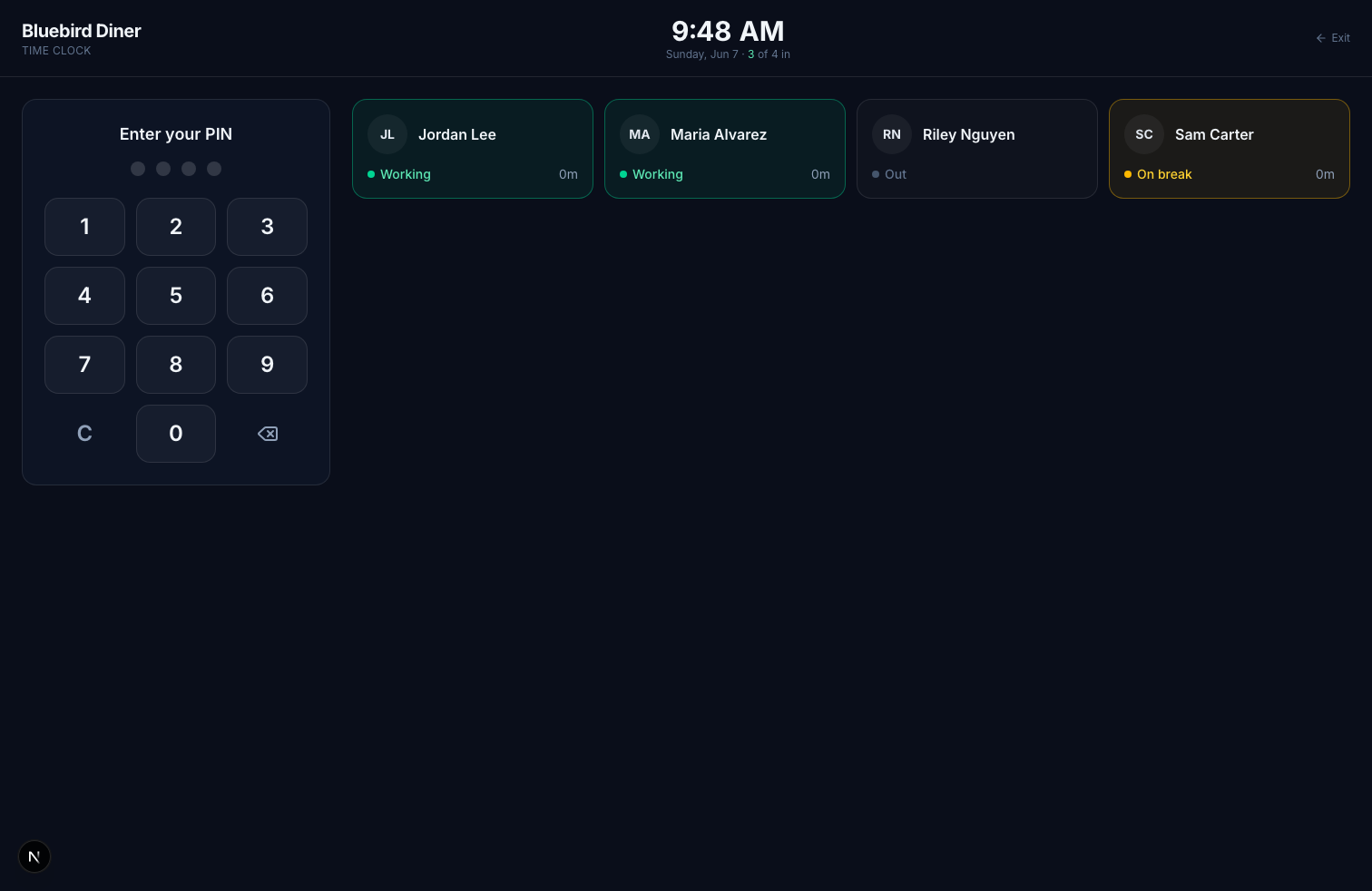
Any Tablet Works
iPad or Android, open the kiosk in the browser and you're live. No special hardware. Needs iOS 15.4 or newer, or Chrome from 2022 on, so an iPad Air 2, iPad mini 4 or anything newer is fine.
Fast PIN Punch
A 4-digit PIN clocks someone in or out in about two seconds. New staff set up their own PIN at the clock, without asking anyone.
Hide Names on the Wall
Turn on PIN only and the clock shows just the keypad: no team list, no count of who's in. After their PIN, each person sees their own name and hours. Right for a front desk customers can see.
Photo on Every Punch
An optional photo at each punch shows who actually clocked in, so one person can't punch for another.
Live Who's-In Board
Or keep the board on: who's clocked in, on break, or out, with the office calendar a tap away.
Forgotten Punches Close Themselves
Automatic clock-out ends a shift somebody forgot to clock out of, at the time your schedule says, and marks it for review.
Frequently asked questions
What hardware do I need for the kiosk?
Just a tablet (iPad or Android) with a browser. Mount it by the entrance or register.
Can I hide employee names on the time clock?
Yes. In Settings, Time clock, turn on Hide names on the time clock. The tablet then shows only the PIN pad, and the names are not sent to the device at all. After a PIN, the person sees their own name and hours. A manager can tap Manager and enter their PIN to see the list.
Can it take a photo at clock-in?
Yes. Turn on photo capture in Settings and the kiosk takes a photo with each punch.
What if someone forgets to clock out?
Turn on automatic clock-out and Kloqk closes the shift at the scheduled end time plus a grace period you choose, and marks it so a manager can check it.
Explore more
Questions people ask about this
What is a punch clock?
A punch clock is any device that records when an employee starts and stops work. The mechanical version stamped a paper card; the modern version is an app on a shared tablet where staff enter a PIN. The function is identical and the difference that matters is arithmetic: a paper card still has to be added up by hand, which is where most payroll errors originate.
How does a time clock kiosk work?
You set a tablet or spare phone at the entrance, and each employee taps their name and enters a PIN to clock in or out. One device serves the whole team, so nobody needs their own phone or login, and the hours total automatically as the week runs. Kloqk's kiosk is on the free plan with unlimited employees.
Do employees need an app to clock in?
No. A shared kiosk means one device for the whole team and nothing installed on anyone's personal phone, which matters when staff object to work software on their own device or simply do not have a smartphone. Mobile punching is available for people who work away from a fixed location, but it is an option rather than a requirement.
Punch clock machine vs app which is better?
An app wins on everything except one case. A machine has no monthly cost after purchase and keeps working when the internet does not, but it produces a stack of cards somebody has to total by hand, and it cannot tell you who actually punched. An app totals hours as they happen, exports to payroll, and can verify the punch with a photo. The machine only wins where connectivity is genuinely unavailable.
Still deciding? Try the free calculators or read the wage-and-hour guides for your state.