Stop Audit Scrambles: US Timesheet Retention, FLSA 2/3 and IRS 4 Year

Follow the longest applicable clock. Keep payroll registers at least three years, timesheets and other records supporting wage calculations at least two years, and any tax-related payroll records at least four years under IRS rules. Because state laws frequently extend these windows, most employers land on a practical four-year floor, sometimes stretching to seven for financial and benefits records.
TL;DR:
- Most employers should retain payroll registers for at least three years and timesheets for at least two years, with longer periods for benefit and tax records.
- State laws often extend record retention requirements beyond federal minimums, sometimes up to six or seven years, especially in states like New York and California.
- Digital records must be accurate, retrievable within 72 hours, indexed, backed up offsite, and include audit trails to meet compliance standards.
- During audits or litigation, employers must immediately cease record purging, notify legal counsel, and preserve all backups and exports in original formats.
- A conservative retention policy of at least four years simplifies compliance, reduces reconstruction efforts, and can be automated through time tracking software.
Table of Contents
- What Are the Federal Minimums for Timesheet Retention?
- Which Records Fall Under Which Retention Clock?
- Do State Laws Extend These Timesheet Retention Periods?
- Build a One-Page Retention Policy in Four Steps
- How Should Electronic Timesheets Be Stored?
- What to Do During an Audit or Litigation Hold
- Why Conservative Retention Actually Saves Time
- A Time Clock System Built for Retention, Not Just Punch-Ins
- Where to Verify These Rules Yourself
- Sources
What Are the Federal Minimums for Timesheet Retention?
The Fair Labor Standards Act splits recordkeeping into two clocks. Payroll records, meaning summaries of what you actually paid each worker, need three years of storage. Timecards, wage rate tables, and work schedules, the underlying records your wage computations are based on, only need two years under 29 CFR 516.6. That distinction trips up a lot of HR teams who assume “payroll records” covers everything.
The IRS adds another layer. Employment tax documents, including W-2s and Form 941 filings, generally need four years from the date the tax was due or paid, according to payroll retention guidance from LiftHCM. I-9 forms follow their own rule entirely, separate from payroll.
| Record type | Governing rule | Minimum retention |
|---|---|---|
| Payroll registers | FLSA (29 CFR 516.6) | 3 years |
| Timecards/timesheets | FLSA (29 CFR 516.6) | 2 years |
| Employment tax records | IRS | 4 years |
| Form I-9 | USCIS | 3 years after hire, or 1 year after termination, whichever is later |
| OSHA injury logs | OSHA | 4 years |
| ERISA/benefit-plan records | ERISA | 6 years |
A few things worth flagging before you build a policy off this table:
- The two-year and three-year FLSA clocks run concurrently, not sequentially.
- OSHA and ERISA clocks apply only when those regulations govern your workplace or plans.
- Nothing here stops a state from requiring longer retention than any federal rule.
Which Records Fall Under Which Retention Clock?
Timesheets and timecards capture actual hours worked. They fall under the FLSA’s two-year rule because they’re the raw data behind wage math. Payroll registers, the summary documents showing gross pay, deductions, and net pay per employee per period, need three years under the same statute.
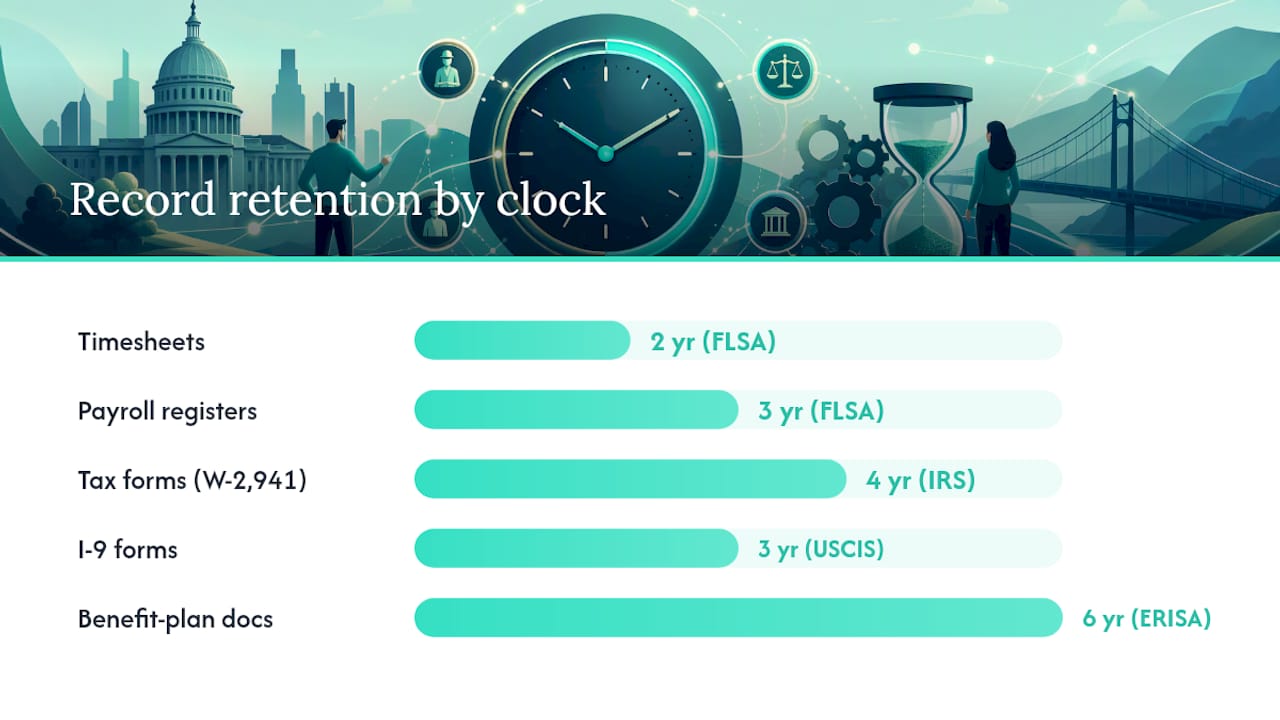
Tax records are a separate bucket entirely. W-2s, 941s, and deposit records answer to the IRS’s four-year standard, not the Department of Labor. I-9 forms answer to neither: USCIS requires keeping each one for three years after hire or one year after termination, whichever comes later, and I-9 forms should be stored separately from general personnel files.
Personnel files (performance reviews, disciplinary notes) don’t carry a single federal clock. Benefit-plan documents under ERISA need six years. A quick mapping:
- Timesheets/timecards: FLSA, 2 years.
- Payroll registers: FLSA, 3 years.
- Tax forms (W-2, 941): IRS, 4 years.
- I-9s: USCIS, 3 years post-hire or 1 year post-termination.
- Benefit-plan documents: ERISA, 6 years.
Keep I-9s in a separate file with restricted access. Mixing them into general personnel records is one of the most common audit findings.
Do State Laws Extend These Timesheet Retention Periods?
Yes, often significantly. New York requires employers to keep payroll records for six years, significantly longer than the federal FLSA minimum. California doesn’t just extend the clock. It gives employees the right to inspect or copy their own payroll records, and its wage statement rules require specific itemized information on every pay stub that employers must be able to reproduce on demand. Illinois and several other states set their own multi-year windows that exceed the federal baseline.
The safest approach is defaulting to whichever rule, federal or state, sets the longer period for that record type and that employee’s work location:
- Check your state labor department’s website directly rather than relying on secondhand summaries.
- Document which state rules apply to which employee population if you operate across state lines.
- Revisit your policy annually since state legislatures amend these rules more often than federal agencies do.
Pro Tip: If you have even one remote employee in a state with longer retention rules, that employee’s records trigger the longer clock, not your headquarters state’s rule.
Build a One-Page Retention Policy in Four Steps
A defensible retention policy fits on one page. It names every record category, its governing rule, its retention end date, and who’s responsible for it. Access Corporation’s retention research recommends this structure precisely because ambiguity about ownership is what causes records to disappear before their clock expires.
- Inventory every record type you generate: timesheets, payroll registers, tax forms, I-9s, benefit documents, and correspondence tied to pay disputes.
- Assign a retention end date and a custodian to each category, using the longer of the federal or applicable state rule.
- Adopt a conservative baseline. A four-year floor covers FLSA and IRS minimums for most records; push to six or seven years for ERISA-covered and financial documents.
- Automate the rule in your time tracking software and build in a legal-hold override so no automated purge can delete records under active dispute.
Pro Tip: Schedule a retention review every January. Laws shift, your workforce shifts across state lines, and a policy set three years ago may already be out of date.
How Should Electronic Timesheets Be Stored?
The Department of Labor doesn’t mandate a specific format for records. Paper, spreadsheets, and cloud-based systems are all acceptable, provided the records stay accurate, legible, and retrievable. Central records must be producible within 72 hours of a Department request, which rules out any storage system where retrieval takes days or requires reconstructing data from scratch.
Practical requirements that matter for compliance:
- Records should be indexed so you can pull a specific employee’s history without searching manually.
- Audit trails should be immutable. Edits should log who changed what and when, not overwrite the original entry.
- Back up data offsite or in a separate cloud region from your primary storage.
- Configure retention rules that pause automatically the moment a legal hold or audit notice arrives.
A digital timesheet system built for HR workflows makes most of this automatic instead of manual.
What to Do During an Audit or Litigation Hold
The moment you receive an audit notice or litigation hold, act in this order:
- Issue a stop-purge instruction to whoever controls your payroll system, including any automated retention rules.
- Notify legal counsel and your payroll custodian simultaneously so no one assumes someone else is handling preservation.
- Preserve backups and exports in their original format, not a summarized version.
- Prepare a production checklist covering which formats you’ll deliver and who signs off that the export is complete.
If you’re mid-transition between payroll vendors, the employer remains legally responsible for retention, not the outgoing vendor. Get a full data export with proof of transfer before canceling any contract.
Why Conservative Retention Actually Saves Time
Most HR teams treat retention as a compliance chore until an auditor shows up asking for three-year-old timesheets nobody can locate. A conservative floor, four years minimum, longer for benefit and tax records, removes that scramble entirely. It also removes a subtler cost: the hours HR staff spend reconstructing incomplete records instead of just retrieving complete ones.
Digital exports change the math here. When timesheets flow directly into payroll-ready reports instead of living in scattered spreadsheets, the 72-hour production window stops feeling like a deadline and starts feeling like a formality. A tool like Kloqk’s overtime and break tracking exists precisely because small employers don’t have compliance departments. They have an owner doing payroll on a Sunday night, and clean records are what makes that Sunday shorter.
Saad
A Time Clock System Built for Retention, Not Just Punch-Ins
Some time clock tools offer overtime calculations, break tracking, and payroll exports that arrive in the exact format you need to hand an auditor, sometimes at no cost.

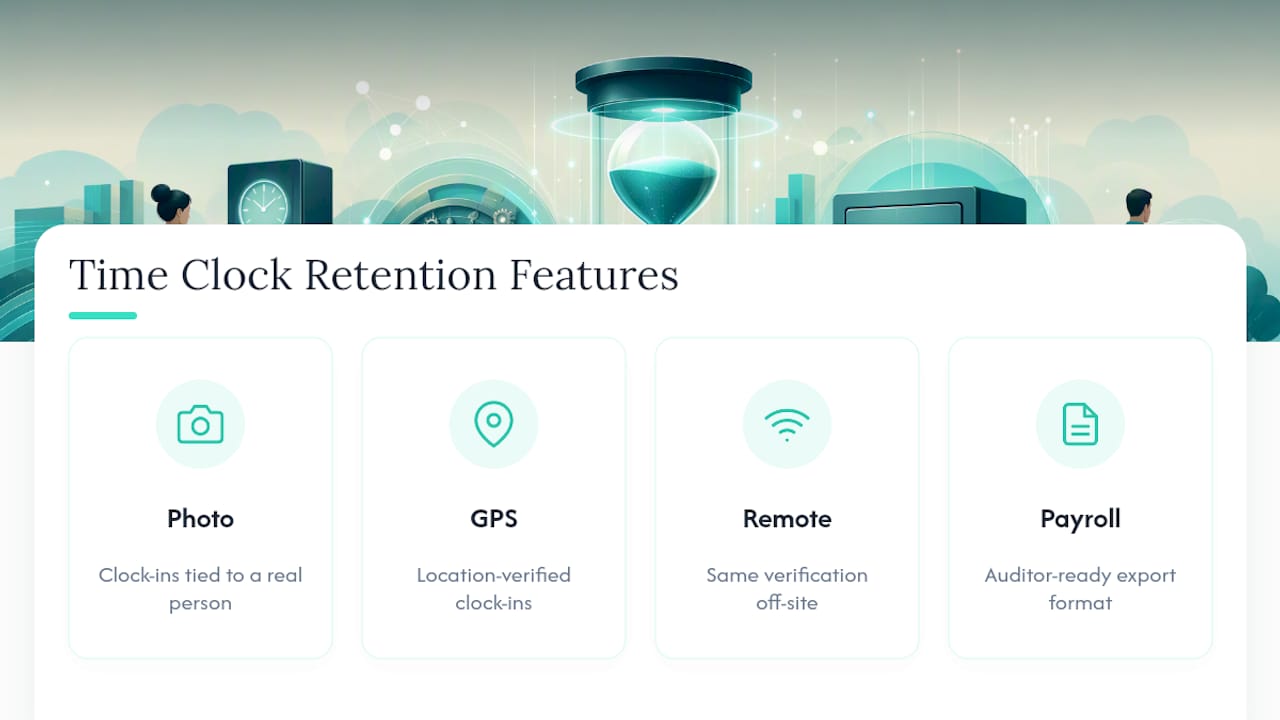
Restaurants and construction crews lose the most hours to manual timesheet reconstruction, exactly the records that need to survive a two-year or three-year retention clock without gaps. Kloqk’s photo verification and GPS geofencing mean every clock-in is tied to a real person at a real location, which matters as much for defending a wage dispute as for preventing one. For teams working off-site, the remote time tracking features apply the same verification without requiring anyone to be at a fixed job site.
If you’re managing shift-based staff and want records that hold up on day one of an audit, not just day one of employment, start with Kloqk’s free time tracking platform and see how the exports fit your current payroll process.
Where to Verify These Rules Yourself
Check DOL Fact Sheet #21 for FLSA specifics, USCIS I-9 Central for I-9 rules, and your state labor department’s website for extensions beyond federal minimums. For operational examples of organizing scheduling and attendance records outside payroll, StudioFlare’s guide to attendance tracking offers a useful comparison point for small-business recordkeeping habits.
Sources
- Fact Sheet #21: Recordkeeping Requirements under the Fair Labor Standards Act (FLSA) | U.S. Department of Labor
- 29 CFR Recordkeeping provisions (interpretive guidance) | Cornell Law School LII
- How Long to Keep Payroll Records: FLSA, IRS, & I-9 Rules | LiftHCM
Recommended
Sources
Every figure on this page traces to one of these. Primary law and government sources are listed first.
- 1. U.S. Department of Laborprimary
- 2. Cornell Legal Information Instituteprimary
- 3. lifthcm.com
- 4. accesscorp.com
- 5. studioflare.io
Written by
Marcus ReyesPayroll & Timekeeping Specialist
Marcus covers payroll accuracy, timesheets, and time tracking, the unglamorous mechanics that keep paychecks correct and audits painless.
Keep Reading
Track Hours the Easy Way
Kloqk is a free time clock that handles punches, breaks, overtime, and payroll-ready reports.
Start free