Managers: Four Stage Timesheet Approval Workflow That Saves Admin Time

A timesheet approval workflow is the process of reviewing and authorizing employee-reported hours before they hit payroll: submission, manager review, exception handling, and a final lock and export. The setup that works best for most teams is a four-stage process with submission deadlines set 24 to 48 hours before payroll processing, automated reminders, and hard period locking once hours are approved.
TL;DR:
- Deadlines should be set 24 to 48 hours before payroll to give ample time for review and exception handling, reducing last-minute chasing.
- Automated reminders at 24 and 2 hours before cutoff, using multiple channels and local time zones, minimize late submissions across remote teams.
- Multi-level approval routing is necessary for larger or dispersed teams, with backup approvers assigned to prevent stalling if primary approvers are unavailable.
- Approvers must review flagged exceptions and avoid rubber-stamping, focusing on matching hours to schedules and project budgets for faster, accurate approvals.
- Lock periods immediately upon approval and maintain a detailed audit trail to ensure payroll integrity and compliance, preventing untracked changes.
Table of Contents
- What Is the Standard Timesheet Approval Process?
- How Do You Set Deadlines That Actually Hold?
- Should You Use Single-Level or Multi-Level Approval Routing?
- What Should an Approver Actually Check Before Clicking Approve?
- How Should Managers Handle Corrections and Disputes?
- What Happens After Approval: Locking and Payroll Export?
- What Mistakes Break a Timesheet Approval Workflow?
- How Kloqk Supports This Workflow Without the Manual Work
- Rollout Advice: Start Small, Then Add Structure
- A Practical Next Step for Managers
- Sources
What Is the Standard Timesheet Approval Process?
The standard workflow runs in four stages, and skipping any one of them is usually where payroll problems start.
- Submission: the employee logs hours and attaches project or job codes, notes on unusual entries, and justification for any overtime.
- Manager review: the direct supervisor checks the entries against the schedule and flags anything that looks off.
- Exception handling: missing punches, disputed hours, or overtime questions get resolved through a return-and-correct loop, not a silent edit.
- Lock and export: once approved, the period freezes and the data moves to payroll or billing.
Requiring project codes and overtime notes at submission matters more than it sounds. Without them, managers spend review time chasing context that should have arrived with the timesheet. The final lock step protects payroll integrity by making sure nobody, including the manager, can quietly change an hour after it has been signed off. If a correction is genuinely needed, it goes through a documented reopen process instead of a live edit.
How Do You Set Deadlines That Actually Hold?
Late timesheets are rarely a discipline problem. They’re a design problem. Fix the deadline structure and reminder cadence, and most of the chasing disappears.
- Set the submission window 24 to 48 hours before payroll processing runs. This gives you a buffer to catch exceptions without delaying pay.
- Mix channels. Email gets ignored during a shift. In-app alerts and a Slack or text ping catch people who are actually working, not sitting at a desk checking inbox.
- For distributed or remote teams, anchor deadlines to local time zones rather than one company-wide clock. Rolling, timezone-aware cutoffs prevent a 5 p.m. Eastern deadline from quietly becoming an unfair 2 p.m. Pacific one.
Pro Tip: Don’t rely on a single reminder channel for your whole team. A hostess covering a lunch shift and a remote bookkeeper need to hear about a deadline differently, and using both push notifications and email covers the gap.
Teams running this on autopilot close a weekly cycle in about 48 hours after the deadline hits. Manual chasing by spreadsheet or paper timesheet tends to run three to five times longer, and every extra hour is an hour payroll is waiting on you.
Should You Use Single-Level or Multi-Level Approval Routing?
A single supervisor approving everyone’s hours works fine for a five-person crew. It falls apart once you have multiple locations, project-based work, or more than one shift lead making calls.
- Single-level routing suits small, flat teams where one manager already has eyes on the whole schedule.
- Multi-level routing adds a second sign-off, useful when payroll oversight and day-to-day scheduling are handled by different people.
- Project-based routing sends hours to the specific project lead who has context on that work, rather than a generalist manager guessing whether the hours make sense.
- Workspace fallback rules catch anything that doesn’t match a defined path so nothing sits unapproved by default.
Whatever structure you pick, configure a backup approver with a short escalation window (about a day or two). If the primary approver is unavailable, the timesheet automatically routes to a backup approver to avoid stalling the payroll run.
What Should an Approver Actually Check Before Clicking Approve?
Rubber-stamping is the single most common failure in timesheet approval, and it’s an easy habit to fall into when you’re reviewing thirty entries between meetings.
- Group your inbox by person and pay period, not one giant list of individual punches.
- Bulk-approve the clean weeks where hours match the schedule and nothing is flagged.
- Let exception flags do the filtering. Overtime, missed punches, and unusual patterns should surface automatically so you’re not hunting for them line by line.
- Run a quick three-point check on flagged entries: does it match the posted schedule, does it fit the project’s hour budget, and does it break from that employee’s usual pattern?
Pro Tip: If the same employee triggers an overtime flag three weeks running, that’s not an approval problem anymore, it’s a scheduling problem. Fix the roster before you fix the timesheet.
This kind of structured review catches real issues while keeping approval time reasonable, instead of forcing you to scrutinize every clean, routine entry the same way you’d scrutinize a flagged one.
How Should Managers Handle Corrections and Disputes?
When something looks wrong on a submitted timesheet, the instinct to just fix it yourself is exactly the wrong move. It breaks the audit trail and takes ownership away from the employee who actually worked the hours.
- Return the entry with a comment explaining what needs correcting, instead of editing it directly.
- Give the employee a short resubmission window, typically 24 to 48 hours, matching your normal escalation timing.
- Escalate to HR or finance if the dispute isn’t resolved within that window, especially for anything touching overtime pay.
- Log who made the change, when, and why for every correction, no exceptions.
If a wage dispute over unpaid overtime does escalate past your team, documentation is what protects everyone. Employment law counsel routinely points to timestamped records as the deciding factor in these claims, which is one more reason the return-with-comment approach beats a quiet manager edit every time.
What Happens After Approval: Locking and Payroll Export?
Approval isn’t the finish line. What happens in the ten minutes after it determines whether payroll runs clean or you’re fielding correction requests two weeks later.
- Lock the record the moment it’s approved. Any further change requires a formal reopen request, not a quiet edit.
- Export only fully approved periods, and double-check that project codes and pay rules mapped correctly before the file leaves your system.
- Preserve the full trail: approver name, timestamp, and the reason for any correction. DOL recordkeeping guidance treats this kind of documentation as central to wage-and-hour compliance, not optional paperwork.
The stakes here are real. Manual, unlocked timesheet processes take three to five times longer than automated ones to close a cycle, and every unlocked hour is a potential audit gap if a wage claim ever surfaces.
What Mistakes Break a Timesheet Approval Workflow?
Most broken approval processes fail for the same handful of reasons, and every one of them is fixable without new software.
- No hard deadline, so submissions trickle in whenever employees remember.
- Rubber-stamping, where the manager clicks approve without actually checking anything.
- A single approver with no backup, so one absence stalls the entire payroll run.
- Edits happening after approval, quietly breaking the audit trail.
Fix these with a short checklist: enforce a real deadline, turn on layered reminders, name a backup approver, and lock every period the moment it’s signed off. Then track a few numbers every pay cycle to catch drift early.
| Metric | Why it matters |
|---|---|
| Average approval time per timesheet | Flags bottlenecks before payroll day |
| Percent approved before payroll cutoff | Measures whether deadlines are actually working |
| Exceptions flagged per period | Shows if scheduling or training issues are recurring |
How Kloqk Supports This Workflow Without the Manual Work
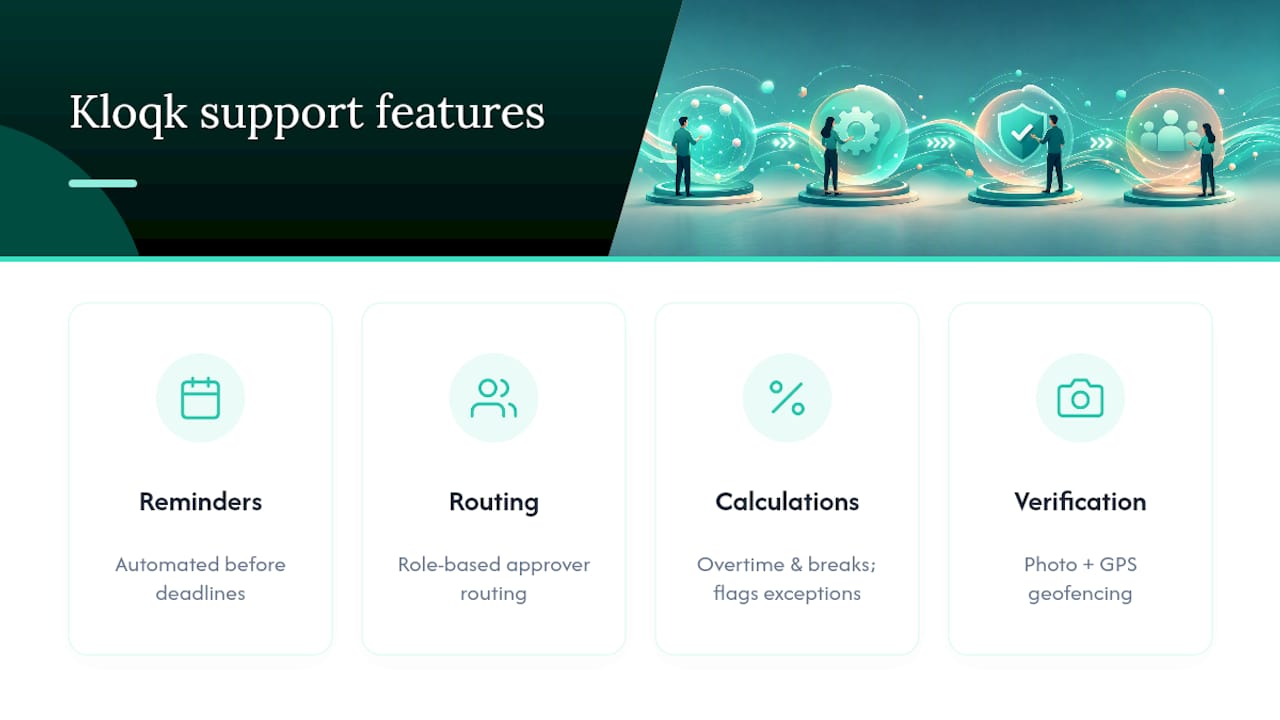
Kloqk builds most of this playbook directly into its free time clock: automated reminders before deadlines, role-based approval routing, and immediate period locking once hours are signed off. Overtime calculations and break tracking run automatically, so approvers see flagged exceptions instead of raw punch data to sort through by hand. Photo verification and GPS geofencing address time theft before it ever reaches your approval inbox. For restaurant and construction crews juggling multiple job sites, that combination cuts real administrative hours while keeping every approved record audit-ready for a wage-and-hour review.
Rollout Advice: Start Small, Then Add Structure
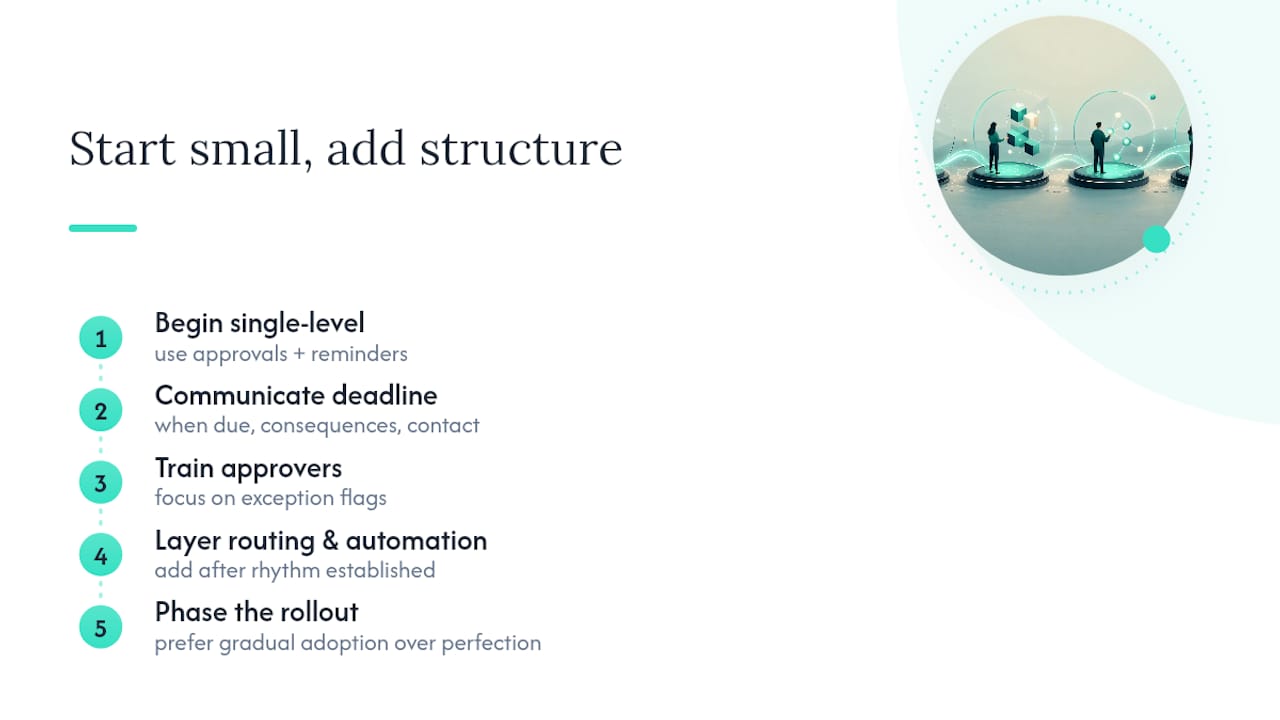
Don’t launch multi-level routing, escalation rules, and locking all in one week. Start with single-level approval and reminders, let staff get used to the deadline, then layer in routing and automation once the basic rhythm holds.
Communicate the new deadline in plain terms: when it’s due, what happens if it’s missed, who to ask. Train approvers on exception flags specifically, since that’s where rubber-stamping habits creep back in fastest. A phased rollout beats a perfect policy nobody follows.
Saad
A Practical Next Step for Managers
If you’re piecing together deadlines, reminders, and approval routing across spreadsheets and text threads, Kloqk’s free time tracking platform already runs the four-stage workflow this article describes, at no cost, which is a real departure from tools that charge for overtime rules and payroll exports. Crews spread across job sites or working remote shifts can add GPS-based time tracking to confirm where hours were actually logged, and geofencing keeps clock-ins tied to the right location without extra manager oversight. Set up your first approval routing rule and reminder schedule today, and see how much of this workflow runs itself once the structure is in place.
Sources
- U.S. Department of Labor: FLSA recordkeeping fact sheet
- Moxo: Timesheet approval process
- KonarkPro: Timesheet approval workflow (remote teams)
This article is general information, not a substitute for advice from a qualified financial advisor. Consult a qualified financial professional about your own circumstances before acting on anything here.
Recommended
Sources
Every figure on this page traces to one of these. Primary law and government sources are listed first.
- 1. U.S. Department of Laborprimary
- 2. konarkpro.com
- 3. moxo.com
- 4. huprichlaw.com
Written by
Marcus ReyesPayroll & Timekeeping Specialist
Marcus covers payroll accuracy, timesheets, and time tracking, the unglamorous mechanics that keep paychecks correct and audits painless.
Keep Reading
Track Hours the Easy Way
Kloqk is a free time clock that handles punches, breaks, overtime, and payroll-ready reports.
Start free