Time Tracking Dashboard: What to Show and Watch

A time tracking dashboard is the one screen where a manager sees who is clocked in, whose hours look wrong and what payroll will cost this period. A good one shows live status, pay-period totals, overtime, breaks and exceptions such as missed punches. It also lets you fix, approve and lock timesheets with a record of every change. This guide covers what belongs on that screen, which metrics earn their space and how to set one up for a small team.
TL;DR
- A useful dashboard answers three questions fast: who is working now, what hours are building up this pay period, and what needs fixing before payroll.
- The metrics that matter most are pay-period summaries, missed punches, absences, early and late logins, missed breaks and overtime hours.
- Pick a system with an audit trail (edit history, timestamps, approvers) and locked timesheets so your records hold up if anyone questions them.
- Check payroll export, state rules and exception alerts before you commit. Charts and colors come last.
- Kloqk’s free plan includes payroll-ready timesheets, overtime and break calculations, photo verification and payroll exports.
Table of Contents
- What a time tracking dashboard actually shows
- The metrics worth putting on the screen
- Exceptions: the part of the dashboard you will use most
- Breaks and overtime: what the dashboard has to get right
- Records, audit trails and locked timesheets
- How to set up a dashboard for your team
- What each type of business should look at first
- Our perspective
- Start with a free dashboard
- Common mistakes when reading a dashboard
- FAQ
- Sources
What a time tracking dashboard actually shows
Think of the dashboard as a control panel with two jobs. The first is live: it shows who has clocked in, who is on break and who is late right now. The second is the pay period: it adds up hours per person and flags anything that will cause trouble when you run payroll.
For a small business, the live view usually covers:
- Employees currently clocked in, and where they punched in from
- Anyone on a break, and for how long
- Late or missing arrivals against the schedule
- Open shifts that have run longer than expected
The pay-period view usually covers:
- Total regular and overtime hours per employee
- Timesheets waiting for approval
- Edits made to punches, and by whom
- Export status for payroll
Notice what is missing from that list: productivity scores, activity percentages, screenshots. Those belong to desk-based knowledge work. For an hourly team in a restaurant, a job site or a clinic, the dashboard exists to get accurate hours to payroll. If you want a broader view of the options, our guide to the types of employee time tracking systems explains how paper, kiosk, mobile and cloud setups differ.
The metrics worth putting on the screen
More widgets do not make a better dashboard. The U.S. Chamber of Commerce’s guide to time and attendance software points to a short list of things a manager should be able to see: pay-period summaries, missed punches, attendance or absences, early and late logins, and missed breaks. Add overtime to that and you have the core of a dashboard that earns its place.
| Metric | What it tells you | What to do when it looks off |
|---|---|---|
| Pay-period summary | Hours and estimated labor per employee so far | Compare with the schedule before the period closes |
| Missed punches | A clock-in with no clock-out, or the reverse | Contact the employee, correct with a note, approve |
| Absences and attendance | Who did not show or called out | Update the schedule and confirm the hours are not paid by mistake |
| Early and late logins | Patterns of drift at the start of a shift | Talk to the person before it becomes a habit |
| Missed breaks | Shifts with no break recorded | Check whether the break happened and was not logged, or did not happen |
| Overtime hours | Who is approaching or past 40 in the workweek | Rebalance shifts before the week ends |
| Location reports | Where punches came from | Confirm crews are punching at the right site |
The Chamber’s guide also notes that GPS-enabled software can provide location reports, and that task- and project-based tools can show how employees spend their time. Those are useful if you run crews or bill by the job. A salon or a retail counter rarely needs them.
Watch trends, not just totals
A single late login means little. Four in a week from the same person is a pattern. A dashboard that lets you filter by employee, location and date range turns raw punches into patterns, and the Chamber lists reporting filters among the things to check before you choose a system. Look at the last two or three pay periods side by side. Rising overtime in one department usually means a scheduling problem, not a people problem.
Exceptions: the part of the dashboard you will use most
Most punches are fine. The value of a dashboard is that it pulls the handful that are not fine to the top, so you do not scan every row of every timesheet.
The exceptions that cause the most payroll corrections are:
- Missed punches. Someone forgets to clock out and the shift runs for 14 hours.
- Missed or short breaks. Meal periods are not recorded, or are recorded as a flat block that does not match what happened.
- Buddy punching. One employee clocks in for another.
- Off-site punches. An employee clocks in from the parking lot, the car or home.
- Unapproved overtime. Hours creep past 40 because nobody was watching.
Two of these are about trust, not arithmetic. Photo verification at clock-in addresses buddy punching, because each punch carries a picture of the person at the device. Geofencing addresses off-site punches by checking the location when someone clocks in. Kloqk’s free punch clock app and time clock with photo capture are built around this idea: stop the bad punch at the source, instead of finding it three days later on a timesheet.
Set your alerts so they reach you the same day. A missed punch fixed on Tuesday takes one text message. The same missed punch discovered on payday takes a conversation, a correction and sometimes an apology.
Breaks and overtime: what the dashboard has to get right
The dashboard is where wage-and-hour rules turn into numbers, so the numbers need to be right. Two points from U.S. Department of Labor guidance matter most for day-to-day tracking. Check your own situation, because coverage and exemptions vary.
Overtime is counted by the workweek. The DOL’s Fact Sheet #76 says covered, non-exempt employees must be paid at least time-and-a-half for hours over 40 in a workweek, and that this applies regardless of how often you run payroll. That fact sheet is written for car wash and auto detailing businesses, but the workweek principle is how the Fair Labor Standards Act works generally. A biweekly payroll does not mean you total 80 hours and look at the sum. You look at each workweek on its own. Your dashboard should show overtime per workweek, not per pay period. For the full rules, see our FLSA overtime guide and the walkthrough of how overtime is calculated after 40 hours.
Breaks are either paid work time or they are not. The same DOL fact sheet says short breaks, usually 20 minutes or less, count as work time, while a bona fide meal period can generally be excluded only when the employee is completely relieved from duty. If a cook eats lunch while watching the fryer, that is not a clean meal break. A dashboard that flags shifts with missing or unusually short meal breaks gives you a chance to correct the record, or the practice, before it becomes a claim.
State rules add another layer. Some states set their own overtime thresholds or break requirements, and the Chamber’s guide lists state-specific rules among the things to check in any system. Kloqk’s overtime tracking software applies break rules by state, so the totals on your dashboard reflect the state where each location operates.

Records, audit trails and locked timesheets
A dashboard that lets you edit punches needs to record every edit. Otherwise it is a spreadsheet with a nicer coat of paint.
The Chamber’s guide recommends checking whether a system keeps a timesheet audit trail with edit history, timestamps and approvers, and whether timesheets can be locked so records stay defensible. In practice, that means:
- Every change shows the old value, the new value, who made it and when
- The employee or manager who approved the timesheet is recorded
- Once a pay period is approved and exported, nobody can quietly change it
- Corrections after the lock happen as new, visible entries
On how long to keep things, the IRS says employers should keep employment tax records for at least four years after filing the fourth quarter return for the year. Those records include wage-payment dates and amounts, employee identities and employment dates. Your time data feeds directly into them, so choose a system that lets you export and archive old periods instead of deleting them.
One reassurance for small teams: the DOL’s FLSA overview says time clocks are not required and records need not follow a particular form, as long as covered employers keep the required basic records. A dashboard is not a legal requirement. It is the easiest way to keep those records complete and consistent.
How to set up a dashboard for your team
You can have a working dashboard in an afternoon. Do it in this order.
- List your locations and shifts. One dashboard can cover several sites, but each site needs its own rules. If you run more than one, read our piece on multi-location time tracking.
- Choose how people punch. A tablet kiosk at the door suits a restaurant or clinic. Phones suit crews on the move. Many teams use both. Our free employee time clock supports kiosk and app punching.
- Set overtime and break rules for your state. Do this before anyone clocks in, so the first pay period is correct.
- Turn on verification. Decide whether you need photo capture, geofencing or both. A job site needs location. A shared counter needs photos.
- Define who approves what. One named approver per employee group. Unowned approvals are how missed punches reach payroll.
- Connect your payroll export. Run a test export against your last real payroll and compare totals.
- Train in ten minutes. Show employees how to punch, how to flag a mistake and what happens if they forget.
The Chamber’s checklist for evaluating systems matches this order: workforce fit and usability, payroll and accounting integrations, state-specific rules, exception alerts, reporting filters, audit trail, locked timesheets and security controls. The guide also says time data should transfer cleanly to payroll and accounting, with project-management integrations suiting service businesses and POS integrations suiting retail and restaurants. If your people work at job sites, our mobile clock-in job site setup guide goes deeper on that step.
What each type of business should look at first
The same dashboard serves different needs depending on your floor.
Restaurants. Watch missed breaks, overtime by workweek and late logins on opening shifts. Tipped and split-shift staff make hours messy, so the exception list matters more than the summary.
Construction and field crews. Location reports and mobile punching matter most. Check that crews are punching at the right site and that travel time between sites is recorded the way you intend to pay it. See our guide to time tracking for field service teams.
Retail. Attendance and schedule adherence lead. Part-time staff with variable shifts are where overtime sneaks up, because someone who picks up an extra shift at a second location may cross 40 hours without anyone noticing.

Clinics and salons. Missed punches and break records come first, along with a clean approval step, since the person handling payroll is often also the office manager.
Our perspective
Most small business owners we talk to do not want analytics. They want Friday to be easy. They want to open one screen, see that every timesheet is complete, and send hours to payroll without a second look.
That is why we built Kloqk around the pay period, not around charts. Overtime and break calculations, photo verification and payroll exports sit in the free plan, because accurate hours should not be a premium feature. If a business with ten hourly employees has to pay before it can trust its own timesheets, the product has the priorities backwards.
Our advice: start with the exceptions list. If your dashboard can tell you in thirty seconds which punches need attention, you will use it every day. If it cannot, you will go back to scrolling timesheets, and you will have bought a prettier version of the problem you started with.
Saad
Start with a free dashboard
Kloqk gives small teams a free time clock that turns punches into payroll-ready timesheets, with overtime and break calculations, photo verification and payroll exports included. Paid plans add things like scheduling, PTO and more advanced controls. Pro is $29 per month per location and Premium is $59 per month per location, and the pricing page shows which features sit in each plan.
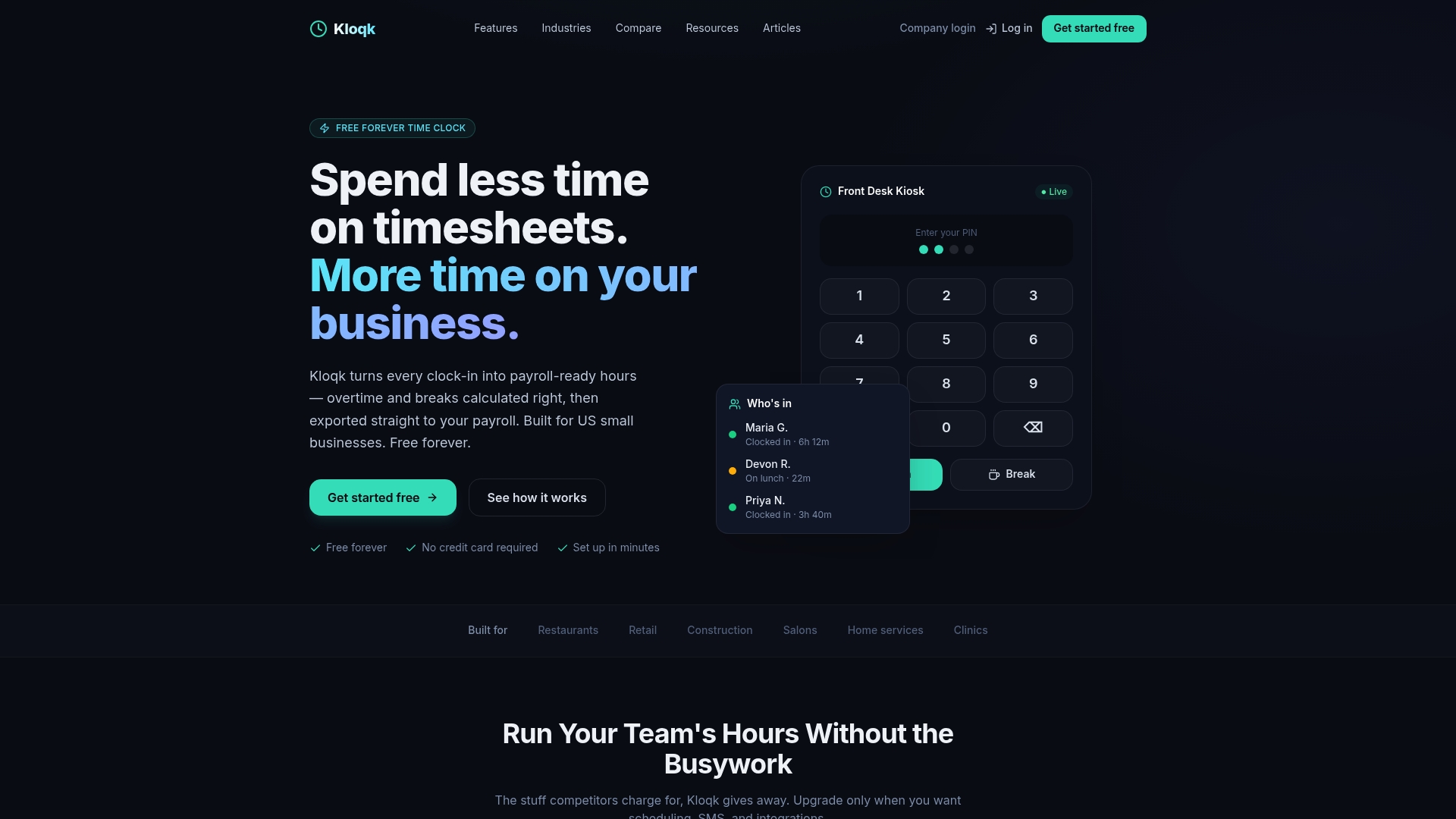
If you want to see the dashboard in action, start with free employee time tracking and run one pay period alongside your current process. Compare the totals before you change anything else.
Common mistakes when reading a dashboard
- Trusting totals without checking exceptions. A clean total can hide a 14-hour shift offset by a short one.
- Reviewing at the end of the period only. Check weekly, and daily if your team is large.
- Editing without notes. An edit with no reason is hard to defend later. Write one line each time.
- Ignoring approaching overtime. The best moment to manage overtime is Wednesday, not the following Monday.
- Letting everyone approve. Approval authority should be narrow and named.
FAQ
What is the difference between a timesheet dashboard and a time clock dashboard?
A time clock dashboard focuses on live punches: who is in, who is on break and who is late. A timesheet dashboard focuses on the finished record: totals, edits, approvals and exports. Most systems combine both on one screen, and a manager moves from the live view to the timesheet view as the pay period closes.
Which metrics should a small business track first?
Start with pay-period hours per employee, overtime hours in the current workweek, missed punches and missed breaks. Those four catch most payroll errors. Add attendance and early or late logins once the basics are routine, then location reports if your team works off-site.
Do I need GPS and photo verification on my dashboard?
It depends on how your team works. Photo verification helps when employees share a device and buddy punching is a risk. GPS and geofencing help when people work at several sites or from vehicles. A single-site office with a few trusted staff may need neither, but both are easy to switch on later.
Can a dashboard help with overtime compliance?
Yes, if it counts overtime by workweek and applies your state’s rules. Under federal guidance, covered non-exempt employees get at least time-and-a-half after 40 hours in a workweek, however often you run payroll. A dashboard that shows hours building toward 40 lets you adjust schedules before overtime happens. For your specific situation, ask your state labor department or an employment attorney.
How long should I keep time records?
The IRS says to keep employment tax records for at least four years after filing the fourth-quarter return for the year. Time records support those wage figures, so keep them for at least that long. Choose software that lets you export and store past periods.
Sources
- Compare Small Business Time and Attendance Software, U.S. Chamber of Commerce
- Fact Sheet #76: Car Wash and Auto Detailing Establishments, U.S. Department of Labor
- FLSA Comprehensive presentation, U.S. Department of Labor
- Employment tax recordkeeping, Internal Revenue Service
Recommended
Sources
Every figure on this page traces to one of these. Primary law and government sources are listed first.
- 1. U.S. Department of Laborprimary
- 2. Internal Revenue Serviceprimary
- 3. uschamber.com
Written by
Marcus ReyesPayroll & Timekeeping Specialist
Marcus covers payroll accuracy, timesheets, and time tracking, the unglamorous mechanics that keep paychecks correct and audits painless.
Keep Reading
Track Hours the Easy Way
Kloqk is a free time clock that handles punches, breaks, overtime, and payroll-ready reports.
Start free