Best TimeForge Alternatives for SMBs in 2026

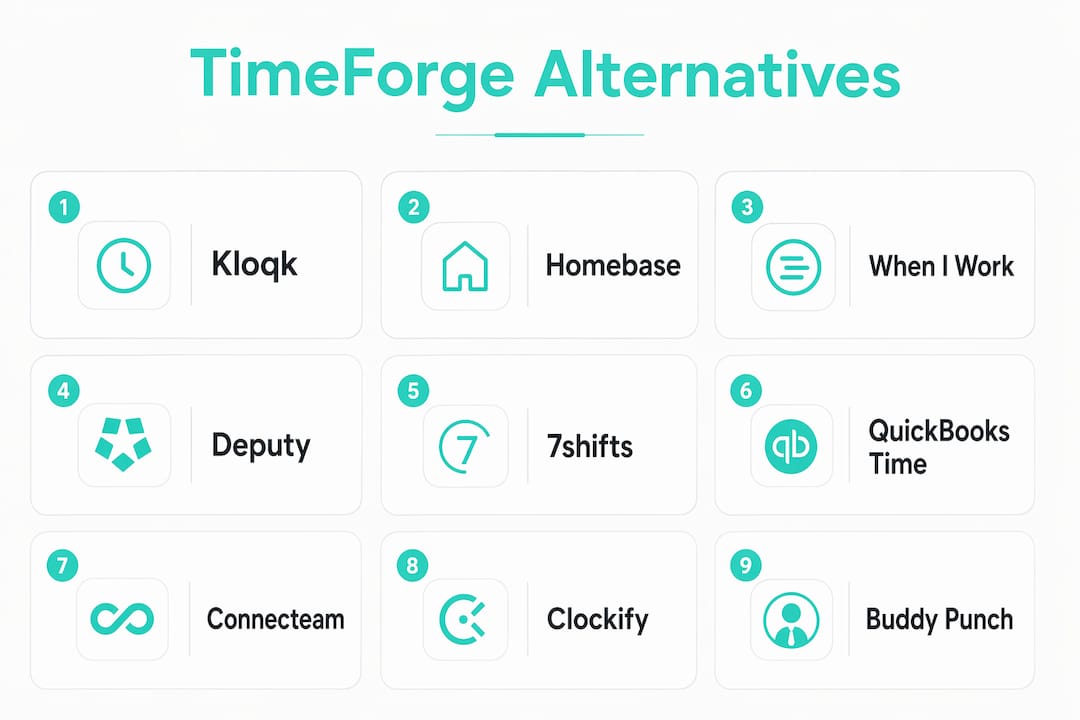
If you’re shopping for TimeForge alternatives, the short answer is this: Kloqk is the strongest free option for small teams that need payroll-ready time tracking fast, Homebase fits hourly retail and restaurant teams that want scheduling plus HR in one place, When I Work works well for mobile-first shift management, Deputy suits multi-location operators, and 7shifts is purpose-built for restaurants. That covers most SMB scenarios.
With 734 active competitors in the workforce management space, the real challenge isn’t finding an alternative. It’s picking one that your staff will actually use. Research consistently shows that adoption and ease of use matter more than advanced forecasting for hourly-staffed SMBs. A platform with 50 features is worthless if your team clocks in wrong half the time.
Here’s your shortlist:
- Kloqk best for small businesses (restaurants, retail, construction) that want free time tracking with GPS geofencing, photo verification, and payroll exports with zero upfront cost.
- Homebase best for teams under 20 employees that need scheduling, time tracking, and basic HR tools bundled together.
- When I Work best for mobile-first shift management in retail, hospitality, and healthcare.
- Deputy best for multi-location operators that need compliance tools and POS integrations.
- 7shifts best for restaurants that want labor cost forecasting tied directly to scheduling.
- QuickBooks Time best for businesses already on QuickBooks that want time tracking without switching ecosystems.
- Connecteam best for deskless, field-based teams that need communication alongside scheduling.
- Clockify best for budget-conscious teams that need basic time tracking and project-level reporting.
- Buddy Punch best for small teams that want simple clock-in/out with facial recognition and GPS.
Trial action: In your first 7 days, test one thing above everything else: clock an employee in and out on mobile, then export the timesheet to your payroll provider. If that workflow is clunky, the platform won’t stick.
Table of Contents
- How do the top TimeForge alternatives compare?
- What does each alternative actually offer?
- How do you pick the right alternative for your business?
- Key Takeaways
- What most managers get wrong when switching time tracking tools
- Kloqk: free time tracking built for small U.S. businesses
- Sources and further reading
How do the top TimeForge alternatives compare?
The table below covers the dimensions that actually break deals for U.S. SMBs: price, scheduling, clock-in methods, payroll integrations, and compliance. Pricing reflects publicly listed tiers as of 2026.
| Tool | Best for | Starting price / free tier | Scheduling | Time & attendance | Payroll integrations | Mobile / kiosk | US compliance |
|---|---|---|---|---|---|---|---|
| Kloqk | Small businesses, restaurants, construction | Free tier (core features) | Paid upgrade | GPS geofencing, photo verify, mobile & kiosk | QuickBooks, ADP, Gusto, Paylocity | Mobile app + kiosk | Overtime, breaks, federal & state rules |
| Homebase | Hourly teams under 20 | Free tier (1 location) | Shift templates, open shifts, swaps | Mobile clock-in, geofencing | QuickBooks, Gusto, ADP | Mobile + kiosk | Overtime, break alerts |
| When I Work | Retail, hospitality, healthcare | Starting at $2.50/user/mo | Templates, open shifts, swaps | Mobile clock-in, geofencing | QuickBooks, ADP, Gusto | Mobile + kiosk | Overtime tracking |
| Deputy | Multi-location operators | AI-assisted scheduling, templates | Mobile, geofencing, facial recognition | QuickBooks, ADP, Gusto, Xero | Mobile + kiosk | Predictive scheduling, break compliance | |
| 7shifts | Restaurants | Free tier (1 location, up to 30 staff) | Labor-cost-aware scheduling | Mobile clock-in, geofencing | QuickBooks, ADP, Gusto, Paylocity | Mobile + kiosk | Overtime, tip pooling |
| QuickBooks Time | QuickBooks users | Starting at $20/mo + $8/user | Shift scheduling | GPS tracking, geofencing, photo verify | Native QuickBooks, ADP | Mobile + kiosk | Overtime, break tracking |
| Connecteam | Deskless / field teams | Free tier (up to 10 users) | Shift scheduling, open shifts | GPS, geofencing, kiosk | QuickBooks, Gusto, Paychex | Mobile + kiosk | Overtime tracking |
| Clockify | Budget-conscious teams | Free tier (unlimited users) | Basic scheduling | Web, mobile, kiosk clock-in | QuickBooks (via export) | Mobile + kiosk | Basic overtime |
| Buddy Punch | Small teams | Shift scheduling | Facial recognition, GPS, geofencing | QuickBooks, ADP, Paychex | Mobile + kiosk | Overtime, break rules |
Security note: TimeForge’s own security page states that customer transmissions use SSL/SSH and sensitive data is encrypted at rest. When evaluating any alternative, ask for an equivalent security statement. SOC 2 Type II certification is the clearest third-party proof of data handling standards.
Integration note: Manual data entry is the most common failure point in labor-cost tracking. Prioritize platforms where POS and payroll integrations are automatic, not CSV-only exports.
What does each alternative actually offer?
Directories like SoftwareWorld list 20+ alternatives, but most SMBs need depth on a handful. Here’s what each platform actually delivers and who it fits.
Kloqk
Kloqk is a free time clock and employee time tracking platform built specifically for small U.S. businesses. The free tier covers GPS geofencing, photo verification at clock-in, overtime and break calculations, payroll-ready timesheet exports (QuickBooks, ADP, Gusto, Paylocity), and both mobile and kiosk punching. Federal and state labor compliance is built in, not bolted on. Paid upgrades add scheduling, PTO tracking, SMS alerts, and hiring tools.
Best for: Restaurants, retail shops, construction crews, clinics, and salons with hourly staff who need accurate pay without administrative overhead.
Pros:
- Core time tracking is genuinely free, including payroll exports and geofencing
- Photo verification reduces buddy punching without extra hardware
- U.S. labor compliance (overtime, breaks) is included at the free tier
Cons:
- Scheduling requires a paid plan
- Newer platform with a smaller public review base than legacy tools
What to test in a trial: Clock in via mobile with geofencing active, then export a timesheet to QuickBooks or Gusto. If it takes under 10 minutes, you’re done evaluating.
Homebase
Homebase bundles scheduling, time tracking, team communication, and basic HR tools into one platform. The free tier covers one location with unlimited employees, which is genuinely useful for single-site restaurants or retail shops. Paid plans add multi-location support, advanced reporting, and HR features.

Best for: Small teams (under 20 employees) at a single location that want an all-in-one tool without paying for separate scheduling and HR software.
Pros:
- Free tier is one of the most generous in the category
- Strong scheduling features including shift swaps and open shifts
- Integrates with QuickBooks, Gusto, and ADP
Cons:
- Multi-location support requires a paid plan
- Some advanced compliance features locked behind higher tiers
What to test: Create a week’s schedule, push it to employees via the app, and confirm shift-swap requests work on mobile.
When I Work
When I Work focuses on mobile-first shift management. It’s clean, fast to set up, and employees adopt it quickly because the app is straightforward. Geofencing and overtime tracking are included. It doesn’t have the deep labor forecasting of TimeForge, but for most SMBs that is a feature, not a bug.

Best for: Retail, hospitality, and healthcare teams that need scheduling and clock-in on mobile without a steep learning curve.
Pros:
- Fast employee onboarding via mobile
- Open shift and swap requests are intuitive
- Solid payroll integrations
Cons:
- No free tier for scheduling (time clock has a limited free option)
- Reporting is less detailed than enterprise tools
Deputy
Deputy is the strongest option for multi-location operators. It offers AI-assisted scheduling, predictive scheduling compliance (relevant in states like California and New York), facial recognition clock-in, and a wide integration library including Xero, QuickBooks, ADP, and Gusto. TimeForge targets retail and hospitality with POS integration, and Deputy competes directly in that space with more compliance depth.
Best for: Multi-location businesses in regulated states that need predictive scheduling compliance and strong POS integrations.
Pros:
- Predictive scheduling compliance built in
- Facial recognition and geofencing at clock-in
- Broad integration library
Cons:
- Per-user pricing adds up quickly for larger teams
- More setup complexity than simpler tools
7shifts
7shifts is built for restaurants, full stop. Labor cost forecasting ties directly to the schedule, so managers can see the cost impact of a shift before publishing it. It integrates with major POS systems (Toast, Square, Clover) and payroll platforms. The free tier covers one location with up to 30 staff.
Best for: Restaurant operators who want labor cost visibility baked into scheduling, not as a separate report.
Pros:
- POS integrations with Toast, Square, and Clover
- Labor cost forecasting in the scheduling view
- Free tier is genuinely useful for single-location restaurants
Cons:
- Less useful outside food service
- Advanced features (tip pooling, payroll) require higher-tier plans
QuickBooks Time
If your business already runs on QuickBooks, QuickBooks Time is the path of least resistance. GPS tracking, geofencing, photo verification, and shift scheduling are all included. The native QuickBooks sync means no export mapping, no CSV wrangling. The downside is cost: at $20/month base plus $8 per user, it’s one of the pricier options for small teams.
Best for: Businesses already on QuickBooks that want time tracking without a separate integration to manage.
Pros:
- Native QuickBooks sync with no manual export steps
- GPS and photo verification included
- Solid mobile app
Cons:
- Higher cost than most alternatives
- Less useful if you’re not on QuickBooks
Connecteam
Connecteam targets deskless and field-based teams. Beyond scheduling and time tracking, it includes team chat, task management, and training tools. The free tier covers up to 10 users, and paid plans scale from there. Industry-specialized tools like Connecteam often win in field services because they bundle communication with scheduling.
Best for: Field service teams, construction crews, and distributed workforces that need scheduling plus communication in one app.
Pros:
- Free tier for small teams (up to 10 users)
- Communication and task tools alongside scheduling
- GPS geofencing and kiosk support
Cons:
- Can feel feature-heavy for teams that only need time tracking
- Some integrations require higher-tier plans
Clockify
Clockify offers unlimited users on its free tier, which makes it attractive for budget-conscious teams. It covers web, mobile, and kiosk clock-in, basic project-level time tracking, and reporting. Payroll export to QuickBooks requires manual steps on the free plan. It’s the right pick when you need basic time tracking and nothing more.
Best for: Small teams or freelancers that need simple time tracking and project reporting without paying anything.
Pros:
- Unlimited users on the free tier
- Project-level time tracking
- Web, mobile, and kiosk support
Cons:
- Payroll integrations are limited on the free plan
- Scheduling features are basic compared to dedicated tools
Buddy Punch
Buddy Punch keeps things simple: clock in, clock out, and export. Facial recognition, GPS, and geofencing are included. It integrates with QuickBooks, ADP, and Paychex. The interface is clean and employees pick it up fast, which matters more than most managers expect.
Best for: Small teams (under 25 employees) that want reliable clock-in with attendance integrity features and straightforward payroll exports.
Pros:
- Facial recognition and GPS included
- Simple, fast employee onboarding
- Integrates with QuickBooks, ADP, and Paychex
Cons:
- Limited scheduling depth
- Per-user pricing can add up for growing teams
How do you pick the right alternative for your business?
For most SMBs, the single most important criterion is this: does it connect to your payroll provider without manual steps? Everything else is secondary. Enterprise-grade platforms often create administrative overhead that outweighs their benefits for local hourly-staffed businesses. Start lean.
Step-by-step evaluation checklist:
- Map your required integrations first. List your POS system and payroll provider (QuickBooks, ADP, Gusto, Paylocity). Eliminate any platform that doesn’t support them natively.
- Check mobile readiness. Download the employee app and clock in yourself. If it takes more than 60 seconds, your staff will struggle.
- Confirm geofencing and clock-in methods. For field or multi-site teams, GPS geofencing and photo verification are non-negotiable for accurate attendance.
- Request a payroll export sample. Ask the vendor for a redacted export file and test it against your payroll provider before committing. This single step catches most integration failures early.
- Verify compliance coverage. Confirm the platform handles your state’s overtime rules and break requirements. California, New York, and Washington have specific predictive scheduling laws that not every tool covers.
- Check security documentation. Ask for a SOC 2 report or equivalent. SSL/TLS in transit and encryption at rest are the baseline; SOC 2 Type II is the gold standard.
- Evaluate support and onboarding. Ask: Is onboarding self-serve or guided? What’s the support response time? For a 10-person team, a 48-hour ticket queue is a real problem during a payroll week.
Demo questions to ask every vendor:
- How does mobile geofencing work, and what happens when an employee clocks in outside the zone?
- Which payroll systems do you export to, and is the export automatic or manual?
- How do you handle overtime calculations for employees in multiple states?
- What’s your SOC 2 status, and can you share your security documentation?
- How long does employee onboarding typically take?
- What happens to our data if we cancel?
- Do you support kiosk mode for shared devices?
- What’s the escalation path if a payroll export fails?
Red flags to watch for:
- No published pricing (or pricing that requires a sales call for basic tiers)
- Payroll export is CSV-only with no direct integration
- Mobile app ratings below 4.0 in the App Store or Google Play
- Implementation timelines longer than two weeks for a team under 50
- No security documentation available on request
Trial validation (days 1-7):
Run one full pay period in parallel with your current system. Clock in and out on mobile, test geofencing, run a payroll export, and compare the output to what you’d expect. If the numbers match and the export loads cleanly into your payroll provider, you have your answer. If you’re still troubleshooting integrations on day 7, that’s a signal.
Pro Tip: Before your trial ends, ask the vendor for a payroll export sample and run it through your actual payroll provider. Most integration failures show up in this step, not during demos.
Key Takeaways
The strongest alternatives to TimeForge for U.S. SMBs are Kloqk (free, payroll-ready, compliance-built-in), Homebase (all-in-one for small hourly teams), Deputy (multi-location compliance), and 7shifts (restaurants with labor cost forecasting).
| Point | Details |
|---|---|
| Payroll integration is the top criterion | Confirm native exports to your payroll provider before committing to any platform. |
| Adoption beats features | A platform your staff uses correctly is worth more than one with advanced analytics they ignore. |
| Free tiers are real options | Kloqk, Homebase, 7shifts, Connecteam, and Clockify all offer genuine free tiers for small teams. |
| Security documentation matters | Request SOC 2 or equivalent from any vendor before going live with employee data. |
| Kloqk for free time tracking | Kloqk covers GPS geofencing, photo verification, overtime, and payroll exports at no cost for small U.S. businesses. |
What most managers get wrong when switching time tracking tools
The conventional wisdom says to pick the platform with the most integrations and the best feature set. That’s backwards for most small businesses.
The real failure mode in workforce management software rollouts isn’t a missing feature. It’s the gap between what a platform promises in a demo and what hourly employees actually do on day one. A manager demos the scheduling tool, loves the interface, signs up, and then spends three weeks chasing staff to download the app, reset passwords, and clock in correctly. By week four, half the team is still using paper.
The platforms that win in SMB environments are the ones that minimize the distance between “sign up” and “first correct clock-in.” That’s why free tiers matter beyond just cost. They let you run a real pilot without a procurement process. You find out fast whether your team will use it.
The second thing managers underestimate is payroll export fidelity. It sounds boring, but a single mismatched overtime calculation on a payroll export can cost more in correction time than a year’s subscription to a better tool. Test the export before you commit, not after.
For what it’s worth, the SMB buyer’s guide framework that holds up best is simple: integration first, adoption second, features third. Everything else is a tie-breaker.
Kloqk: free time tracking built for small U.S. businesses
Most of the platforms in this comparison charge for the features that matter most to small businesses: payroll exports, overtime calculations, geofencing, and photo verification. Kloqk gives you all of that at no cost.

The free plan covers GPS geofencing, photo verification at clock-in, automatic overtime and break calculations, payroll-ready exports to QuickBooks, ADP, Gusto, and Paylocity, plus both mobile and kiosk punching. Federal and state labor compliance is built into the core, not an add-on. For managers in restaurants, retail, construction, or clinics, that’s the full stack for tracking hourly pay accurately without a monthly bill.
Setup takes minutes. Clock in an employee on mobile, verify the geofence is active, and run a payroll export to your provider. If it works in the first session, you’re ready to go live. Paid upgrades (scheduling, PTO, SMS, hiring tools) are available when you need them, but the free tier handles the core job for most small teams.
Start your free account at kloqk.com and run a one-week pilot before making any final decision.
Sources and further reading
These are the sources used to research this comparison, plus Kloqk resources for deeper evaluation.
| Source | What it covers |
|---|---|
| TimeForge Alternatives SoftwareWorld | Aggregated list of alternatives with pricing labels and feature flags; useful for initial shortlisting. |
| TimeForge Review & Competitors Tech Billow | Detailed review of TimeForge’s positioning, competitor analysis, and adoption considerations for SMBs. |
| TimeForge Alternatives SaaSHub | Community-reviewed alternatives with pricing and onboarding notes; good for cross-checking vendor claims. |
| TimeForge Alternatives TechnologyCounter | Industry-segmented alternatives list highlighting restaurant, retail, and field service fits. |
| TimeForge Competitors Tracxn | Company profile and competitive landscape data showing 734 active competitors in the space. |
| TimeForge Security Page | TimeForge’s own SSL/SSH and encryption-at-rest statements; useful benchmark for evaluating vendor security claims. |
| GetApp TimeForge Alternatives | Verified user reviews and feature comparisons; strong source for real-world adoption signals. |
| Kloqk: Free Time Tracking | Kloqk’s free time clock feature page with payroll export and compliance details. |
| Kloqk: GPS Time Clock with Geofencing | Kloqk’s geofencing and photo verification feature page for managers evaluating attendance integrity. |
| Kloqk: Employee Scheduling App Guide | Practical checklist for evaluating scheduling apps, including demo questions and red flags. |
Recommended
Sources
Every figure on this page traces to one of these. Primary law and government sources are listed first.
Written by
Priya NairPeople Operations Writer
Priya focuses on HR and hiring for small teams, onboarding, scheduling people fairly, and the day-to-day of managing hourly staff without an HR department.
Keep Reading
Track Hours the Easy Way
Kloqk is a free time clock that handles punches, breaks, overtime, and payroll-ready reports.
Start free