What Is a Freemium HR Software Model for Small Teams?

A freemium HR software model gives you a working set of core HR tools at no cost, then charges for advanced features once you need them. For most small businesses, it’s worth trying before you buy anything.
- Typical free features: time clocks, basic employee records, and payroll-ready timesheets
- The tradeoff: the vendor handles security, backups, and updates, so you’re not managing servers or patches
- The catch: most free tiers cap users, employee records, or integrations once you grow past a certain size
Key Takeaways
Freemium HR software works because it lets small businesses run real payroll-ready time tracking for free while paying only for automation and integrations once growth demands them.
| Point | Details |
|---|---|
| Free core, paid extras | Time tracking, basic records, and payroll-ready timesheets are usually free; automations and integrations cost extra. |
| Vendor handles security | The vendor manages encryption, backups, and updates, but you still need to vet their practices before uploading data. |
| Watch for the labor tax | Missing integrations force manual data entry that can cost more staff time than a paid plan would. |
| Test the export before you commit | Download a full data export early to confirm you’re not locked into one vendor. |
| Kloqk keeps core features free | Kloqk’s time clock, overtime math, and payroll exports stay free permanently, with scheduling and PTO as optional paid add-ons. |
Table of Contents
- How Does Freemium HR Software Work?
- What Are the Benefits of Freemium HR Tools for Small Businesses?
- What Are the Hidden Costs of Free HR Software?
- How Do You Evaluate a Freemium HR Vendor?
- When Will You Need to Move Off the Free Tier?
- How Does Kloqk Apply the Freemium Model in Practice?
- Frequently Asked Questions
- Sources
How Does Freemium HR Software Work?
The mechanics are simple: a vendor builds one platform, then splits its features into a free layer and a paid layer. You’re not on a trial with an expiration date. The free tier stays free indefinitely, structured as a permanent product line rather than a promotion. This model sits within the broader SaaS ecosystem, distinct from perpetual-license software you buy once or enterprise tools that require a custom quote before you even see pricing, according to CO by the US Chamber of Commerce.
Here’s what that split usually looks like in practice:
Free tier, typically includes:
- Basic time clock and clock-in/clock-out tracking
- Employee directory and core personnel records
- Payroll-ready timesheets and simple overtime math
Premium tier, typically includes:
- Workflow automations (auto-approvals, reminders, escalations)
- Advanced reporting and analytics dashboards
- Multi-system integrations (payroll providers, accounting software, ATS platforms)
- Scheduling tools and PTO tracking modules
Pricing for the paid side varies enormously. Vendors commonly charge anywhere from $5 to $500 per employee per month depending on the feature set and deployment size, according to TechnologyAdvice. That’s not a typo. A five-person salon and a 500-person manufacturing operation are buying fundamentally different products even when they’re both labeled “HR software.”
Most vendors also cap the free tier somewhere. Watch for limits on active users, stored employee records, or monthly API calls. Since the whole model runs as hosted SaaS, you’re not installing anything locally, and updates roll out automatically on the vendor’s schedule.
What Are the Benefits of Freemium HR Tools for Small Businesses?
The upside is straightforward, and it’s real. Here’s what you actually get:
- Zero upfront licensing cost no purchase order, no budget approval cycle for basic time tracking
- Fast deployment most teams are clocking in within the same day, since freemium platforms let you start with core features in minutes
- Vendor-managed maintenance security patches, backups, and uptime are the vendor’s job, not yours
- Lower cost of trying you can test the actual product with real employee data before committing a dime
- A visible upgrade path you already know what premium unlocks, so budgeting for growth isn’t a guessing game
For HR outcomes specifically, this translates into faster-onboarded timekeeping, payroll-ready hours without a spreadsheet detour, and noticeably less administrative overhead on week one.
Pro Tip: Vendor-managed security cuts your IT burden, but it doesn’t remove your responsibility to vet the vendor. Ask about their data encryption and backup practices before you upload real employee records, not after.

What Are the Hidden Costs of Free HR Software?
Free rarely means free of cost, it means the cost moved somewhere else. Usually that somewhere is your team’s time.
- Training and setup hours someone has to configure the tool and teach staff the new workflow, and that’s paid time even if the software isn’t
- Missing integrations without a payroll connector, someone is manually re-entering hours every pay period
- Paywalled automation the features that would actually save you hours (auto-scheduling, approval routing) usually sit behind the paid tier
- Thin support free-tier users often get email-only support with slower response times
- Add-on essentials features you assumed were standard (advanced reporting, multi-location management) sometimes turn out to be paid extras
Watch specifically for closed export formats, hard caps on employee records, and any sign the vendor makes it deliberately hard to pull your own data out.
When a free tier lacks integrations, the hours your staff spends rekeying data by hand can quietly outweigh what you’d have paid for a premium plan in the first place, a pattern WalkMe calls the manual labor tax on free software.
How Do You Evaluate a Freemium HR Vendor?
Before you commit real employee data to any free tier, run through this checklist:
- Confirm the essentials are actually free. Time tracking, basic records, and payroll export shouldn’t require a card on file.
- Check the integration list. If your payroll provider isn’t on it, you’re signing up for manual entry.
- Test the data export. Download a full export before you need it, not during a stressful migration.
- Review the security posture. Look for documented encryption, backup frequency, and uptime history.
- Find the caps. User limits, record limits, and API limits should be stated in plain language, not buried in a support article.
- Read the upgrade pricing. If you can’t find premium pricing without booking a sales call, that’s worth noting.
Ask vendors directly, on the demo call:
- “How do I export my full employee data if I leave?”
- “What exactly caps out on the free tier, users, records, or something else?”
- “Is payroll export included for free, or is that a paid add-on?”
- “What’s your average support response time on the free plan?”
Red flags worth walking away from: opaque upgrade pricing, export locked behind a paywall, no documented security practices anywhere on the site, or a sales rep pushing a long-term contract just to unlock features that should be core.
When Will You Need to Move Off the Free Tier?
Growth is the trigger, almost always. You’ll likely need to upgrade when you hit a user or record cap, when payroll needs a real integration instead of manual export, when scheduling gets complex enough to need automation, or when a client or auditor asks for compliance reporting the free tier doesn’t generate.
Rough stages to expect:
- 1 to 10 employees: the free tier usually covers everything you need
- 10 to 30 employees: scheduling and PTO tracking start becoming worth paying for
- 30-plus employees: integrations and compliance reporting typically force the upgrade decision
Subscription pricing for that next tier is commonly structured per employee per month or as a flat fee, and vendors increasingly offer module-based add-ons rather than one giant jump in price, according to Forbes Advisor.
Before you migrate:
- Export everything from the free platform and verify the file opens cleanly in a spreadsheet.
- Run a test import into the new paid tier with a small sample first.
- Run both systems in parallel for one full pay cycle.
- Train staff on the new workflow before you fully cut over.
How Does Kloqk Apply the Freemium Model in Practice?
Kloqk is a working example of the free-core-plus-paid-add-ons structure in action, built specifically for hourly-staffed small businesses.
Free, always:
- Time clock with mobile and kiosk punching
- Payroll-ready timesheets and overtime calculations
- GPS geofencing and photo verification for clock-ins
- Built-in federal and state labor law compliance
Paid, optional:
- Scheduling tools
- PTO management
- SMS notifications and advanced onboarding features
Picture a five-person taco truck operation. Staff clock in by photo on their phones, hours flow straight into payroll-ready timesheets, and overtime calculates itself. That’s the entire free tier doing real work every single week. The owner would likely consider paying only once they open a second location and need scheduling coordinated across sites.
What’s the practical move for HR teams right now?
I’d start free for core time tracking every time, and hold off on paying until you hit a specific wall, like a missing integration or a scheduling need that manual work can’t solve anymore. Trial the free tier immediately for time tracking; budget for paid tools only once a concrete feature gap shows up.
A Free Time Clock That Doesn’t Punish You for Growing
Most freemium HR tools nickel-and-dime you the moment you need something beyond basic punches, charging extra for overtime math, break tracking, or payroll exports that should be standard. Kloqk keeps those features free permanently, not as a bait-and-switch trial.

This is one example of the freemium model done right, not a neutral comparison of every vendor on the market. If you’re running a restaurant, construction crew, or any hourly team, you can start clocking in your staff today with photo verification and GPS geofencing already built in, at no cost. Set up your free time clock and see payroll-ready hours on your very first pay cycle.
Frequently Asked Questions
Is freemium HR software actually free, or is it a trial? It’s not a trial. The free tier stays free indefinitely; you only pay when you choose to add premium features like scheduling or advanced integrations.
Is freemium HR software worth it for a small business? For most teams under 30 employees, yes, since the free tier usually covers core time tracking and payroll-ready hours without any licensing cost.
What’s the difference between freemium and open-source HR software? Freemium is a hosted SaaS product with a free tier and paid upgrades; open source gives you the code itself, but you typically need technical staff to host, maintain, and secure it, per Software Advice.
What should I check before choosing a freemium HR vendor? Verify the export process, check for user or record caps, confirm what’s actually free versus paywalled, and review the vendor’s documented security practices.
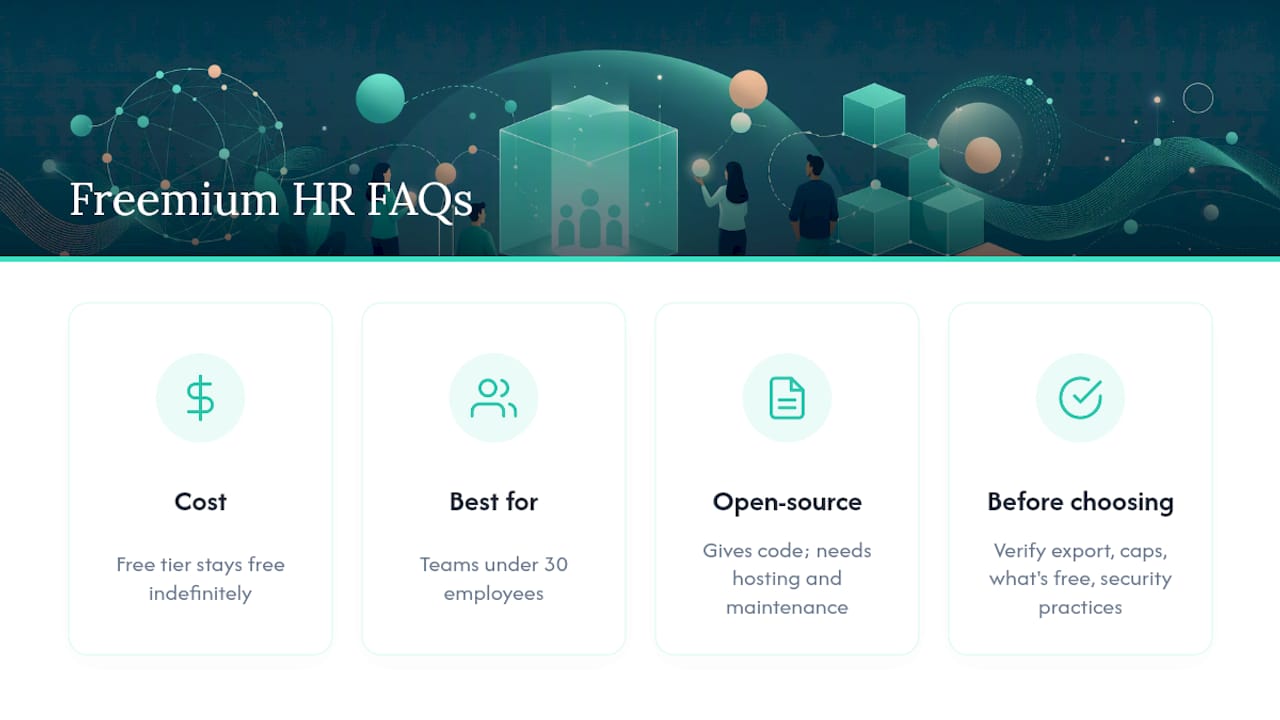
When should I upgrade from a free HR plan to a paid one? Upgrade when you hit a user or record cap, need a payroll integration, or require scheduling automation and compliance reporting the free tier doesn’t offer.
Sources
- Top HRIS Software for Small Businesses: Features, Pros & Cons | CO- by US Chamber of Commerce
- HR Software Pricing: Costs, Types & Models
- HR software pricing models | Software Advice
- HR Software Pricing: Costs, Types & Models | Forbes Advisor
- HR Software Pricing: Costs, Types & Models | WalkMe
Recommended
Sources
Every figure on this page traces to one of these. Primary law and government sources are listed first.
Written by
Priya NairPeople Operations Writer
Priya focuses on HR and hiring for small teams, onboarding, scheduling people fairly, and the day-to-day of managing hourly staff without an HR department.
Keep Reading
Track Hours the Easy Way
Kloqk is a free time clock that handles punches, breaks, overtime, and payroll-ready reports.
Start free