Subcontractor Hours Tracking Guide for Small Businesses

Tie every subcontractor invoice to an approved time record before you pay it. That single rule stops most billing errors before they reach your books. The fastest way to put it in place: require contractors to log hours against a project code and a named deliverable, collect one piece of evidence per entry (a photo, a ticket number, or a site note), route the record to a named approver, and release payment only after that approval is confirmed. Kloqk handles this entire flow on its free plan, with GPS geofencing, photo verification, and payroll-ready exports built in. Before you start classifying workers, check the IRS worker classification rules and the U.S. Department of Labor guidance to confirm your subs are correctly categorized.
Start today with this checklist:
- Define the project code and deliverable for every active subcontract
- Set a submission cadence (weekly works for most SMBs)
- Require at least one piece of evidence per entry (photo, ticket, or note)
- Assign a named approver who is close to the actual work
- Lock the period and export to payroll only after approval is complete
- Keep approved records and exports for at least three years
Table of Contents
- Why tracking subcontractor hours matters for your bottom line
- Common challenges that make subcontractor hour tracking hard to trust
- Practical methods to collect subcontractor time, from paper to digital
- How subcontractor time-tracking systems actually work
- How to choose the right time-tracking tool for subcontractors
- Step-by-step implementation guide for rolling out subcontractor time tracking
- Best practices for verifying and approving subcontractor hours before payment
- How to set up verified subcontractor time tracking with Kloqk
- Key Takeaways
- What most small businesses get wrong about contractor time tracking
- Kloqk gives you the audit-ready workflow without the setup headache
- Useful sources and references
Why tracking subcontractor hours matters for your bottom line
Accurate, approved time records reduce overpayments, speed up invoicing cycles, and give you a defensible audit trail if a billing dispute ever lands in your lap. Those three outcomes alone justify the setup time.
Digital time tracking reduces the administrative burden of manual timesheets and cuts the overpayment risk that comes with free-form, unverified entries. When hours are tied to project codes and approved before payment, you also get real capacity data: how many hours did the electrical sub actually spend on Phase 2 versus what was quoted? That comparison feeds your next bid.
The audit trail is the product. A timestamped, approver-locked record that maps to a project code and a deliverable is what protects you in a dispute, a tax audit, or a client chargeback. The hours themselves are secondary.
Consider a straightforward scenario: a general contractor receives a $4,200 invoice for 42 hours of drywall work. Without an approved time record, the PM approves from memory. With one, the approver sees that 8 of those hours were logged against the wrong project code, flags the discrepancy, and the invoice is corrected before payment. That is the practical value of a verifiable audit trail.
Common challenges that make subcontractor hour tracking hard to trust
Collecting time is easy. Trusting what you collect is the hard part, and most small businesses underestimate how quickly a loose process breaks down.
The most common failure points:
- Manual timesheets submitted late or from memory. A sub filling out Friday’s hours on Monday is reconstructing, not reporting.
- No link to scope or deliverables. “8 hours, plumbing,” tells you nothing about which phase, which floor, or which ticket.
- Buddy-punching and proxy submissions. On multi-crew sites, one person clocking in for another is common and nearly invisible without photo or GPS verification.
- Missing approvals. Managers approving invoices from memory, or not at all, is the single most common cause of billing disputes.
- Multi-rate contracts with no category separation. A sub billing at different rates for labor versus supervision needs separate line items, not a blended total.
- Offline crews. Field teams in basements, tunnels, or remote sites can’t always submit in real time, so entries pile up and accuracy drops.
- Classification risk from surveillance-style tracking. Treating subs like employees by monitoring every movement can blur the contractor/employee line under IRS and Department of Labor rules.
Red flags that your current process is failing: frequent invoice disputes, PMs approving from memory, invoices with vague line items like “labor, week of X,” and no record of who approved what or when.

Practical methods to collect subcontractor time, from paper to digital
The right collection method depends on contract size, crew size, and how much verification you actually need. For most SMBs, a mobile app with task-based entries and a weekly cadence is the right default. Paper and spreadsheets are acceptable for a single-person sub on a short contract; they fall apart fast at any scale.
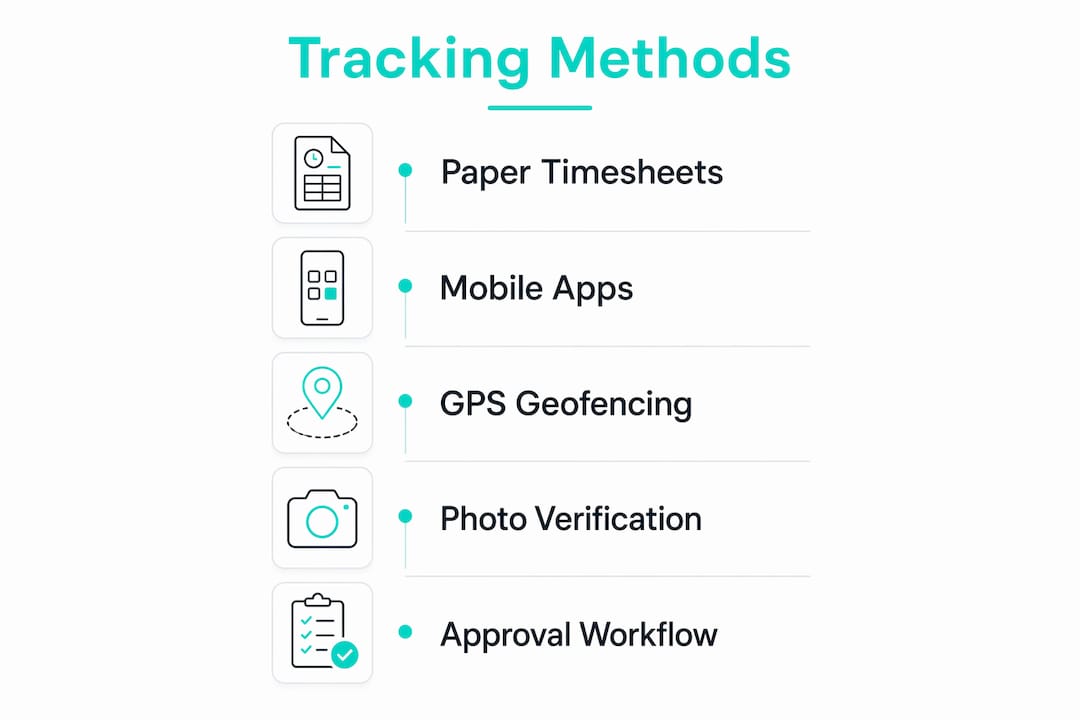
Treating contractor tracking as an output-based system rather than employee surveillance keeps you on the right side of classification rules. Let subs self-log time tied to tasks and deliverables rather than monitoring their every location ping.
| Method | Best for | Pros | Cons |
|---|---|---|---|
| Paper timesheet | Single sub, short contract | Zero setup, no cost | No audit trail, easy to alter, no real-time visibility |
| Spreadsheet / email | Small teams, low volume | Familiar, flexible | Manual reconciliation, version control issues, no approval gate |
| Contractor portal (web) | Remote or office-based subs | Easy access, structured fields | No GPS/photo, relies on honesty |
| Mobile app (GPS + photo) | Field crews, construction, multi-site | Real-time, verifiable, audit-ready | Requires smartphone, data connection |
| Kiosk / badge system | High-volume fixed sites | Fast, consistent | Hardware cost, less flexible for roaming crews |
For construction and field service crews, a mobile app with GPS geofencing and photo verification is the strongest option. It produces a timestamped, location-verified record without requiring a supervisor to be present at every clock-in. Kiosks make sense for a fixed job site with 20+ workers cycling through the same gate each day. Paper is fine for a one-week engagement with a solo consultant, but require a signature and a deliverable reference even then.
Privacy note: GPS tracking that runs continuously in the background can create classification risk. Limit location capture to clock-in and clock-out events, not continuous monitoring, and disclose the practice in your subcontract agreement.
How subcontractor time-tracking systems actually work
A useful time record ties one person to one project code, one task or deliverable, a timestamped start and end, one piece of evidence, and a named approver. Strip any of those fields and the record becomes harder to defend.
What a complete time record looks like
| Field | What to capture |
|---|---|
| Worker name / ID | Legal name or contractor ID, not a nickname |
| Date | Calendar date of work performed |
| Start time / End time | Clock-in and clock-out with AM/PM stamp |
| Project code | Pre-assigned code matching your contract or job number |
| Task / deliverable | Specific work performed (e.g., “rough-in, Unit 4B”) |
| Notes / evidence link | Ticket number, photo ID, or brief description |
| Photo / GPS footprint | Clock-in photo and/or geofence confirmation |
| Approval status | Pending / Approved / Rejected, with approver name |
| Export ID | Reference number assigned when record is exported to payroll |
The process flow from entry to payment runs like this:
- Sub submits hours at the end of each day or week, tied to a project code and task
- Approver reviews entries, checks against scope, flags exceptions (hours over cap, missing notes, wrong code)
- Exceptions go back to the sub for correction before the period closes
- Approver locks the period and signs off
- Locked records export to payroll or accounting in a standard format (CSV, PDF, or direct integration)
Pro Tip: Lock each pay period immediately after approval and export the file to a read-only location. An immutable export, timestamped and stored separately from the live system, is your strongest defense in a billing dispute or tax audit. Retain approved records and exports for a minimum of three years, longer if your contracts are federally funded.
How to choose the right time-tracking tool for subcontractors
The single most important question to ask about any tool: does it produce an approver-locked, audit-ready time record that maps directly to an invoice line item? If the answer is no, the tool is a data-collection device, not a verification system.
Selection checklist:
- External user access. Can subcontractors log in without needing a full employee seat? Some platforms charge per user regardless of type.
- Approval workflows. Does the tool support named approvers, rejection with comments, and a locked period?
- Anti-fraud features. Photo verification at clock-in and GPS geofencing are the two controls that matter most for field crews.
- Task and project code structure. Can you pre-define codes and require subs to select from a list rather than type free-form?
- Export formats. CSV, PDF, and direct payroll integrations (QuickBooks, Gusto, ADP) are the minimum for SMBs.
- Offline capability. Field crews in low-signal areas need to punch in offline and sync when connectivity returns.
- Pricing model. Per-user pricing scales poorly when you have seasonal subs. Look for per-location or freemium models.
- Compliance settings. Federal and state overtime rules, break requirements, and data retention defaults should be configurable, not manual.
Decision criteria mapped to buyer questions
| Dimension | The question it answers |
|---|---|
| Accuracy / anti-fraud | Can I trust that the person who clocked in was actually on site? |
| Location controls (GPS, geofence) | Were hours logged at the right location? |
| Task-level tracking | Do logged hours map to a specific deliverable or scope item? |
| Integrations (payroll, PM tools) | Can I export without re-entering data? |
| Audit & reporting | Can I produce a timestamped, approver-signed record on demand? |
| Ease of use / mobile support | Will subcontractors actually use it without hand-holding? |
| Offline support | Does it work on a job site with no cell signal? |
| Pricing shape | Does the cost scale reasonably as I add seasonal subs? |
For SMBs running mixed crews of employees and subcontractors, a unified system that flags user type but keeps one source of truth for hours and location is far easier to manage than two separate tools reconciled by spreadsheet.
On pricing: most SMBs can run a solid pilot on a free or low-cost plan. Pay for GPS geofencing, photo verification, and payroll integrations before you pay for anything else. Scheduling, PTO, and hiring tools can come later.
Step-by-step implementation guide for rolling out subcontractor time tracking
Pilot small, lock your rules early, and let project managers flag exceptions before invoices ever reach finance. That sequence prevents the most common rollout failure: a system that collects data nobody trusts because the approval step was skipped.
Implementation checklist:
- Define the billing model for each subcontract (hourly, T&M, milestone-based)
- Create project codes in your tracking system before inviting anyone
- Set submission cadence in writing (weekly is standard; daily for T&M contracts)
- Assign a named approver for each project, not a department
- Run a pilot with 1-3 subs on one active project
- Review the first two weeks of entries together with the pilot subs
- Refine task categories based on what actually gets logged
- Lock the first period, export, and reconcile against the invoice
- Roll out to remaining subs after the pilot export matches expectations
30/60/90 rollout timeline
Days 1-30 (Pilot): Pick one active project and 1-3 subcontractors. Set up project codes, configure geofence and photo settings, invite subs, and run the first weekly submission and approval cycle. Export the first payroll file and reconcile it manually against the invoice.
Days 31-60 (Full roll): Onboard remaining active subcontractors. Standardize task categories across projects. Train approvers on the exception-flagging process. Run two full approval cycles before touching the export settings.
Days 61-90 (First audit/export review): Pull a 90-day export and review it for gaps: missing evidence, unapproved entries, project codes used inconsistently. Fix the categories that generated the most exceptions. Set a retention policy and confirm your export files are stored in a read-only location.
Roles in brief: the owner or office manager invites contractors and configures project codes. The project manager (PM) reviews entries weekly and flags exceptions. Finance processes payment only after the PM’s approval is confirmed in the system. No approval, no payment.
Pro Tip: Send subcontractors a one-page policy document before they log their first hour. It should state the submission cadence, the evidence requirement, the approver’s name, and the rule that unapproved hours will not be paid. Getting sign-off on that document before work starts eliminates most disputes before they happen.
For construction crews specifically, pairing time tracking with a construction scheduling tool that shares the same project codes keeps your schedule and your hours data in sync.
Best practices for verifying and approving subcontractor hours before payment
Finance should pay only after a named approver has confirmed that logged hours match the agreed scope, carry a valid project code, and include the required evidence. That approval gate is the single most effective control in the entire workflow.
Approval checklist
Before signing off on a period, the approver should confirm:
- Every entry has a project code that matches an active contract line
- Hours are within the agreed weekly or phase cap
- Each entry has at least one piece of evidence (photo, ticket, or note)
- No entries are flagged as out-of-scope or in an undefined category
- Any exceptions have been discussed with the sub and corrected or documented
Sample approver sign-off fields
| Field | What the approver confirms |
|---|---|
| Project code | Matches active contract |
| Deliverable / ticket link | Specific work is identifiable |
| Total hours | Within agreed cap for the period |
| Rate applied | Correct rate category (labor, supervision, etc.) |
| Evidence present | Photo, ticket, or note attached |
| Exceptions noted | Any rejected or adjusted entries documented |
| Approver name + date | Named sign-off with timestamp |
When a dispute arises, the resolution process is straightforward: pull the original entry, the evidence attached, and the approver’s sign-off. If the sub claims hours were logged correctly and the approver rejected them, the documented reason for rejection is the record. If hours were approved but the invoice doesn’t match, the export file is the tie-breaker.
Pro Tip: Retain the full approval record, including any edits, rejections, and the final export file, for at least three years. For federally funded contracts, time-and-materials billing rules often require daily job records with job codes and labor categories. Check your contract terms and keep the documentation to match.
Pairing your approval workflow with a clear payroll export process means the approved record and the payment file are always in sync, with no manual re-entry between them.
How to set up verified subcontractor time tracking with Kloqk
Kloqk delivers the audit-ready workflow described in this guide in a setup that takes less than a day for most small businesses. Here is what the configuration looks like in practice.
Step 1: Create project codes. In the Kloqk dashboard, set up a job or project for each active subcontract. Assign a code that matches your contract or job number. Require subs to select from this list when clocking in, eliminating free-form entries.
Step 2: Invite subcontractors as external users. Kloqk lets you invite workers without giving them full employee-level access. Each sub gets a mobile login tied to their name and contractor ID. Their entries are flagged as subcontractor records in your dashboard.

Step 3: Configure GPS geofencing. Set a geofence around each job site. When a sub clocks in outside the boundary, the system flags the entry automatically. You can set the radius to match the actual site perimeter, not a generic default. This is the primary control against buddy-punching and off-site clock-ins.
Step 4: Enable photo verification. Require a selfie at clock-in. The photo is timestamped and stored with the entry. Approvers can view it during the review cycle. This single feature eliminates proxy clock-ins on multi-crew sites.
Step 5: Set up approval routing. Assign a named approver to each project. Kloqk routes submitted entries to that approver’s queue. The approver can approve, reject with a comment, or flag for follow-up. Finance sees only approved records.
Step 6: Configure payroll export. Choose your export format (CSV or direct integration with QuickBooks, Gusto, or ADP). Set the pay period to match your subcontract cadence. After the approver locks the period, the export runs automatically and the file is stored with a timestamp.
Pilot checklist for the first 30 days:
- Invite 1-3 subs on one active project
- Run the geofence and photo settings on day one, not after the pilot
- Review the first week’s entries with your approver before the first payment
- Export the first payroll file and compare it line-by-line against the invoice
- Note any categories that generated exceptions and refine the project code list
US compliance notes: Kloqk’s overtime calculations follow FLSA defaults (40-hour weekly threshold) and can be adjusted for state-specific rules. For California subs, daily overtime thresholds apply; configure those in the compliance settings before the first pay period closes. Retain all exports for a minimum of three years per IRS recordkeeping guidance.
For remote or multi-site crews, Kloqk’s remote time tracking features extend the same GPS and photo controls to workers who are never in the same location twice.
Key Takeaways
Accurate subcontractor hour tracking requires a project-linked, approver-gated record system, and the fastest way to build one is to pilot it on a single project before rolling it out across all active subcontracts.
| Point | Details |
|---|---|
| Tie hours to deliverables | Every entry needs a project code and a task reference, not just a date and a number. |
| Require evidence before payment | A photo, ticket, or note attached to each entry is the minimum standard for an audit-ready record. |
| Gate payment on named approvals | Finance should process only records that a named project-level approver has confirmed in the system. |
| Pilot before full rollout | Start with 1-3 subs on one project; reconcile the first export against the invoice before expanding. |
| Kloqk as the implementation tool | Kloqk’s free plan covers GPS geofencing, photo verification, approval workflows, and payroll exports for SMBs. |
What most small businesses get wrong about contractor time tracking
The conventional wisdom says the hard part is choosing the right software. It isn’t. The hard part is designing the approval gate before anyone logs a single hour.
Most small-business rollouts I’ve seen fail the same way: the owner picks a tool, invites the subs, and assumes the system will sort itself out. Two months later, the dashboard is full of entries with no project codes, approvers who approved everything without looking, and exports that don’t match any invoice. The tool worked fine. The process didn’t exist.
The fix is almost always the same: go back to the policy document. Write down the submission cadence, the evidence requirement, the approver’s name, and the rule that unapproved hours don’t get paid. Get the sub to sign it before they log hour one. That document, not the software, is what makes the system defensible.
One specific lesson: don’t let the approval step default to the owner. Owners approve from memory because they’re busy. Assign the approval to the PM who is actually on site, or the person who reviewed the deliverable. The approver needs to be someone who can say “yes, I saw that work done” rather than “I assume it’s right.”
Kloqk gives you the audit-ready workflow without the setup headache
Most small businesses spend more time reconciling subcontractor invoices than they do running the actual projects. Kloqk cuts that reconciliation time by turning every clock-in into a timestamped, project-linked, approver-ready record on its free plan.

Here is what that looks like in practice for subcontractor work:
- GPS geofencing flags any clock-in outside the job site boundary, so you know immediately if hours were logged from the wrong location
- Photo verification at clock-in eliminates proxy punches on multi-crew sites, with no hardware required
- Approval workflows route every submitted entry to the named project approver before finance sees it
- Payroll exports produce a timestamped, locked file in CSV or direct integration format for QuickBooks, Gusto, or ADP
Start with Kloqk’s free time tracking plan and pilot it on one active subcontract this week. Configure the geofence, enable photo verification, assign your approver, and run the first export. If the export matches your invoice, you have a working system. If it doesn’t, you’ve caught a discrepancy before it became a payment.
Useful sources and references
The following sources informed this guide and are worth bookmarking for ongoing reference:
- U.S. Department of Labor Wage and Hour Division: federal overtime rules, break requirements, and worker classification guidance
- IRS Independent Contractor vs. Employee: the primary federal source for subcontractor classification rules
- SafetyCulture Subcontractor Time Sheet Template: a practical weekly timesheet template for construction and field teams
- Smartsheet Weekly Contractor Timesheet Template: a downloadable contractor timesheet with signature fields
- Workhint How to Track Contractor Hours: practical guidance on evidence requirements and approval workflows
- Acorn Finance Contractor Time Tracking: overview of unified tracking systems for mixed employee/contractor teams
- Punchly Contractor Time Tracking Without Compliance Risk: guidance on output-based tracking and classification risk reduction
- Quonsapp Work Order Management Software: useful background for businesses that map subcontractor hours to work orders or tickets
Recommended
Sources
Every figure on this page traces to one of these. Primary law and government sources are listed first.
- 1. Internal Revenue Serviceprimary
- 2. U.S. Department of Laborprimary
- 3. acornfinance.com
- 4. safetyculture.com
- 5. smartsheet.com
- 6. blog.workhint.com
- 7. blog.quonsapp.com
Written by
Marcus ReyesPayroll & Timekeeping Specialist
Marcus covers payroll accuracy, timesheets, and time tracking, the unglamorous mechanics that keep paychecks correct and audits painless.
Keep Reading
Track Hours the Easy Way
Kloqk is a free time clock that handles punches, breaks, overtime, and payroll-ready reports.
Start free