How to Review Time Clock Discrepancies: HR Guide

Start by treating the payroll record as provisional. Document the mismatch, pull the raw system logs before anything gets overwritten, and notify whoever owns your payroll cutoff deadline. That sequence matters more than anything else you do in the first hour.
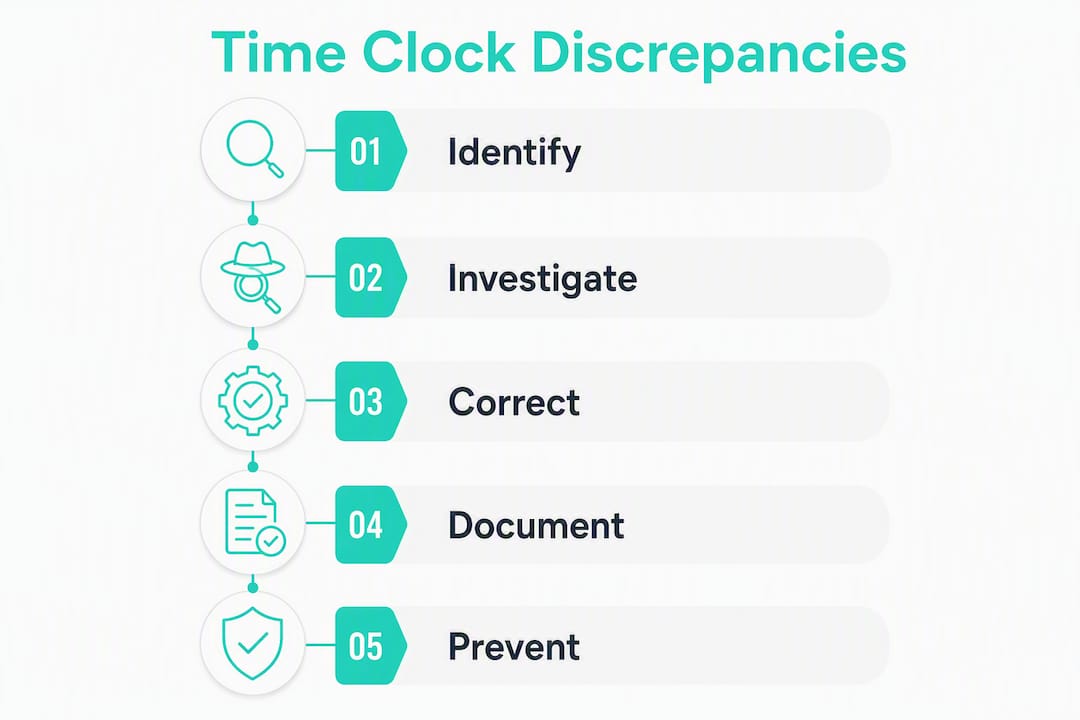
When you spot a discrepancy, work through this checklist immediately:
- Document the mismatch. Record the employee name, date, recorded time, and the claimed or expected time. Write it down before you touch anything in the system.
- Preserve the audit log. Export or screenshot the raw time clock data right now. Logs can be overwritten by system updates or manual edits.
- Check the payroll cutoff. If you are within 24 hours of processing, flag payroll to hold or mark the affected record as pending review.
- Collect corroborating evidence. Pull the shift schedule, any GPS or photo punch data, manager notes, and relevant emails.
- Classify the discrepancy. Is this a single missed punch, a pattern of edits, or something that looks intentional? That classification drives who you escalate to next.
Fast triage rules: A single missed clock-out with a matching shift schedule is a minor clocking error. Handle it with a supervisor-approved correction and move on. Multiple discrepancies on the same employee, edits clustered right before payroll closes, or punches from a location that does not match the job site all warrant escalation. Suspected fraud goes to HR leadership and, depending on severity, legal counsel. Suspected system failure goes to IT before any manual corrections are made.
A time clock discrepancy is a mismatch between what the system recorded and the hours the employee actually worked. Resolving it correctly protects both the employee’s paycheck and your compliance standing under the FLSA.

Table of Contents
- What is a time clock discrepancy, and what types will you encounter?
- Why do time clock discrepancies happen?
- How should you review and verify a time clock discrepancy?
- What are your legal obligations when resolving discrepancies?
- How do you prevent time clock discrepancies before they start?
- What red flags and metrics signal a systemic problem?
- How should you handle employee disputes and disciplinary steps?
- What should your discrepancy report form and supervisor checklist include?
- Key Takeaways
- The process change that actually moves the needle
- Kloqk gives you the tools to stop discrepancies before they reach payroll
- Useful sources and resources
What is a time clock discrepancy, and what types will you encounter?
A time clock discrepancy is a mismatch between system-recorded hours and the actual hours an employee worked. The gap can be a few minutes or several hours, and the payroll consequence ranges from a rounding adjustment to a significant back-pay liability.
HR teams encounter six main types, and each carries a different investigation priority:
| Discrepancy Type | Description | Payroll Impact | Investigation Priority |
|---|---|---|---|
| Missed punch | Employee forgot to clock in or out | Hours may be undercounted or overcounted | Medium, verify with schedule |
| Manual edit | Supervisor or admin changed a time entry | Creates an audit trail gap if undocumented | High, requires documented approval |
| Rounding error | System rounds punches to nearest increment | Cumulative underpayment risk over time | Medium, review rounding policy |
| Buddy punching | One employee clocks in for another | Employer pays for hours not worked | High, potential fraud |
| Overlapping hours | Two punches recorded for the same period | Payroll overpayment or system glitch | Medium, check device sync |
| Unauthorized overtime | Hours exceed approved schedule without authorization | Wage liability regardless of authorization | High, must pay, then address policy |
The most consequential distinction is between accidental and intentional discrepancies. A forgotten clock-out is a process problem. Buddy punching is a time fraud tactic that requires a different response entirely. Classifying correctly at the start saves you from over-investigating minor errors and under-investigating serious ones.
Unauthorized overtime deserves a specific note. Under the Fair Labor Standards Act, employers must pay for all hours worked, even when an employee worked overtime without approval. The policy violation is a separate disciplinary matter; the pay obligation is not optional.
Why do time clock discrepancies happen?
Root cause matters because the fix for a server sync failure looks nothing like the fix for a supervisor who has been quietly editing timecards. Misdiagnose the cause and you will apply the wrong corrective action.

Technical failures
Device clock drift is more common than most HR teams realize. When a time clock tablet or kiosk is not synced to a reliable time server, its internal clock can drift by minutes over weeks. That drift shows up as systematic early or late punches across an entire shift. Other technical causes include integration mismatches between the time clock and payroll software (where a data export truncates seconds and creates rounding artifacts), software bugs that duplicate a punch on reconnection after a network drop, and server-side log corruption during updates.
Discrepancy reports in timekeeping systems often flag these events directly: deleted or altered records, unexpected datapath changes, and data table recreations are all signals that something went wrong at the system level rather than the human level.
Human error
Forgotten punches are the single most common cause of a work hours review. An employee walks in through a side entrance and misses the kiosk. A supervisor manually adjusts a time entry to fix a legitimate error but does not document the reason. An employee selects the wrong job code on a multi-site project. These are process failures, not character failures, and they respond well to training and better clock placement.
Duplicate punches are a subtler human error. An employee punches in, the screen freezes, and they punch again. The system records two clock-ins, and payroll software may handle that in unexpected ways depending on how it resolves conflicts.
Intentional fraud
Buddy punching is the most common form of intentional time fraud in hourly workplaces. One employee clocks in for a coworker who has not arrived yet. Without photo verification or GPS enforcement, it is nearly impossible to detect from the time record alone.
Falsified manual edits are harder to catch because they often come from someone with system access. A supervisor who edits their own team’s records without a second approver can systematically inflate hours. The pattern usually shows up in audit data as a high edit rate from a single user ID.
Pro Tip: When you cannot immediately tell whether a discrepancy is technical or human, pull two data points before doing anything else: the device sync log (to check for clock drift or connectivity gaps) and the IP address or device ID associated with the punch. A punch from an unexpected device almost always points to a process or fraud issue rather than a technical one.
How should you review and verify a time clock discrepancy?
A repeatable workflow is what makes your corrections defensible. Ad hoc fixes create inconsistency, and inconsistency creates legal exposure.
Step 1: Triage
- Check the payroll cutoff. If processing runs in less than 24 hours, flag the record immediately and decide whether to hold it or process with a note for retroactive correction.
- Assess severity. A single missed punch affecting one employee is low severity. Multiple affected employees or a pattern across pay periods is high severity.
- Count affected records. A discrepancy touching ten employees in the same department on the same day is almost certainly a technical or policy issue, not ten individual errors.
Step 2: Preserve and pull evidence
- Export the raw audit log before any edits are made. Store it as a read-only file with a date stamp.
- Compare clock records to the shift schedule. Does the employee’s scheduled shift match what was recorded? A scheduled 9 AM start with a 9:47 AM punch is a red flag; a 9:03 AM punch is probably a normal arrival.
- Gather corroborating evidence: GPS or photo punch data, CCTV footage if available, manager shift notes, badge access records, and any relevant emails or messages.
Step 3: Contact the right people
- Notify the employee. Give them a chance to explain before you make a correction. Document their response in writing.
- Get supervisor sign-off. The direct manager should confirm or dispute the employee’s account and sign the discrepancy report.
- Loop in payroll once the correction is agreed upon, so the adjustment is processed correctly and tax withholding is recalculated if needed.
- Escalate to IT if the evidence points to a system error. Escalate to legal counsel if the evidence points to intentional fraud.
Step 4: Make the correction entry
- Record the change in your time system with a written reason code.
- Date-stamp who approved it and at what level (supervisor, HR, payroll admin).
- Calculate retro pay if the correction affects a closed pay period. Note any tax adjustments required and document them alongside the payroll reconciliation record.
A standardized discrepancy form makes steps 11-13 consistent. Every correction should be traceable back to a specific form with a case number, not just a note in the payroll system. Payroll errors from manual timesheets are far easier to correct when the original discrepancy was documented with this level of detail.
Sample discrepancy tracking table:
| Field | Example Entry |
|---|---|
| Employee name | J. Rivera |
| Date of discrepancy | March 2026 |
| Recorded time (system) | Clock-in: 9:47 AM |
| Claimed time (employee) | Clock-in: 9:00 AM |
| Evidence collected | Shift schedule, manager note, badge access log |
| Resolution action | Corrected to 9:00 AM per manager approval |
| Payroll adjustment | +0.75 hrs at $18.00/hr = $13.50 gross |
| Approved by | S. Morales, HR Manager March 15, 2026 |
What are your legal obligations when resolving discrepancies?
The FLSA sets the floor. Under 29 U.S.C. § 201 et seq., employers must pay all hours worked and maintain accurate records of hours and wages for non-exempt employees. That obligation does not disappear because a discrepancy was the employee’s fault. If the hours were worked, they must be paid.
Rounding rules
The federal rounding regulation at 29 CFR 785.48 permits rounding punch times to the nearest five minutes, one-tenth of an hour, or quarter hour, provided the policy is neutral over time. “Neutral” means the rounding must average out in the employee’s favor or break even. A rounding policy that consistently rounds down employee time is a wage theft violation, even if no single instance looks significant.
Rounding rules can create compliance risk when they systematically disadvantage employees, and several states have moved to restrict or eliminate rounding entirely. California courts have scrutinized employer rounding practices closely. Always check your state’s current rules before relying on a rounding policy as a correction shortcut.
Recordkeeping
The Department of Labor requires employers to retain payroll records for at least three years and time records (including time cards and schedules) for at least two years. In practice, keeping everything for three years is cleaner and reduces the risk of a gap during a wage claim investigation.
For discrepancy resolution specifically, retain: the original raw audit log, the signed discrepancy report, the supervisor approval, the payroll adjustment record, and any employee communication. Store these together, indexed by employee and pay period, so they are retrievable in under five minutes during an audit.
Payroll cutoff timing
When a discrepancy is discovered after a pay period closes, the correction becomes retroactive pay. Process it in the next payroll run and document the original pay period it applies to. Retro pay carries the same tax obligations as regular wages. Accurate hours matter for payroll tax reporting, and late corrections that cross a tax quarter require extra care. For a deeper look at why timing matters, accurate payroll hours have direct implications for quarterly tax filings.
This article provides general information about U.S. federal and state labor law requirements. It is not legal advice. Confirm current rules with the Department of Labor or a qualified employment attorney for your specific situation.
How do you prevent time clock discrepancies before they start?
Reactive fixes are expensive. A single retroactive pay correction takes far more time than the prevention measure that would have stopped it. The most effective prevention combines a written policy, manager accountability, and technology that makes errors hard to make in the first place.
Policy basics
Every employer should have a written timekeeping policy that covers:
- Acceptable clock-in windows (e.g., no earlier than 7 minutes before a scheduled shift)
- How employees report a missed punch (who to notify, within what timeframe)
- The rounding method in use and how it is applied
- The overtime authorization process and who can approve it
- Consequences for falsifying time records
Employees should sign an acknowledgement when hired and again when the policy changes. That signature is your first line of defense in a dispute.
Manager responsibilities
Managers are the most important control in your timekeeping process. Before every payroll close, each manager should review their team’s timecards, flag any anomalies, and approve or correct records. A manager who rubber-stamps timecards without reviewing them is not a control at all.
Train managers to recognize the red flags covered in the next section. A manager who knows what edit clustering looks like is far more likely to catch a problem before it becomes a payroll liability. The manager’s guide to miscalculated hours is a practical starting point for that training.
Technical controls
The right time-clock setup removes entire categories of discrepancies:
- Photo verification at clock-in eliminates buddy punching. The system captures a photo with each punch, and a supervisor can verify identity during the review.
- GPS geofencing restricts clock-ins to a defined radius around the job site. An employee cannot punch in from a parking lot three blocks away. Job-site clock-in controls like geofencing materially reduce disputes for hourly teams working across multiple locations.
- Automatic audit logs record every punch, edit, and approval with a timestamp and user ID. There is no ambiguity about who changed what and when.
- Payroll integrations eliminate the manual export-and-rekey step where transcription errors are introduced. When the time system feeds directly into payroll software, the data is the same in both places.
- Supervisor approval workflows require a second set of eyes on every correction before it reaches payroll.
For remote and field teams, remote employee time tracking with photo and GPS verification closes the gap that traditional kiosk-only setups leave open.
Pro Tip: When implementing a new time-clock system, run a configuration checklist before going live: verify time zone settings match your locations, confirm daylight saving time rules are enabled, set device sync frequency to no longer than every 15 minutes, and test the payroll export against a manual timesheet for at least one full pay period. Catching a time zone misconfiguration before launch is far easier than auditing three months of drifted punches afterward.
What red flags and metrics signal a systemic problem?
Individual discrepancies are normal. Patterns are not. The difference between a one-off error and a systemic problem usually shows up in three places: edit rates, timing clusters, and variance between scheduled and worked hours.
Red flags to watch
- A single supervisor accounts for a disproportionate share of manual edits across their team’s records
- Discrepancies cluster in the two days before payroll closes, suggesting employees or managers know the review window
- Missed punches spike on the same shift or at the same clock device repeatedly
- Worked hours consistently exceed scheduled hours for a specific employee or team without overtime authorization
- Punches originate from device IDs or IP addresses that do not match the assigned work location
When audit data shows edit clustering by a single user, the first step is reviewing that user’s permissions and training history, not jumping to discipline. Often the root cause is a configuration gap or a process the supervisor was never trained on.
Metrics to monitor each pay period
Track these three numbers consistently. They give you an early warning system without requiring a full audit every cycle:
- Edit rate per pay period: the share of time entries manually changed after the initial punch. A high rate in a given department warrants a closer look.
- Manual entry percentage: the share of total hours entered manually rather than via clock punch. High manual entry rates correlate directly with higher discrepancy rates.
- Schedule variance: the difference between total scheduled hours and total worked hours. A consistent positive variance (worked exceeds scheduled) without corresponding overtime approvals is a red flag.
Discrepancy analysis methods used in other fields to detect systematic differences translate directly to time-record auditing: tracking edit rates and clustering by user ID surfaces intentional fraud patterns that random spot checks miss.
When to run a focused audit
Schedule a targeted time entry audit when: a metric crosses its threshold for two consecutive pay periods, an employee files a wage complaint, you onboard a new time-clock system, or a manager leaves and their team’s records need a clean handoff review. An HR time management audit gives you a structured checklist for scoping and executing that review.
Use audit findings to drive one of three fixes: a policy update, manager retraining, or a technical configuration change. Audits that produce a report but no action item are a waste of everyone’s time.
How should you handle employee disputes and disciplinary steps?
A fair, consistent dispute process protects both the employee and the company. Inconsistency is where legal risk lives: if you handle two similar disputes differently, the employee who received the harsher outcome has a legitimate grievance.
- Receive the claim in writing. Ask the employee to submit their dispute in writing, describing the discrepancy, the dates involved, and any evidence they have. This creates a record and forces specificity.
- Acknowledge receipt within one business day. Tell the employee when they can expect a response and who is handling the review.
- Conduct fact-finding. Pull the audit log, compare it to the shift schedule, and review all corroborating evidence. Interview the direct supervisor separately from the employee.
- Apply the right evidentiary standard. When using secondary evidence like supervisor memory or CCTV footage, document the methodology and its limitations. No single piece of secondary evidence should be treated as conclusive on its own.
- Determine interim payroll treatment. If the dispute involves unpaid hours and the facts are unclear, consider paying the disputed amount provisionally while the investigation continues. Withholding wages during an investigation creates additional legal exposure.
- Issue a written decision. Document the finding, the evidence relied upon, and the outcome. Both the employee and their manager should sign the outcome notice.
- Process any payroll correction in the next available payroll run, with documentation tied to the case number.
Progressive discipline vs. immediate action
Use intent, frequency, and magnitude as your three decision factors. A first-time missed punch with no pattern is a coaching conversation, not a written warning. Repeated falsification of time records, or a single instance of buddy punching confirmed by photo evidence, justifies a formal written warning or termination depending on your policy.
When fraud is confirmed, involve legal counsel before taking disciplinary action. A false timesheet submission can constitute criminal fraud in serious cases, and your documentation needs to be airtight before you act. Witness statements, system logs, and signed outcome notices are the minimum documentation standard for any investigation that could lead to termination.
What should your discrepancy report form and supervisor checklist include?
A standardized form is what separates a defensible correction from a note in the margin of a spreadsheet. Every discrepancy should generate a form, and every form should be stored where it can be retrieved in an audit.
Discrepancy report form fields
A complete discrepancy report should capture:
- Employee name and ID
- Date and shift of the discrepancy
- Recorded time (exactly as the system shows it)
- Claimed or corrected time (what the employee or manager says it should be)
- Type of discrepancy (missed punch, manual edit, rounding issue, etc.)
- Evidence list (attach or reference: schedule, audit log export, GPS data, photos, emails)
- Submitted by (name, title, date)
- Reviewed and approved by (supervisor name, signature, date)
- Resolution action (correction applied, no change, escalated)
- Payroll adjustment amount (if applicable, with the pay period it applies to)
- Case number (for indexing and cross-referencing)
A standardized discrepancy form that captures these fields, combined with mandatory manager sign-off, reduces correction time and makes audit responses straightforward.
Supervisor verification checklist
Before approving any correction, the supervisor should confirm:
- Shift schedule reviewed and matches claimed time
- Raw audit log exported and attached
- Employee statement collected in writing
- Supporting evidence reviewed (GPS, photo, badge access, CCTV if applicable)
- No pattern of similar discrepancies for this employee in the last 90 days
- Correction amount calculated and verified
- Payroll notified if the correction affects the current pay period
For part-time or irregular schedules, the verification step requires extra care because the “expected” hours are less obvious. Tracking part-time worker hours accurately is a prerequisite for any meaningful discrepancy review on those records.
Where to store completed forms
Store completed discrepancy reports in your HRIS under the employee’s record, tagged by pay period and case number. If your HRIS does not support document attachments, a payroll ticketing system or a shared drive with a consistent folder structure (organized by year, then pay period, then employee ID) works well. The key requirement is retrieval speed: you should be able to pull any case within five minutes during a DOL audit or wage claim investigation.
If you are dealing with a backlog of unresolved corrections, catch-up bookkeeping practices offer a structured approach to working through accumulated payroll adjustments without missing tax deadlines.
Key Takeaways
Resolving time clock discrepancies correctly requires preserving raw audit logs immediately, following a documented correction workflow, and applying consistent policy so every adjustment is legally defensible.
| Point | Details |
|---|---|
| Preserve logs first | Export raw audit data before any edits are made; immutable logs are your primary evidence in any dispute. |
| FLSA compliance is non-negotiable | All hours worked must be paid regardless of authorization; rounding policies must be neutral over time or they create wage liability. |
| Standardize the correction form | Every discrepancy needs a signed, dated form with evidence attached; ad hoc corrections cannot survive a DOL audit. |
| Monitor three metrics per pay period | Edit rate, manual entry percentage, and schedule variance catch systemic problems before they become payroll liabilities. |
| Kloqk prevents discrepancies at the source | Photo verification, GPS geofencing, and automatic audit logs eliminate the most common causes before they reach payroll. |
The process change that actually moves the needle
Most payroll dispute volume does not come from bad actors. It comes from a process gap: no one reviewed the timecards before payroll ran. When organizations add a mandatory supervisor pre-payroll review, the number of corrections that require HR involvement drops sharply. The disputes that remain are almost always the ones worth investigating closely.
The single operational change that makes the biggest difference is requiring supervisor sign-off on every timecard before the payroll cutoff, not after. After-the-fact corrections are more expensive, more disruptive, and harder to document cleanly. A supervisor who reviews and approves timecards 48 hours before processing catches the missed punches, the rounding anomalies, and the suspicious edits while there is still time to fix them without retroactive pay calculations.
Photo verification at clock-in is the second change that consistently reduces dispute volume for hourly teams. When every punch has a timestamped photo attached, buddy punching disputes resolve in minutes rather than days. The evidence is either there or it is not.
Kloqk gives you the tools to stop discrepancies before they reach payroll
Time clock discrepancies cost you more than the disputed wages. They cost you the hours HR spends investigating, the payroll corrections that require tax adjustments, and the trust that erodes when employees feel their time is not being tracked fairly.

Kloqk’s free time tracking software gives small businesses the prevention controls that used to require expensive enterprise platforms: photo verification on every clock-in, GPS geofencing that restricts punches to the job site, automatic audit logs that capture every edit with a timestamp and user ID, and payroll-ready exports that eliminate the manual rekey step. Supervisor approval workflows are built in, so corrections go through the right channel before they hit payroll. The core features are free. Sign up at Kloqk and run your first payroll period with a time record you can actually defend.
Useful sources and resources
Federal law and regulatory guidance:
- 29 CFR 785.48: Use of time clocks, the federal rounding rule and its neutrality requirement
- 29 U.S.C. § 201 et seq., the Fair Labor Standards Act, the foundation of U.S. wage and hour law
- U.S. Department of Justice: false timesheet case, illustrates the legal stakes of falsified time records
Kloqk resources:
- How employee hours get miscalculated: a manager’s guide
- Payroll errors from manual timesheets: fix them now
- HR time management audit: a 2026 guide for HR teams
- Common time fraud tactics hourly workers use
- Why job-site clock-ins prevent disputes at work
Partner resources:
- Payroll reconciliation: a complete guide for finance teams, covers correction timelines and back-pay handling
- Catch-up bookkeeping best practices, useful when a backlog of corrections needs to be cleared before a tax deadline
Recommended
Sources
Every figure on this page traces to one of these. Primary law and government sources are listed first.
Written by
Marcus ReyesPayroll & Timekeeping Specialist
Marcus covers payroll accuracy, timesheets, and time tracking, the unglamorous mechanics that keep paychecks correct and audits painless.
Keep Reading
Track Hours the Easy Way
Kloqk is a free time clock that handles punches, breaks, overtime, and payroll-ready reports.
Start free