Training Time Pay Rules: When You Must Pay Employees

If you employ hourly (nonexempt) workers, you almost always have to pay them for training. The Fair Labor Standards Act (FLSA), the federal wage and hour law, lets you skip pay only when all four of its conditions are met at once. Most real-world training fails at least one, so the safe default is to treat it as paid work and capture every minute on a timesheet. That is what Kloqk’s free time clock is built to do: turn clock-ins, including training shifts, into payroll-ready hours.
TL;DR
- Training is paid time for nonexempt employees unless it is outside regular hours, truly voluntary, not related to the job, and involves no productive work. Miss one test and you owe pay.
- Required orientation, onboarding and safety training for the current job are always paid. “Voluntary” does not count if workers believe skipping it could hurt them.
- Paid training hours count toward the 40-hour overtime threshold, and the pay must be at least the federal minimum wage of $7.25 an hour.
- States can add to the federal floor, so check your state labor department before setting a training wage.
- Keep training hours in the same time records as every other shift. Payroll records must be kept at least three years.
Table of Contents
- Do you have to pay for training?
- The four-part FLSA test
- Quick reference: common training scenarios
- Outside courses and tuition help
- Online and self-paced training
- How paid training affects overtime
- Can you pay a lower rate during training?
- State rules can go further than federal law
- Recording training time correctly
- Why short, unrecorded training is a real risk
- Where Kloqk fits
- Our perspective
- FAQ
- Sources
Do you have to pay for training?
Generally, yes. The U.S. Department of Labor says time spent in training normally must be paid, and covered nonexempt employees must receive at least the federal minimum wage of $7.25 per hour for all hours worked. This applies to new-hire orientation, safety courses, software walkthroughs, shadow shifts and mandatory refresher sessions.
Two terms matter here:
- Nonexempt employees are those entitled to minimum wage and overtime. Most hourly workers in restaurants, retail, construction, clinics and salons fall into this group.
- Hours worked is the time an employee is on duty or is allowed to work. Training that meets the test for work time goes on the timesheet like any other shift.
Salaried exempt employees are a different case, because their pay does not depend on hours. This article is about your hourly team.
The four-part FLSA test
The DOL’s Fact Sheet #22 says lectures, meetings, training programs and similar activities need not be counted as work time only when all four of these are true:
- Attendance is outside the employee’s normal working hours.
- Attendance is voluntary.
- The training is not directly related to the employee’s job.
- The employee does no productive work while attending.
The test is conjunctive: every box must be checked. If a single condition fails, the time is generally compensable. Here is how each one plays out in practice.
Outside regular hours
Training that happens during the scheduled shift is paid, full stop. A DOL opinion letter from 2020 makes the point that job-related training during regular work hours is compensable. Moving it to a Saturday morning or an evening does not fix the problem if the other conditions fail.
Truly voluntary
This is where most employers go wrong. Under 29 C.F.R. § 785.28, attendance is not voluntary when you require it, or when employees are led to believe that skipping it could hurt their working conditions or their job. A “strongly encouraged” session that managers track, or that affects who gets the good shifts, is not voluntary.
Not related to the current job
Under 29 C.F.R. § 785.29, training is directly related to the job when it is designed to help the employee do the current job more effectively. Training for a different job or a step up to a higher skill level can be treated differently, but only if it is also genuinely voluntary and outside regular hours.
A server who signs up on their own time for a bartending course aimed at a future role is one example. A server required to learn the new point-of-sale system is not.
No productive work
If the employee does any of the employer’s work during the session, such as answering calls, prepping food or stocking shelves, the time is paid. The same goes for “work not requested but allowed”: the DOL’s suffered-or-permitted principle means work you know about and allow must be paid.
Quick reference: common training scenarios
| Scenario | Paid? | Why |
|---|---|---|
| New-hire orientation during the first week | Yes | Required and related to the job |
| Mandatory safety or harassment training | Yes | Required, job related |
| Required training on a Sunday, outside the schedule | Yes | Not voluntary, so the four-part test fails |
| Shadow shift with a senior employee | Yes | Productive work or job-related learning |
| Online module completed at home that you assigned | Yes | Required and job related, wherever it is done |
| Optional class for a different career path, taken after hours with no pressure | Generally no | All four conditions are met |
| Evening course at an independent college chosen by the employee | Generally no | See the next section |
Outside courses and tuition help
The DOL’s eLaws advisor states that voluntary, after-hours attendance at an independent school, college or trade school is not hours worked, even when the course relates to the employee’s current position or the employer pays for it. If you reimburse tuition for an employee who enrolls on their own, that alone does not turn class time into paid time.
The moment you require the course, schedule it, or tie it to keeping the job, the voluntary condition fails and the time is paid.
Online and self-paced training
Remote modules are the most overlooked source of unpaid time. If an employee must complete a certification before a deadline, and does it from a phone at home, that time is work. Employers who want to avoid disputes have two sound options:
- Schedule the module during a paid shift, with a clear start and stop.
- Let the employee clock in for the session and record the time on the same timesheet as the rest of the week.
The second option is where mobile punching helps. Kloqk’s free plan includes mobile and kiosk clock-ins, so a cashier can clock in to a training session from a phone in the same way they clock in to a shift, and the minutes land on the timesheet automatically.
How paid training affects overtime
Training hours are hours worked, so they count toward overtime. The DOL’s employer guidance states that nonexempt employees generally must receive overtime of at least one and one-half times the regular rate after 40 hours in a seven-day workweek.
A worked example: a line cook works 36 hours of regular shifts and attends a required two-hour food safety class on Thursday evening, then covers a four-hour prep shift on Friday. That is 42 hours. Two of them are overtime and must be paid at one and a half times the regular rate, even though the class was “extra.” Leave the class off the timesheet and you have underpaid overtime, which is the kind of shortfall a wage claim is built on.

The DOL’s Handy Reference Guide adds that hours worked generally run from the first principal activity of the day through the last, including any extra time you allow employees to work. If you want a quick check on the math, the overtime pay calculator and the step-by-step overtime guide walk through time-and-a-half.
Can you pay a lower rate during training?
Sometimes, but not below the legal minimum, and the arithmetic gets more involved. The Texas Workforce Commission explains that a written wage agreement may use a lower rate for compensable training or other nonproductive time. The rate must still be at least minimum wage, the time must be accurately recorded, and overtime must be calculated using the weighted-average method when more than one rate applies in the same week.
In plain terms: if an employee earns $18 for regular work and $14 for training hours, you cannot simply multiply 40+ hours by one of those rates. You total all earnings for the week, divide by total hours to get a blended regular rate, then pay the half-time premium on the overtime hours. Doing that by hand every week is where small errors creep in, which is one reason to keep training time clearly labeled in your time records.
A few states also have formal training wages. Virginia, for example, reinstated a training-wage regulation effective March 13, 2024. Eligible trainees in established on-the-job programs may be paid the greater of the federal minimum wage or 75% of Virginia’s minimum wage for up to 90 days, subject to eligibility and program conditions. It is a narrow program, not a general license to pay less during onboarding.

State rules can go further than federal law
The FLSA is a floor. When a state’s rule is more protective, the employer follows the stricter one. Examples from state labor agencies:
- Texas. The Texas Workforce Commission states that new-employee orientation and on-the-job training are compensable work time, while genuinely voluntary after-hours training for another line of work or a promotion generally is not.
- Vermont. The state labor department’s guidance says training must be paid unless all four federal conditions are met, and it requires employers to keep true and accurate records of hours and wages for two years.
- California. The state’s Division of Labor Standards Enforcement has said that Labor Code § 2802 may require reimbursement of training costs when an employer requires training or licensing as a condition of employment, rather than the requirement arising from state or local law. Employers should treat paid time and cost reimbursement as two separate questions.
Because rules differ by state, and sometimes by city, check your state labor department’s website for the version that applies to your location. If you have locations in several states, each one needs its own check. Kloqk’s overtime tracking with break rules by state is designed to apply the right rules to each location’s timesheets.
Recording training time correctly
Paying for training is half the job. The other half is proving you did. Under 29 C.F.R. § 516.2, employers must record hours worked each workday and total hours each workweek, the regular hourly rate when overtime is due, straight-time earnings, the overtime premium, additions to and deductions from wages, total wages paid and the dates of payment.
Under 29 C.F.R. § 516.5, payroll records must be kept at least three years, and the rule does not require a particular format. The DOL’s Handy Reference Guide also notes that time clocks are not mandatory, but you must keep the required wage and hour information. Our own guide to timesheet retention requirements covers how long to keep each type of record.
A simple routine keeps training time clean:
- Decide the status before the session. Is it required? Is it during or after hours? Write the answer down. If any of the four conditions fails, it is paid.
- Give each session a start and end. Employees clock in and out for training exactly as for a shift, rather than someone estimating later.
- Label the time. A separate note or category makes it easy to see training hours in a payroll export, and to apply a different training rate where a written agreement allows one.
- Run the week’s totals before payroll. Add training hours to regular hours, check the 40-hour line, and calculate overtime on the combined total.
- Fix mistakes quickly. If an employee reports an unpaid session, correct it in the next pay run. Our payroll error correction guide shows how.
The common mistakes are small: rounding a 55-minute webinar down to nothing, forgetting a 20-minute pre-shift safety huddle, or letting a new hire “trail” a coworker for two unrecorded days. Those small gaps add up across a team and a year. If you also set up a punch grace period, see how time clock grace periods can create wage claims when they are applied unevenly.
Why short, unrecorded training is a real risk
For most small businesses the exposure is not one big policy failure but many little ones. Missed orientation hours, unrecorded huddles and uncounted online modules all look minor in a single week. Wage claims, however, are calculated across every affected week and every affected employee, and the lack of a clean record usually works against the employer. That is the practical case for tracking training the way you track everything else. For a wider look at why precise hours matter, see why accurate hours matter for payroll.
Where Kloqk fits
Kloqk is time clock software for small businesses that need payroll-ready hours without paying for the basics. The free plan includes payroll-ready timesheets, overtime and break calculations, photo verification for clock-ins, mobile and kiosk punching, team management dashboards and payroll exports, for unlimited employees. That means a training session can be logged with the same punch as any other shift, flow into the weekly total, and show up in the overtime calculation without a separate spreadsheet.
If you run a restaurant, retail shop, clinic, salon or job site, you can start with Kloqk’s free time clock software. Optional paid upgrades add scheduling, PTO and hiring tools, and plans are listed on the pricing page: Pro is $29 per month per location and Premium is $59 per month per location.
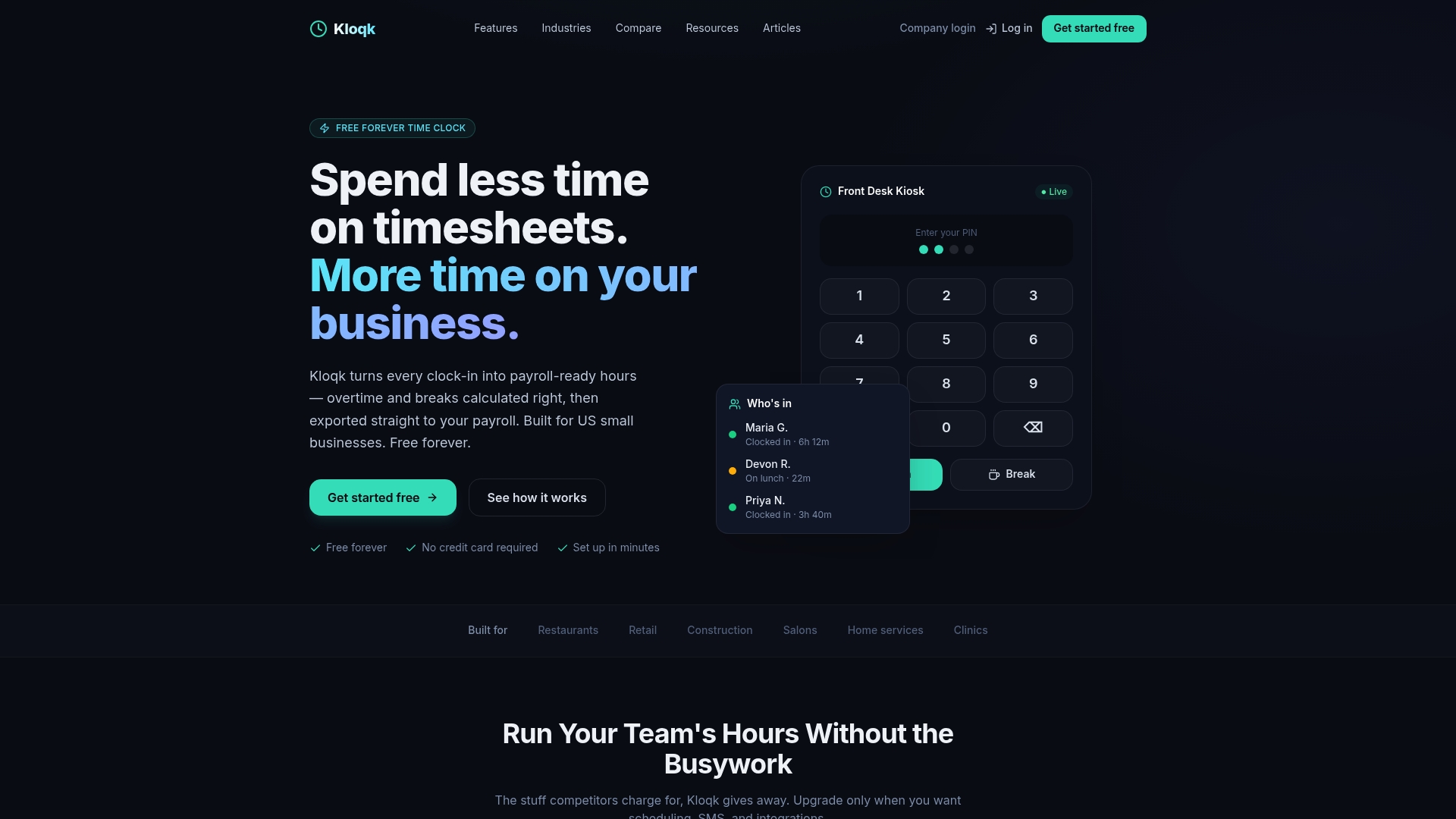
Franchise owners who want a shared device at the counter can use kiosk punching, while owners with crews in the field can use mobile clock-ins. Photo verification helps confirm who is clocking in to a session, and the GPS time clock adds geofencing for off-site work.
Our perspective
Most training-pay problems we hear about are not about bad intentions. A manager runs a fifteen-minute huddle before opening, a new hire does a module on the couch, and nobody writes it down. By the time it matters, the only record is a memory.
We built Kloqk around a simple idea: accurate time should not be a premium feature. Overtime and break calculations, photo verification and payroll exports are part of the free plan, because the owners who most need clean records are often the ones with the smallest margins. If training is work, it belongs on the same timesheet as every other hour, and getting it there should take one tap.
Our advice is to treat the default as paid. Decide up front, clock it, and let the overtime math run on the full week. You spend less time defending your records, and your team sees that every minute counts.
Saad
FAQ
Do you have to pay for training under the FLSA?
Yes, for nonexempt employees, unless the training meets all four conditions: outside normal hours, voluntary, not job related and no productive work. Required training, or training that helps with the current job, is paid. Failing any one condition makes the time compensable.
Is mandatory training outside work hours paid?
Yes. The time of day does not decide it. Under the DOL’s rules, attendance is not voluntary when you require it or when employees are led to believe skipping it could affect their job, so the four-part test fails and the hours are paid, including toward overtime.
Can I pay new hires less during training?
In some cases, if there is a written wage agreement, the rate is at least the legal minimum, the time is accurately recorded and overtime is calculated with the weighted-average method. Some states have formal training-wage programs with their own limits, so check your state labor department first.
Do paid training hours count toward overtime?
Yes. Compensable training is hours worked, so it counts toward the 40-hour workweek. Any hours above 40 in a seven-day workweek are paid at one and one-half times the regular rate.
How long do I keep training time records?
Federal rules require payroll records to be preserved for at least three years, and some states set their own periods. Training hours should be stored in the same time records as regular shifts.
Sources
- DOL Fact Sheet #22: Hours Worked Under the FLSA
- Pay for All Hours Worked, employer.gov
- WHD Opinion Letter FLSA2020-15
- 29 CFR Part 785 Subpart C: Lectures, Meetings and Training Programs
- DOL eLaws FLSA Hours Worked Advisor
- Handy Reference Guide to the FLSA
- 29 CFR Part 516: Records to Be Kept by Employers
- Texas Workforce Commission: Time Spent in Meetings and Training Programs
- Vermont Department of Labor: Wage and Hour
- Virginia DOLI: Reinstatement of the Training Wage
- California DLSE opinion letter on cost of training
Recommended
Sources
Every figure on this page traces to one of these. Primary law and government sources are listed first.
- 1. U.S. Department of Laborprimary
- 2. Electronic Code of Federal Regulationsprimary
- 3. U.S. Department of Laborprimary
- 4. California Department of Industrial Relationsprimary
- 5. employer.gov
- 6. efte.twc.texas.gov
- 7. doli.virginia.gov
- 8. labor.vermont.gov
Written by
Dana WhitfieldHR Compliance Lead
Dana writes about wage-and-hour law, FLSA overtime, and leave compliance for U.S. small businesses, translating dense regulations into plain steps owners can act on.
Keep Reading
Track Hours the Easy Way
Kloqk is a free time clock that handles punches, breaks, overtime, and payroll-ready reports.
Start free