Is It Legal to Edit Timesheets? What Employers Can Change

Yes, an employer can legally edit a timesheet, but only to make it match the hours the employee actually worked. Under the Fair Labor Standards Act (FLSA), the federal wage and hour law, the employer carries ultimate responsibility for time records, so fixing a missed punch is fine. Cutting hours to dodge overtime is not, even if the employee agrees. The safest way to stay on the right side of that line is to capture accurate punches in the first place, so edits stay rare and easy to justify.
TL;DR
- Editing a timesheet is legal when the change makes the record more accurate: a missed punch, a double punch, a documented absence.
- It is illegal when the edit shows fewer hours than were worked, for example turning 48 hours into 40 to avoid overtime. Employee consent does not fix that.
- The FLSA does not spell out a notice requirement, but telling the employee about every change heads off wage disputes.
- Some states, such as California and New Jersey, add stricter overtime and recordkeeping rules on top of federal law.
- Fewer edits means less risk: verified punches with automatic overtime and break calculations keep records clean from the start.
Table of Contents
- The test is accuracy, not permission
- Edits that are generally lawful
- Edits that become illegal timecard manipulation
- Why overtime is where most edits go wrong
- Do you have to tell the employee about an edit?
- State rules can be stricter than federal law
- Records you must keep
- What an unlawful edit can cost
- A clean process for legitimate corrections
- Our view: edits should be the exception
- Put accurate hours on autopilot
- FAQ
- Sources
The test is accuracy, not permission
Many owners ask whether they need the employee’s okay before changing a time card. That is the wrong question. The law asks whether the final record reflects the time actually worked and the wages actually earned.
Because the FLSA puts recordkeeping on the employer, managers may change time records, but the record must reflect time actually worked. SHRM’s example is blunt: an employer may not change a record from 48 hours to 40 to avoid overtime, even when the employee consents. A signed note from the worker does not turn an inaccurate record into a lawful one.
The flip side matters too. The Department of Labor (DOL) says any timekeeping method is acceptable, whether a time clock or employee self-tracking, as long as it is complete and accurate. Accuracy is the standard everywhere in this topic.

Edits that are generally lawful
These corrections bring the record closer to what happened:
- A forgotten or missed punch. An employee worked 8:00 to 4:30 but never clocked in. You add the start time based on what you know.
- An accidental double punch. Two clock-ins a minute apart are one shift, so you remove the duplicate.
- A system failure. The clock was down and the employee started on time.
- A documented absence or paid leave. SHRM lists forgotten start times, missed punches and paid sick days as appropriate reasons to correct a record.
- A coworker punching the wrong card. Employment law guidance says employers should tell the employee when a manual adjustment is made, such as in this case.
In each case there is a real event behind the change, and you can point to it. If you cannot explain an edit in one sentence tied to something that happened, do not make it.
Edits that become illegal timecard manipulation
The pattern in the illegal cases is always the same: the edit reduces paid time below what was worked. Common examples:
- Trimming overtime. Employment law guidance gives the example of deducting 5 hours from a 45-hour week to avoid overtime, which violates federal and state law.
- Rounding every clock-out to the scheduled end time. One employment law firm explains that regularly changing clock-out times to the schedule can violate wage and hour law when people actually stayed later.
- Auto-deducting a meal break nobody took. The same source notes that deducting a meal break the employee actually worked can be a violation.
- Cutting pay as punishment. Removing hours as discipline, without documentation, is a wage problem, not a disciplinary tool.
- Forcing off-the-clock work. Editing out time after the fact, or telling people to finish tasks after punching out, leaves unpaid hours that still count as hours worked.
| Situation | Usually lawful? | Why |
|---|---|---|
| Add a missed clock-in using the employee’s confirmed start time | Yes | Record gets closer to actual hours |
| Delete a duplicate punch | Yes | Removes a data error |
| Change 48 hours to 40 with the employee’s consent | No | Hides overtime; consent is no defense |
| Set every clock-out to 5:00 p.m. when people work later | No | Erases time actually worked |
| Deduct a 30-minute break the employee worked through | No | Work during a break is paid time |
| Fix hours after a payroll mistake and tell the employee | Yes, if hours match | Correction reflects actual work |
Why overtime is where most edits go wrong
For covered, nonexempt employees, the FLSA requires overtime of at least one and one-half times the regular rate after 40 hours in a workweek. Where state and federal overtime laws both apply, the employee gets whichever standard is higher.
That is why edits that touch the 40-hour mark draw so much scrutiny. A worker at $20 an hour who logs 45 hours is owed 40 hours at $20 plus 5 hours at $30, or $950. Edit the week down to 40 hours and you owe $800: a $150 gap for one person in one week. Repeated across a team and a year, that gap is the kind of pattern investigators look for. For the full math, see our step-by-step overtime calculation guide and the free overtime calculator.

If you are unsure how federal overtime works, our guide to FLSA overtime rules covers who is exempt and who is not.
Do you have to tell the employee about an edit?
Federally, not explicitly. One Ohio employment firm notes that the FLSA does not specifically require notice of changes, but employers who fail to notify workers risk wage disputes and legal exposure.
In practice, tell people. A short message works: what changed, why, and the corrected total. It gives the employee a chance to flag a mistake before it reaches payroll, and it gives you a record that the edit was made in good faith. Silent edits are the ones that turn into complaints.
A separate point often gets mixed up with this one: scheduling. The DOL notes that the FLSA has no scheduling provisions (apart from child labor rules), so an employer may change work hours going forward without prior notice unless an agreement says otherwise. That covers future shifts. It never covers changing the record of hours already worked.
State rules can be stricter than federal law
Federal law is the floor. Your state may raise it, and the higher standard wins.
- California. Employers must pay for work they suffer or permit, meaning work they knew or should have known about. Overtime is 1.5 times the regular rate for hours over 8 up to 12 in a workday, with double time beyond that. See our California overtime guide.
- New Jersey. Overtime is time-and-a-half after 40 hours in a workweek, and an employee cannot waive overtime by agreeing to straight time. The state also allows a six-year window for wage complaints.
- Oregon. Unless an exemption applies, workers must receive at least 1.5 times the regular rate for hours over 40 each workweek. See Oregon overtime laws.
- North Carolina. The state does not require time clocks, but it does require accurate records of daily and weekly hours. Rounding is allowed only if it is consistent, up and down, and overtime must be paid even when it was unauthorized.
That last point catches many owners. Unauthorized overtime is still overtime. You can discipline a worker for breaking a rule, but you cannot edit the hours away. Other states have their own rules, so check the overtime laws by state before you decide how to handle a correction.
Records you must keep
The DOL says employers must keep records of all hours worked and wages paid, wherever the work happens, and must note actual hours when a worker deviates from a fixed schedule. Payroll records should be kept at least three years, and wage calculation records such as time cards and schedules for two years.
The practical lesson: keep the original punch alongside any correction. If an investigator asks why a shift changed, you want the original entry, the corrected entry and the reason. Our guide to FLSA recordkeeping requirements lists what to retain.
What an unlawful edit can cost
The downside is real money. SHRM notes that employers found liable may owe back pay, attorney fees, and civil or criminal penalties, and that the FLSA can reach individuals acting in the employer’s interest, not only the company.
A federal appeals court case shows the scale. After investigators found unpaid pre-shift and travel time, the Fifth Circuit held a construction employer liable to 53 employees for $121,687.37 in back wages and the same amount in liquidated damages, plus additional penalties. Liquidated damages doubled the bill. When records are inaccurate, courts can adopt the government’s calculations against the employer.
Employees can complain to the DOL for free, and the agency says such discussions are confidential. If you are already facing a complaint or a claim, talk to an employment attorney in your state before you change anything else in the records.
A clean process for legitimate corrections
Use the same steps every time, so nobody can say an edit was arbitrary.
- Start from the original punch. Never overwrite it silently. Where it goes wrong: managers fix the number and lose the evidence of what the employee entered. Kloqk records clock-ins with optional photo verification, so you have something to point to when a punch is disputed.
- Confirm the facts. Ask the employee when they really started or finished. Do not rely on the schedule, because the DOL requires actual hours when someone deviates from it.
- Make only the change the facts support. Add the missed punch or remove the duplicate. Do not round, trim or deduct breaks on assumption.
- Recalculate overtime and breaks. An edit near 40 hours can move a week into overtime. Kloqk’s free plan includes overtime and break calculations built around federal and state labor rules, so the totals update when a record changes.
- Tell the employee. Send the before, after and reason.
- Export to payroll and retain the records. Kloqk produces payroll-ready timesheets and payroll exports, which keeps corrected hours flowing straight to your payroll without retyping.
The best correction is the one you never have to make. GPS geofencing, which ties punches to a job site, and photo capture at clock-in cut down on buddy punching and wrong-card entries, the very errors that trigger most edits. See how photo capture at clock-in works, or read our guide on how to track employee hours.
Our view: edits should be the exception
Most illegal timesheet edits we hear about are not villainy. They are small business owners cleaning up messy data at the end of a pay period, guessing at a start time or rounding to the schedule because the original punches were unreliable.
The fix is upstream. When the time clock captures who punched, when and where, overtime and breaks are calculated by rule instead of by guesswork, and the hours flow to payroll untouched, there is very little left to “edit.” That is why we built Kloqk so that the core time clock is free: overtime and break calculations, photo verification and payroll exports, with up to 10 people.
Compliance should not be a paid add-on for a ten-person restaurant or a construction crew. The owners with the cleanest records are the ones who stopped patching them.
Saad
Put accurate hours on autopilot
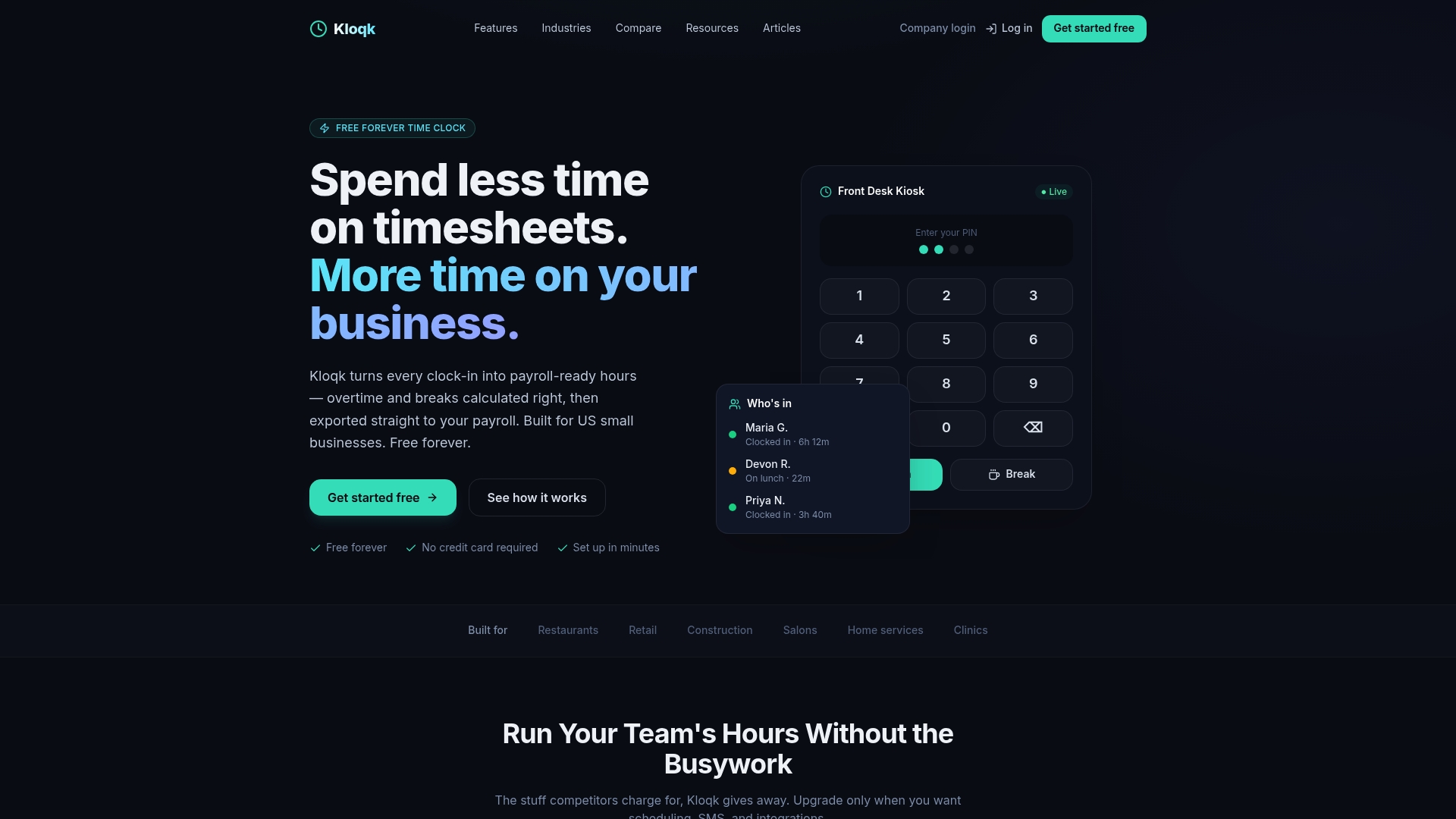
If your timesheets get corrected every pay period, the problem is usually how the punches are captured. Kloqk’s free time clock for small business turns clock-ins into payroll-ready hours, with overtime and break calculations, photo verification and payroll exports included. Teams can punch from a phone or a kiosk. Optional paid plans add more: Pro is $37 a month for your first 10 people, then $3.75 a person ($29 and $3 billed yearly) and Premium is $74 a month for your first 10 people, then $6.25 a person ($59 and $5 billed yearly), with details on the pricing page.
For overtime-heavy trades, see our overtime tracking software with break rules by state.
FAQ
Can my manager change my timesheet?
Yes, but only to make it accurate. A manager may fix a missed punch or a duplicate entry, yet may not show fewer hours than you worked. If you think hours were cut, keep your own record of start and end times and compare it with your pay stub.
Is timecard manipulation illegal?
Yes, when it reduces pay owed. Altering records to avoid overtime, erase worked time or deduct breaks that were not taken can violate the FLSA and state law. Employee consent does not make it legal.
Can an employer edit time cards to remove a lunch break?
Only if the employee actually took an uninterrupted break. If the person worked through it, that time is paid. Some states add meal and rest break rules, so check yours, and see our explainer on rest breaks.
What can an employee do about an unlawful edit?
Gather pay stubs and personal hour records, then contact the DOL’s Wage and Hour Division or your state labor agency. Complaints are free, and the DOL says it keeps them confidential. A state wage and hour attorney can explain deadlines, which vary by state: New Jersey, for example, allows six years for wage complaints.
Do I need a time clock to keep legal records?
Not necessarily. The DOL accepts any complete and accurate method. A digital time clock simply makes accuracy easier to prove and cuts down on the corrections you have to make.
Sources
- Can managers change employee timesheets? (SHRM)
- Questions and Answers About the Fair Labor Standards Act (U.S. Department of Labor)
- Recordkeeping (U.S. Department of Labor)
- Can My Supervisor Change Hours Recorded On A Timecard? (Employment Law Help)
- Timesheet Edits by Employer Can Cut Your Pay (Moore & Associates)
- Can Bosses Change Timecards Secretly? (Coffman Law)
- Overtime (California Department of Industrial Relations)
- Wage and Hour Compliance FAQs (New Jersey Department of Labor)
- Paid time (Oregon BOLI)
- Recording Time and Rounding of Hours Worked (North Carolina Department of Labor)
- Fifth Circuit opinion 19-51119 (U.S. Court of Appeals for the Fifth Circuit)
Recommended
Sources
Every figure on this page traces to one of these. Primary law and government sources are listed first.
- 1. SHRMprimary
- 2. U.S. Department of Laborprimary
- 3. U.S. Department of Laborprimary
- 4. California Department of Industrial Relationsprimary
- 5. employmentlawhelp.org
- 6. mooreandassociates.net
- 7. mcoffmanlegal.com
- 8. nj.gov
- 9. oregon.gov
- 10. labor.nc.gov
- 11. ca5.uscourts.gov
Written by
Kloqk teamKloqk
Written by the people who build Kloqk's time clock, timesheets and payroll exports. Prices and laws link to the source we checked, with the date we checked it.
Keep Reading
Track Hours the Easy Way
Kloqk is a free time clock that handles punches, breaks, overtime, and payroll-ready reports.
Start free